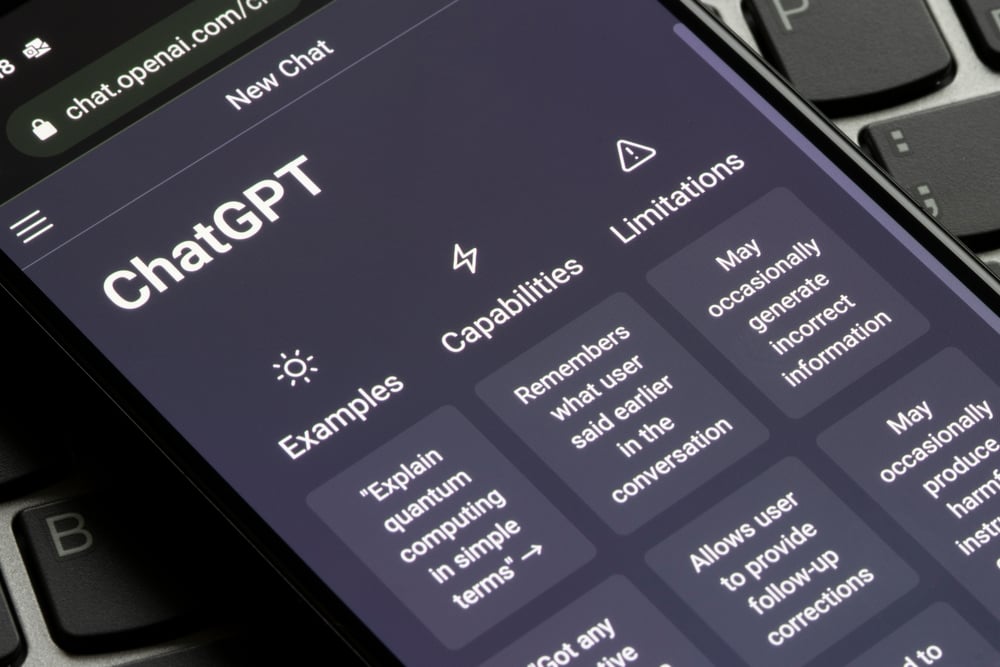
ChatGPT is fast, helpful, and surprisingly good at explaining complicated ideas without sounding like a dusty textbook. But like every large language model, it can sometimes produce information that sounds confident while being wrong. That problem is usually called an AI hallucination. It is not magic, mischief, or a tiny robot making things up out of boredom. It is a predictable weakness of systems that generate language based on patterns, context, training, and probability.
The good news is that hallucinations can be reduced. Not eliminated completely, at least not yet, but reduced enough to make ChatGPT more useful for research, business writing, customer support, coding, education, content planning, and everyday decision-making. The secret is not one perfect prompt. It is a workflow: clearer instructions, better source material, careful verification, and a healthy refusal to worship fluent sentences just because they wear a nice tie.
This guide explains how to lower hallucination results with ChatGPT using practical, real-world methods. Whether you are writing a blog post, building an AI assistant, summarizing documents, or asking ChatGPT to help with technical work, these strategies will help you get answers that are more accurate, more grounded, and much less likely to invent a fictional CEO named “Robert Spreadsheet III.”
What Are ChatGPT Hallucinations?
A ChatGPT hallucination happens when the model produces a statement that is false, unsupported, misleading, outdated, or fabricated, while presenting it as if it were true. Common examples include fake citations, invented statistics, incorrect summaries, nonexistent product features, inaccurate legal or medical claims, and confident explanations based on incomplete context.
Hallucinations are especially sneaky because they often sound polished. A wrong answer written in perfect grammar can feel more trustworthy than an uncertain answer written plainly. That is why lowering AI hallucinations is not only a technical issue. It is also a user-experience issue, a research issue, and in professional settings, a risk-management issue.
Why ChatGPT Hallucinations Happen
ChatGPT does not “know” facts in the same way a librarian, database, or official record does. It predicts useful text based on patterns from training, instructions, and the context you provide. When the prompt is vague, the topic is obscure, or the answer depends on recent information, the model may try to fill in gaps. Sometimes that gap-filling is helpful. Sometimes it is a beautiful little disaster wearing a lab coat.
1. The model may lack current information
If a question depends on today’s prices, current laws, recent product updates, sports scores, breaking news, or company leadership changes, a model without live retrieval may be working from outdated information. That increases the chance of hallucination.
2. The prompt may be too broad
“Tell me everything about cybersecurity” is an invitation to wander. “Summarize the top three password security risks for small businesses in 2026, using only the sources I provide” is much safer. Specific prompts create narrower lanes, and narrower lanes reduce the chance of the AI driving into a factual ditch.
3. The source material may be weak
If you paste messy notes, conflicting data, or incomplete tables into ChatGPT, the output may reflect that confusion. Garbage in, gourmet-sounding garbage out. Clean inputs matter.
4. The model may be rewarded for sounding helpful
AI systems are often optimized to answer questions, but in real life, the most accurate answer is sometimes “I do not have enough information.” A reliable ChatGPT workflow should make uncertainty acceptable, not embarrassing.
How to Lower Hallucination Results with ChatGPT
The most effective way to reduce hallucinations is to combine several safeguards. Think of it like kitchen safety. You do not rely only on an oven mitt, a timer, or common sense. You use all three, because nobody enjoys explaining why the lasagna is on fire.
Use clear, narrow instructions
Start by telling ChatGPT exactly what you need. Include the task, audience, format, boundaries, and success criteria. A weak prompt asks, “Write about AI hallucinations.” A stronger prompt says, “Write a 900-word beginner-friendly guide explaining AI hallucinations, include five prevention tips, avoid legal or medical advice, and flag any claims that need verification.”
Clear prompts reduce guesswork. They also help the model understand when to summarize, compare, verify, list assumptions, or ask for missing information.
Tell ChatGPT to separate facts from assumptions
One of the best ways to lower hallucination results with ChatGPT is to require labels. Ask the model to divide its answer into “Confirmed facts,” “Reasonable assumptions,” and “Needs verification.” This simple structure makes uncertainty visible. It also prevents the model from quietly turning a guess into a statement.
Example prompt: “Answer the question, but separate verified facts from assumptions. If you cannot verify something from the provided context, label it as unverified.”
Provide source material whenever accuracy matters
For research-heavy tasks, do not ask ChatGPT to rely only on memory. Give it the source text, documents, transcripts, product pages, official policies, or data tables you want it to use. Then instruct it to answer only from that material.
Example prompt: “Use only the document below. If the document does not contain the answer, say ‘The provided document does not say.’ Do not infer missing facts.”
This is especially useful for company policies, financial reports, academic notes, help center articles, meeting summaries, and technical documentation.
Use retrieval-augmented generation for serious workflows
Retrieval-augmented generation, often called RAG, connects a language model to external knowledge sources. Instead of asking the model to answer from memory, the system retrieves relevant passages from a trusted database, document library, or search index, then asks the model to answer using that retrieved context.
RAG does not make hallucinations impossible, but it can reduce them significantly by grounding answers in real content. For businesses, this is one of the most important AI accuracy strategies. A customer support bot grounded in official help articles is safer than one improvising refund policies like a jazz saxophonist.
Ask for citations or source references when appropriate
When ChatGPT is working with provided documents or web-accessible information, ask it to cite the specific source, section, paragraph, or line that supports each important claim. This forces the response to stay closer to the evidence.
However, citations should still be checked. A citation-looking sentence is not the same as a verified citation. If the model produces a source, open it. If the quote or claim is not there, treat the answer as unreliable.
Reduce temperature for factual tasks
For developers using AI APIs, model settings matter. A lower temperature generally makes responses more consistent and less creative. That can be helpful for factual Q&A, classification, extraction, summarization, and compliance-related tasks. Higher creativity settings may be useful for brainstorming, but they are not ideal when accuracy is the main goal.
Use structured outputs
Structured output formats such as JSON, tables, checklists, and labeled sections can reduce ambiguity. They make it easier to inspect the answer and catch missing information. For example, if you ask ChatGPT to extract vendor names, prices, contract dates, and renewal terms into a table, errors are easier to spot than in a long paragraph.
Ask ChatGPT to show uncertainty
Add instructions such as: “Do not guess,” “Say when information is missing,” “Use cautious language for uncertain claims,” and “Ask for clarification when required.” These instructions work best when paired with source material and verification steps.
A useful prompt line is: “Accuracy is more important than completeness. If the evidence is insufficient, say so.” That sentence can save you from many confident nonsense answers.
Prompt Examples That Reduce Hallucinations
For research
“Summarize the main argument of the article below in 200 words. Use only the article text. Do not add outside facts. Include a section called ‘Not stated in the article’ for questions the text does not answer.”
For content writing
“Create an outline for a blog post about lowering hallucination results with ChatGPT. Separate proven best practices from opinions. Flag any claims that need a current source before publication.”
For business documents
“Review this policy draft. Identify statements that are unclear, unsupported, or likely to be misread. Do not invent policy details. Suggest safer wording where needed.”
For coding
“Explain what this code does based only on the code provided. If a function depends on missing files, say that the behavior cannot be fully determined.”
Verification: The Step Everyone Wants to Skip
The most important habit for lowering hallucination results with ChatGPT is verification. This is also the habit most people skip because the AI answer looks so clean. The headings are tidy. The grammar is smooth. The confidence is practically wearing sunglasses indoors.
But serious work needs a verification pass. Check names, dates, statistics, quotes, laws, product claims, technical instructions, and anything that could affect money, health, safety, compliance, or reputation. For web publishing, verify every factual claim that sounds specific. “Many companies use AI tools” is general. “The average company uses 275 SaaS apps” is specific and needs a source.
Create a claim-checking workflow
Before publishing AI-assisted content, extract the factual claims into a checklist. Then verify each claim against reliable sources. This works well for blog posts, white papers, product comparisons, academic summaries, and news explainers.
A simple claim-checking table can include: claim, source, status, correction needed, and final wording. It is not glamorous, but neither is correcting a published article after someone emails you with “Actually…” in the subject line.
Use Human Review for High-Stakes Content
ChatGPT can speed up research, drafting, brainstorming, and summarization, but it should not be the only reviewer for high-stakes topics. Legal, medical, financial, educational, and safety-related content should be reviewed by qualified humans. AI can assist the process, but human accountability still matters.
For businesses, the best approach is to classify AI use cases by risk. Low-risk tasks, such as rewriting a meeting agenda, may need light review. High-risk tasks, such as generating compliance guidance, should require expert review, source documentation, and approval before release.
Build a Better ChatGPT Workflow
Lowering hallucinations is not about distrusting ChatGPT. It is about using it professionally. The best users treat ChatGPT like a smart assistant that needs context, boundaries, and review. You would not ask a new intern to write a tax memo without sources, instructions, or supervision. Do not ask an AI model to do the digital version of that and then act shocked when it invents a regulation from the Kingdom of Vibes.
A reliable workflow looks like this:
- Define the task clearly.
- Provide trusted source material.
- Ask ChatGPT to identify uncertainty.
- Require citations or references for key claims.
- Use structured output when possible.
- Verify important facts manually.
- Revise the final answer for accuracy, clarity, and tone.
Common Mistakes That Increase Hallucinations
Asking for facts without sources
If you ask for a detailed factual answer without giving sources or requesting verification, you increase risk. This is especially true for recent events, niche topics, and technical subjects.
Requesting fake certainty
Prompts such as “Give me the definitive answer” or “Do not mention uncertainty” can push the model toward overconfidence. That may sound cleaner, but it is less honest.
Using ChatGPT as a search engine without checking
ChatGPT can explain, organize, and synthesize information beautifully, but search and verification are different tasks. For current facts, use live sources, official pages, databases, or trusted publications.
Pasting too much messy context
More context is not always better. If you paste a giant wall of unorganized notes, ChatGPT may miss details or merge unrelated ideas. Clean the input, label sections, and tell the model which parts matter most.
Best Practices for Teams Using ChatGPT
Organizations should go beyond individual prompting tricks. A team that wants reliable AI output should create shared standards. These may include approved source lists, prompt templates, review rules, documentation requirements, and escalation paths for high-risk answers.
Teams should also test prompts regularly. If a company uses ChatGPT to answer customer questions, it should run sample questions, compare answers against official policy, and measure failure patterns. Evaluation is not a one-time activity. It is maintenance, like changing the oil in a car or deleting the 47 screenshots from your desktop named “final-final-v3.”
Experiences and Practical Lessons from Lowering Hallucination Results with ChatGPT
In real-world use, the biggest improvement often comes from changing expectations. Many people begin by treating ChatGPT like an oracle. They type a question, receive a smooth answer, and assume the answer is correct because it sounds correct. After a few bad experiences, they learn to treat ChatGPT more like a powerful research partner: fast, creative, useful, but still in need of supervision.
One practical lesson is that ChatGPT performs much better when the user brings the evidence to the conversation. For example, if you are writing an article about a product update, paste the official release notes into the chat instead of asking the model to remember them. Then ask it to summarize only what appears in the notes. The answer becomes more grounded, and the chance of invented features drops sharply.
Another experience is that short prompts are not always better. A short prompt may feel efficient, but it can create room for guessing. A detailed prompt that explains the goal, audience, limits, and source rules usually produces safer results. The difference between “Write about ChatGPT hallucinations” and “Write a beginner-friendly guide explaining how to reduce ChatGPT hallucinations, avoid unsupported statistics, and flag claims needing verification” is huge.
It also helps to ask ChatGPT to critique its own answer, but this should not be the only safety step. A useful follow-up prompt is: “Review your previous answer. List any claims that may need verification before publishing.” This often reveals weak spots. However, the model may still miss errors, so human review remains essential.
For content creators, one of the most useful habits is building a fact-checking layer between drafting and publishing. Let ChatGPT help with structure, transitions, examples, and readability. Then verify the facts yourself. This keeps the speed benefit while reducing the risk of publishing something inaccurate. It also improves SEO quality because search engines and readers both reward trustworthy, helpful content.
For teams, the biggest lesson is consistency. If every employee uses a different prompt style, different sources, and different review habits, results will vary wildly. A shared prompt template can reduce errors. A simple template might include task, audience, approved sources, forbidden assumptions, output format, and verification requirements. It sounds basic, but basic systems often beat heroic improvisation.
Developers learn another important lesson: RAG systems need clean knowledge bases. Retrieval is not magic. If the documents are outdated, duplicated, poorly formatted, or full of contradictions, the AI can still produce bad answers. The quality of retrieval depends on the quality of the source library, chunking strategy, search method, metadata, and evaluation process.
Finally, the most reliable users get comfortable with uncertainty. A good AI answer does not always need to be complete. Sometimes the best answer is: “The available information supports A and B, but not C.” That may feel less exciting than a confident paragraph, but it is much more useful. Accuracy is not the enemy of productivity. It is what keeps productivity from turning into a very fast mistake machine.
Conclusion
Lowering hallucination results with ChatGPT is possible when you combine clear prompts, trusted sources, grounded context, structured outputs, citations, evaluation, and human review. The goal is not to make ChatGPT silent or timid. The goal is to make it useful without letting it cosplay as a fact database when it lacks evidence.
For everyday users, the best habits are simple: be specific, provide context, ask the model not to guess, and verify important claims. For businesses and developers, the best results come from RAG, source governance, testing, monitoring, and review workflows. ChatGPT can be an excellent assistant, but accuracy improves when humans stay in the loop and the model is guided by real evidence.
Note: This article is written for web publishing and synthesizes real-world guidance from AI documentation, research, and risk-management best practices. Always verify high-stakes claims with authoritative sources before publication or professional use.