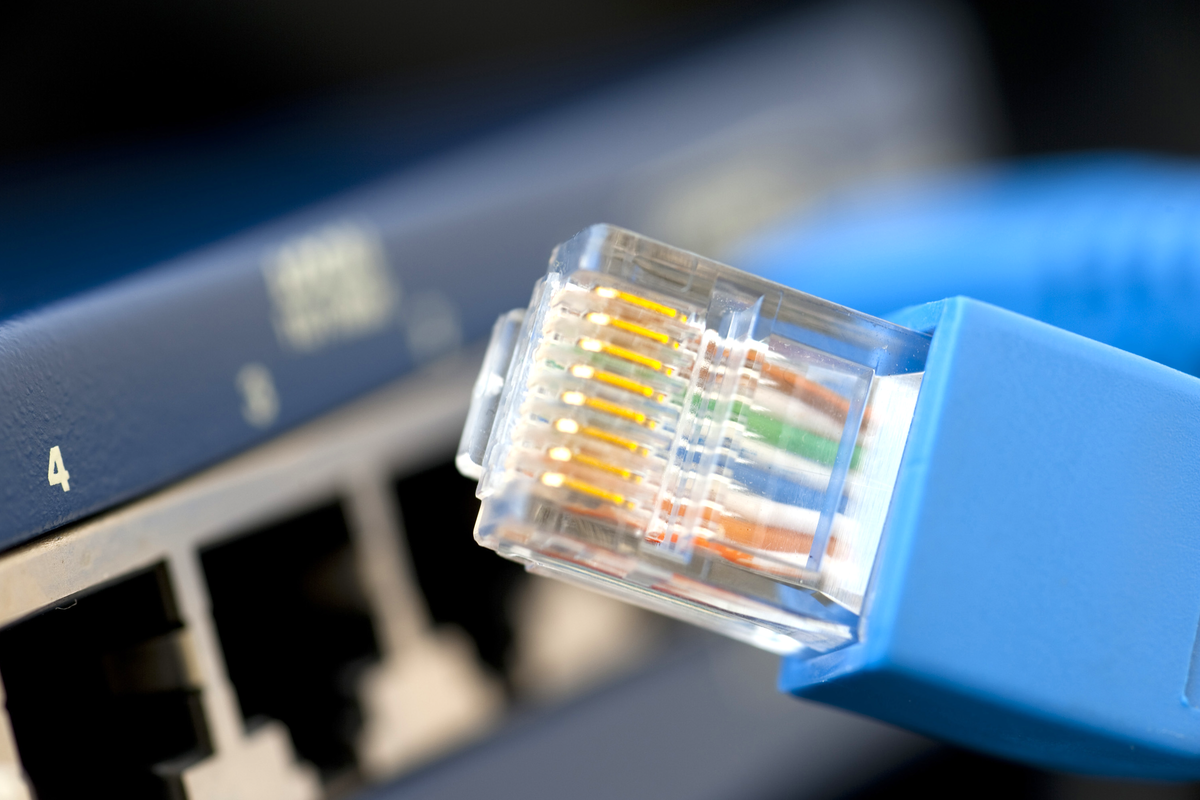
Ethernet is one of those technologies that feels almost too ordinary to be interesting. You plug in a cable, tiny lights blink like a caffeinated Christmas tree, and suddenly your computer can talk to the world. Simple, right? Well, yesand also gloriously not simple. Under that little RJ45 connector is a world of frames, MAC addresses, switching tables, negotiation, cabling standards, broadcast traffic, and just enough mystery to make any curious hacker reach for Wireshark.
This guide explains Ethernet for hackers in the old-school, hands-on sense of the word: people who like to understand how systems work, build labs, break assumptions, and learn by observing real packets. We are not talking about unauthorized access or sneaky business. We are talking about the fundamentals you need before you can responsibly troubleshoot networks, analyze traffic, design a home lab, or understand why your “gigabit” connection is crawling like a tired snail wearing ankle weights.
By the end, you will understand what Ethernet actually does, how frames move across a local network, why MAC addresses matter, how switches make forwarding decisions, what ARP does, and which basic tools help you see Ethernet in action.
What Is Ethernet?
Ethernet is a family of networking technologies used mostly for local area networks, or LANs. In everyday terms, it is the wired networking system that lets computers, routers, switches, servers, printers, security cameras, and other devices communicate over cables or fiber links.
Technically, Ethernet mainly lives at the bottom two layers of the networking stack: the physical layer and the data link layer. The physical layer deals with the real-world signal: copper wires, fiber strands, voltage changes, light pulses, connector types, and link speeds. The data link layer deals with packaging data into Ethernet frames and delivering those frames between devices on the same local network segment.
If IP networking is the postal service deciding how to route a letter across cities, Ethernet is the local courier who gets the envelope from one building to the next. It does not usually care about the entire internet route. It cares about the next local hop.
Why Hackers Should Learn Ethernet First
Many beginners jump straight into IP addresses, DNS, web requests, firewalls, VPNs, and cloud services. Those topics matter, but Ethernet is the ground floor. If you do not understand Ethernet basics, network troubleshooting becomes guesswork with a blinking-light soundtrack.
Ethernet helps explain questions like:
- Why can two devices be connected to the same switch but fail to communicate?
- Why does a switch need MAC addresses when devices already have IP addresses?
- Why does a packet capture show ARP requests before normal traffic begins?
- Why do VLANs separate traffic even on the same physical switch?
- Why does a bad cable sometimes cause slow speed instead of total failure?
For a hacker, Ethernet is also wonderfully observable. With permission and the right lab setup, you can capture frames, inspect headers, watch ARP happen, test cable problems, compare switch behavior, and see how devices introduce themselves on a network. It is like lifting the hood on a car and discovering the engine is not magic; it is just a lot of very organized explosions.
The Two Big Jobs of Ethernet
1. Move Bits Across a Physical Link
Ethernet defines how bits travel over a medium. That medium may be twisted-pair copper cable, fiber optic cable, or specialized industrial wiring. In a common home or office network, Ethernet usually means twisted-pair cable with RJ45-style connectors. You may hear cable categories such as Cat5e, Cat6, Cat6A, and Cat7. For most practical labs, Cat5e can handle gigabit Ethernet over typical distances, while Cat6 and Cat6A provide more headroom for higher speeds and cleaner performance.
The link speed depends on the network interfaces, the switch port, cable quality, distance, and negotiation between devices. A modern device may support 10 Mbps, 100 Mbps, 1 Gbps, 2.5 Gbps, 5 Gbps, 10 Gbps, or more. But the network will only run as fast as the slowest supported link conditions allow. A fancy 2.5 gigabit adapter plugged into an old 100 Mbps switch will not magically negotiate its way into greatness. Ethernet is practical, not sentimental.
2. Wrap Data in Frames
Ethernet does not send “files” or “websites” directly. It sends frames. A frame is a structured chunk of data with fields that help local network devices understand where it came from, where it should go, and what type of payload it carries.
A simplified Ethernet frame includes:
- Destination MAC address: The local hardware address the frame is trying to reach.
- Source MAC address: The hardware address of the sender.
- EtherType or length field: A value that identifies the payload type, such as IPv4, IPv6, or ARP.
- Payload: The data being carried, often an IP packet.
- Frame check sequence: An error-checking value used to detect corrupted frames.
There are more details, including preamble, start frame delimiter, interframe gaps, and optional VLAN tags, but the basic idea is simple: Ethernet frames are local delivery containers.
MAC Addresses: The Local Names of Network Cards
Every Ethernet network interface has a MAC address, usually written as six pairs of hexadecimal characters, such as 00:1A:2B:3C:4D:5E. A MAC address is 48 bits long. The first part traditionally identifies the manufacturer or organization that registered the address block, while the rest identifies the specific interface.
MAC addresses are used for local delivery. When your laptop sends traffic to another device on the same LAN, the Ethernet frame needs a destination MAC address. When your laptop sends traffic to a remote website, the destination MAC address is usually not the website. It is the MAC address of your default gateway, normally your router. The router then handles the next step of the journey.
This is one of the most important beginner insights: IP addresses tell traffic where it should ultimately go, but Ethernet MAC addresses help move frames across the current local link.
Switches: The Traffic Directors of Ethernet
An Ethernet switch connects multiple devices and forwards frames intelligently. Unlike an old hub, which repeats traffic out every port, a switch learns which MAC addresses are reachable on which ports. It builds a MAC address table by looking at the source MAC address of incoming frames.
For example, imagine your desktop sends a frame into port 3 of a switch. The switch sees the source MAC address and says, in effect, “Aha, that device lives on port 3.” Later, when another device sends a frame to that MAC address, the switch forwards the frame only to port 3 instead of shouting it across the whole network like someone looking for their keys in a grocery store.
If the switch does not know where a destination MAC address lives, it may flood the frame out other ports in the same broadcast domain. Once the destination replies, the switch learns its location. This behavior is normal and is part of how Ethernet networks discover local paths.
Broadcasts: When Ethernet Raises Its Voice
Most Ethernet communication is unicast, meaning one sender to one receiver. But Ethernet also supports broadcast traffic. A broadcast frame is addressed to ff:ff:ff:ff:ff:ff, which means all devices in the local broadcast domain should pay attention.
Broadcasts are useful, but they should not be abused. ARP requests, for example, are commonly broadcast because a device may need to ask, “Who has this IP address?” Every device in the local network hears the question, but only the device with the matching IP should answer.
Too much broadcast traffic can slow down a network. This is one reason VLANs and network segmentation matter. A flat network where everything hears everything can become noisy, fragile, and unpleasantlike an open-plan office where every keyboard is mechanical.
ARP: The Bridge Between IP Addresses and MAC Addresses
ARP stands for Address Resolution Protocol. It is used in IPv4 networks to map an IP address to a MAC address on the local network. When a device wants to send an IPv4 packet to another local IP address but does not know the target MAC address, it sends an ARP request.
A typical ARP exchange looks like this:
- Your computer wants to reach
192.168.1.25. - It checks its ARP cache to see whether it already knows the MAC address.
- If it does not, it broadcasts: “Who has
192.168.1.25?” - The device using that IP replies with its MAC address.
- Your computer can now build Ethernet frames addressed to that MAC.
For hackers learning networking, ARP is a beautiful protocol to observe because it is simple, visible, and fundamental. Open a packet analyzer in a legal lab environment and you can often see ARP requests almost immediately. It is the network equivalent of asking, “Hey, who ordered the pizza?”
VLANs: Many Logical Networks on One Physical Switch
A VLAN, or virtual LAN, lets a switch separate traffic into different logical networks. Devices in VLAN 10 can be isolated from devices in VLAN 20 even if they plug into the same physical switch. This is useful for separating guest Wi-Fi, office computers, servers, cameras, lab devices, and management interfaces.
Ethernet frames can carry VLAN tags, commonly associated with IEEE 802.1Q. A tagged frame includes extra information that identifies which VLAN the frame belongs to. Switch ports can be configured as access ports, which usually carry traffic for one VLAN, or trunk ports, which carry tagged traffic for multiple VLANs between switches, routers, or virtualization hosts.
For a beginner lab, VLANs are one of the best ways to move from “I plugged in a switch” to “I am designing a real network.” They teach segmentation, routing, firewall rules, and traffic visibility without requiring a warehouse full of hardware.
Duplex, Collisions, and Why Hubs Are Museum Pieces
Old Ethernet networks often used shared media, where devices had to deal with collisions. A collision happened when two devices tried to transmit at the same time on the same shared medium. Classic Ethernet used CSMA/CD, which stands for Carrier Sense Multiple Access with Collision Detection. That phrase sounds like a robot sneezing, but the idea was straightforward: listen before talking, detect collisions, and try again later.
Modern switched Ethernet is usually full-duplex. That means a device can send and receive at the same time on a dedicated link to the switch. Collisions are no longer a normal concern on properly configured full-duplex switched links. This is one reason switches replaced hubs almost everywhere.
However, duplex mismatches can still cause weird problems. If one side thinks it is full-duplex and the other side behaves like half-duplex, performance may become terrible. Modern auto-negotiation usually prevents this, but not always. When a network behaves like it is haunted, checking speed and duplex settings is still a classic troubleshooting move.
MTU: The Size Limit of a Frame Payload
MTU stands for maximum transmission unit. In common Ethernet networks, the standard IP MTU is often 1500 bytes. This is the largest IP packet payload that can usually fit inside a normal Ethernet frame without fragmentation. Some networks support jumbo frames, often around 9000 bytes, but all devices along the path need compatible configuration.
MTU problems can create strange symptoms. Small pings may work, while larger transfers fail. VPNs may behave badly because encapsulation adds overhead. Storage networks may perform below expectations. For hackers and lab builders, MTU is not the first thing to tweak, but it is absolutely worth understanding before you decide to “optimize” everything and accidentally invent a packet shredder.
Basic Ethernet Tools for Curious Hackers
Wireshark
Wireshark is the classic packet analyzer. It lets you capture and inspect network traffic, including Ethernet frames, ARP packets, IP packets, TCP handshakes, DNS queries, and more. In a legal lab, Wireshark is one of the best ways to make invisible network behavior visible.
tcpdump
tcpdump is a command-line packet capture tool found on many Unix-like systems. It is fast, scriptable, and excellent for remote servers where a graphical interface is unavailable. You can capture traffic, save it to a file, and open that file later in Wireshark.
ip, ifconfig, and ipconfig
Linux users commonly use ip link and ip addr to view interfaces, MAC addresses, link states, and IP addresses. Older systems may use ifconfig. Windows users can use ipconfig /all to see adapter information, including physical addresses.
arp and neighbor Tables
ARP cache tools let you see which IP addresses your system has mapped to MAC addresses. On Linux, ip neigh is commonly used. On Windows, arp -a displays ARP table entries. This is a simple way to connect what you see in theory with what your machine actually knows.
Common Ethernet Problems and What They Teach You
A Bad Cable Can Be Sneaky
A damaged cable may not always mean “no link.” Sometimes it means the link negotiates at a lower speed, drops packets, or behaves inconsistently. If your gigabit link suddenly becomes 100 Mbps, check the cable before blaming the universe.
Wrong VLAN, Wrong Neighborhood
If a device is plugged into the wrong VLAN, it may have a physical connection but no useful network access. This is like being inside the building but on the wrong floor, waving at people through glass.
Duplicate IP Addresses Cause Chaos
Two devices using the same IP address can create confusing ARP behavior and intermittent connectivity. One minute you are reaching the printer; the next minute you are reaching a mystery box that definitely should not be named “printer.”
Switch Loops Are Dangerous
Connecting switches in a loop without proper loop prevention can create broadcast storms. Ethernet frames may circulate endlessly, consuming bandwidth and making the network unusable. Technologies like Spanning Tree Protocol exist to prevent this, but beginners should still be careful when connecting multiple switches.
A Simple Home Lab for Ethernet Learning
You do not need a data center to learn Ethernet. A useful beginner lab can include one small managed switch, two computers or virtual machines, a router, several Ethernet cables, and Wireshark. A managed switch is especially helpful because it lets you experiment with VLANs, port settings, mirroring, and basic monitoring.
Start with simple goals. Capture ARP traffic. Ping one device from another and observe the frames. Change a port VLAN and see what breaks. Compare traffic when two devices are on the same subnet versus different subnets. Look at MAC address tables on the switch. Watch what happens when a device disconnects and reconnects.
The point is not to memorize every number. The point is to build a mental model. Once you understand how Ethernet frames, MAC addresses, switches, ARP, and VLANs fit together, more advanced networking topics become much easier.
Security Basics: Learn Responsibly
Ethernet knowledge can be used for administration, troubleshooting, security testing, and defense. It can also be misused. Always capture traffic only on networks you own or have explicit permission to analyze. Do not plug unknown devices into production networks. Do not attempt interception, spoofing, or disruption on someone else’s infrastructure.
In a defensive context, Ethernet basics help you understand network segmentation, device inventory, rogue devices, suspicious ARP behavior, and unexpected broadcast traffic. Many security investigations begin with humble questions: What is connected? Which MAC address is talking? Which switch port is active? Why is this host asking for that address?
Good hackers are curious. Great hackers are curious and careful.
Practical Experiences: Field Notes From Ethernet Learning
The first real lesson Ethernet teaches is that the cable is always a suspect. Not guilty, necessarily, but definitely standing near the crime scene wearing a suspicious hat. Many beginners spend hours checking drivers, firewall settings, router configurations, and operating system updates before swapping the cable and discovering the problem vanishes instantly. Ethernet is humbling that way. A five-dollar cable can defeat a thousand-dollar workstation with the confidence of a tiny plastic villain.
Another experience worth remembering is that link lights are helpful, but they do not tell the whole story. A glowing port usually means the physical connection exists, but it does not prove the VLAN is correct, the IP address is valid, the gateway is reachable, or the device is allowed through a firewall. Link lights say, “Something electrical is happening.” They do not say, “Congratulations, your network design is flawless.”
Packet captures are where Ethernet starts feeling alive. The first time you open Wireshark and watch ARP requests, broadcasts, DNS lookups, and TCP connections appear in real time, networking stops being abstract. You can see your computer asking questions. You can see other devices introducing themselves. You can see the difference between local traffic and traffic headed to a router. It feels a little like learning to read footprints in snow.
Managed switches also create memorable “aha” moments. Before using one, a switch may seem like a boring box with ports. After learning MAC address tables, VLANs, trunks, and port mirroring, that boring box becomes the traffic director of the LAN. You begin to understand why network engineers care so much about documentation. One mislabeled trunk port can turn a calm afternoon into a detective novel with worse coffee.
VLAN experiments are especially educational. Put two devices on the same switch but in different VLANs, and they may become invisible to each other until routing is configured. That single exercise teaches the difference between physical connectivity and logical connectivity better than a dozen diagrams. It also explains why “it is plugged in” is not the same as “it is on the right network.”
Finally, Ethernet rewards patience. The basics are not flashy, but they are powerful. If you can explain what happens when a laptop sends a ping to another device on the same LAN, you already understand more than many people who use networks every day. You know the machine checks its address information, resolves a MAC address if needed, builds a frame, sends it to a switch, and waits for a reply. That mental model becomes the foundation for routing, firewalls, monitoring, wireless networks, virtualization, and security analysis. Ethernet may be old, but it is not obsolete. It is the quiet machinery that keeps modern networks moving, one frame at a time.
Conclusion
Ethernet is the practical foundation of wired networking. For hackers, builders, administrators, and curious learners, it is worth understanding deeply because it explains what really happens before higher-level protocols get involved. Frames, MAC addresses, switches, ARP, VLANs, duplex, MTU, and cabling may not sound glamorous at first, but they are the gears behind the network curtain.
Once you understand Ethernet basics, troubleshooting becomes less mysterious. Packet captures make more sense. Switch behavior feels logical. VLANs stop sounding like wizardry. Best of all, you gain a clearer view of how devices actually communicate on a local network.
Start small. Build a lab. Capture your own traffic. Read frames. Break things safely. Fix them patiently. Ethernet is not just a cableit is a conversation, and hackers learn by listening carefully.
Note: This article is intended for lawful education, troubleshooting, and home-lab learning. Only inspect, capture, or test traffic on networks you own or have explicit permission to analyze.