There are polite ways to learn Ethernet. You can read a textbook, watch a networking course, nod wisely at a diagram of the TCP/IP stack, and say things like “encapsulation” while holding coffee. Then there is the gloriously stubborn way: write your own AVR bootloader that fetches firmware over Ethernet. It is not the easiest path. It is not the shortest path. It is, however, the path that makes Ethernet stop looking like a magic blue cable and start looking like a stack of very specific bytes with very specific jobs.
The idea behind an Ethernet-capable AVR bootloader is beautifully nerdy: instead of connecting a USB programmer every time you want to update firmware on an ATmega-based project, the microcontroller can download new code from the network and write it into its own flash memory. That sounds simple until you remember that an AVR microcontroller has limited flash, limited RAM, and absolutely no interest in carrying your bloated software dreams. If you want it to speak Ethernet, IP, UDP, and TFTP inside a tiny boot section, every byte must justify its rent.
This is why projects like kiloboot, a tiny TFTP Ethernet bootloader for ATmega328P and ENC28J60 hardware, are so fascinating. They are not just firmware tools; they are crash courses in embedded networking. When you build one yourself, Ethernet becomes less of a buzzword and more of a conversation between silicon, packets, checksums, and your patience.
What Is an AVR Bootloader?
An AVR bootloader is a small program stored in a protected boot section of an AVR microcontroller’s flash memory. When the chip resets, the bootloader can run before the main application. Its job is usually to decide whether to start the existing firmware or receive a new program and write it into flash. On Arduino-style boards, this is the little miracle that lets you upload sketches over serial instead of reaching for an external programmer every time.
Traditional AVR bootloaders often communicate through UART. A PC tool such as AVRDUDE sends the compiled firmware, the bootloader receives it, and the AVR uses self-programming instructions to write flash pages. The famous Optiboot bootloader became popular because it is compact, fast, and reliable for classic Arduino boards. But UART is only one road into the chip. If your device already lives on a wired network, Ethernet firmware updates become tempting.
Why Ethernet Changes the Game
Ethernet removes the “bring the laptop and cable to the device” problem. Imagine a sensor box in a ceiling, a controller in a garage, or a homemade automation board hiding behind a cabinet like a socially awkward robot. With an Ethernet bootloader, firmware can be served from another machine on the local network. Power-cycle the device, let it request a firmware file, and it can update itself without opening the enclosure.
That convenience comes at a cost: complexity. A serial bootloader can get away with a small command parser. An Ethernet bootloader has to deal with frames, MAC addresses, IP addresses, UDP ports, packet lengths, checksums, timeouts, retries, flash pages, and possibly the occasional packet that vanishes into the network void like a sock in a dryer.
Why Writing One Teaches Ethernet Better Than Reading About It
Most developers first meet networking through sockets. You open a UDP or TCP socket, send bytes, receive bytes, and the operating system handles the scary basement machinery. That is convenient, but it hides the lesson. On a tiny AVR bootloader, there is no operating system politely sweeping details under the carpet. You must build or trim the packet handling yourself.
That means you learn Ethernet from the bottom up. You see that a packet is not just “data.” It has an Ethernet header with destination and source MAC addresses. It has an EtherType that says what comes next. If it carries IPv4, the IP header brings source and destination addresses, protocol fields, lengths, and a header checksum. If the protocol is UDP, another header appears with ports, length, and checksum. If the payload is TFTP, now you are speaking a tiny file-transfer protocol designed to be simple enough for bootstrapping devices.
By the time your bootloader successfully asks a TFTP server for a firmware file, receives a block, acknowledges it, writes it to flash, and asks for the next block, you no longer “kind of know” Ethernet. You have wrestled it in the mud. Respectfully, of course.
The Hardware: ATmega328P Meets ENC28J60
A common build uses an ATmega328P microcontroller and a Microchip ENC28J60 Ethernet controller. The ATmega328P is familiar from many Arduino Uno-style projects. It is modest, predictable, and well-documented. The ENC28J60 is a stand-alone 10BASE-T Ethernet controller with an SPI interface, onboard MAC and PHY, and internal packet buffer memory. In plain English: it gives a small microcontroller a way to send and receive Ethernet frames without needing a built-in Ethernet peripheral.
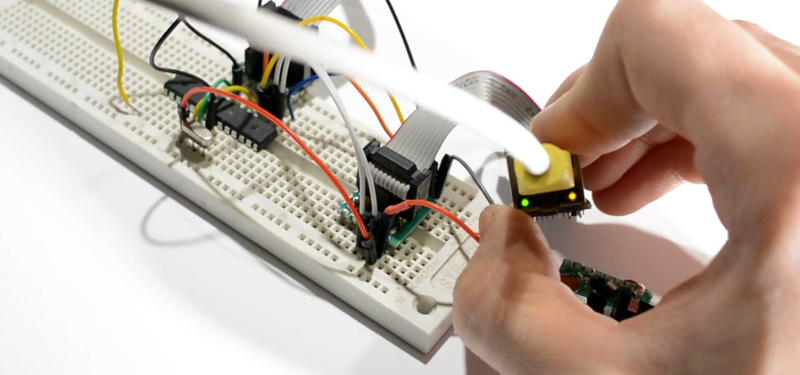
The AVR talks to the ENC28J60 over SPI. The Ethernet chip handles the physical connection to the network, while your code still has to decide what to do with the packets. This makes the ENC28J60 a great learning tool. It does not hide the entire TCP/IP stack from you the way some hardware TCP/IP offload chips do. That is less convenient, but far more educational. It is the difference between ordering pizza and learning how yeast works.
ENC28J60 vs. W5100/W5500
WIZnet chips such as the W5100 and W5500 are also common in Arduino Ethernet shields. These chips provide a hardware network stack capable of TCP and UDP socket-style communication. They are excellent when you want to build a practical networked project quickly. The W5100 supports multiple socket connections and works well with Arduino’s Ethernet library.
For learning Ethernet deeply, however, the ENC28J60 has a special charm. Because it gives you lower-level access, you are more likely to confront ARP, IP, UDP, packet buffers, and frame layout directly. If the goal is “make a device work,” a WIZnet chip may be friendlier. If the goal is “make my brain understand what this cable is doing,” the ENC28J60 is a worthy sparring partner.
The Protocol Stack in a Tiny Bootloader
An Ethernet AVR bootloader does not need to implement the entire Internet. In fact, it absolutely should not try unless you enjoy watching flash memory evaporate. A good tiny bootloader implements the minimum set of features required for one job: find a firmware file and write it into flash.
Ethernet Frames
At the lowest software-visible layer, the device receives Ethernet frames. The bootloader must recognize frames meant for its MAC address or broadcast traffic it cares about. It may need to respond to ARP requests so other machines can associate its IP address with its MAC address. Without ARP on a typical IPv4 Ethernet network, your device is basically standing in a crowded room wearing a name tag nobody can read.
IPv4
IPv4 adds addressing beyond the local Ethernet segment. In a minimalist bootloader, you can often avoid advanced IP features. You do not need fragmentation, routing elegance, or a life story. You need enough IP parsing to identify packets addressed to your device, enough header generation to send replies, and enough checksum handling to avoid producing packets that get rejected like expired coupons.
UDP
UDP is the transport layer of choice for tiny bootloader work because it is simple. There is no connection setup, no stream management, and no congestion control. UDP sends datagrams. They may arrive, they may not, and UDP will not write you an apology note. That sounds rude, but it is perfect for a simple bootloader when paired with a protocol such as TFTP that handles acknowledgments at the application layer.
TFTP
TFTP, the Trivial File Transfer Protocol, is widely used in boot and firmware workflows because it is intentionally small. It uses simple read and write requests, fixed-size data blocks by default, acknowledgments, and error packets. A bootloader can request a firmware file from a TFTP server, receive one block at a time, acknowledge each block, and write the incoming data into flash pages.
That simplicity is exactly why TFTP is attractive for an AVR bootloader. It is also why TFTP should be treated carefully. It does not provide modern authentication or encryption. For a hobby project or closed lab network, it can be perfect. For the public Internet, it is a bad idea wearing a tiny hat. Keep it on trusted networks, restrict access, and do not expose it to random traffic unless you enjoy explaining preventable disasters.
The Bootloader’s Real Job: Writing Flash Safely
Networking is only half the adventure. Once the bootloader receives firmware data, it must write that data into program flash. AVR devices that support self-programming use special instructions to erase and write flash pages. The bootloader must manage page boundaries, avoid overwriting itself, verify assumptions about firmware size, and eventually jump to the main application.
Flash writing is not like saving a text file. You generally erase and write in pages, and the timing matters. The bootloader must not lose track of where each incoming TFTP block belongs. If it writes the wrong page, your device may become a very small brick with pins. Recoverable with an ISP programmer, yes, but still emotionally spicy.
Boot Section Size Matters
AVR chips allow bootloader sections of different sizes, configured with fuse settings. A tiny bootloader may fit in 512 words, 1 KB, or another constrained region depending on the chip and configuration. The smaller the boot section, the more room remains for the application. The tradeoff is that every feature becomes expensive. DHCP? Nice, but large. TCP? Very nice, very large. Debug strings? Luxurious. Error handling? Necessary, but still a byte-budget negotiation.
This is why a 1 KB Ethernet TFTP bootloader is impressive. It forces ruthless decisions. Hard-coded network settings may replace DHCP. Assembly may replace C. General-purpose code may become carefully arranged routines. You learn quickly that “just add a feature” is what people say before the linker starts laughing.
What You Need to Build Your Own AVR Ethernet Bootloader
To experiment with this idea, you need an AVR microcontroller such as the ATmega328P, an Ethernet interface such as the ENC28J60 module, a way to initially program the chip through ISP, a TFTP server on your local machine, and a development environment capable of building AVR firmware. You will also want a packet analyzer such as Wireshark. Without packet inspection, debugging network firmware can feel like arguing with a ghost in hexadecimal.
A Practical Development Flow
Start by making the hardware work outside the bootloader. Confirm that the AVR can communicate with the Ethernet controller over SPI. Then send or receive a simple Ethernet frame. Next, implement ARP. Then handle a minimal IPv4 packet. Then UDP. Only after that should you add TFTP behavior. Building layer by layer keeps the project sane. Mostly sane. Embedded networking is still embedded networking.
Once TFTP blocks are arriving correctly, connect the data path to flash writing. Test with small dummy firmware images before trusting it with anything important. Read the flash back with an ISP programmer when necessary. Compare bytes. Celebrate tiny victories. Embedded development rewards people who treat “it blinked once” as a legitimate milestone.
Common Problems and How to Think About Them
The Device Does Not Receive Packets
Check the physical link first. Is the Ethernet jack showing link activity? Is the ENC28J60 wired correctly? Is SPI configured with the right mode and speed? Are chip select lines behaving? Many “network” problems are actually wiring problems wearing a fake mustache.
ARP Works, But TFTP Fails
This often means your Ethernet and IP basics are alive, but UDP or TFTP formatting is wrong. Verify source and destination ports, packet lengths, checksums, and block numbers. TFTP is simple, but simple does not mean forgiving. One wrong byte can turn your elegant firmware update into interpretive silence.
The First Packets Are Lost
Ethernet link establishment can take a few seconds after power-up. A bootloader that immediately sends a request may lose early packets. Retrying is not optional; it is survival. Add a small retry loop or delay strategy so the device does not give up before the network is ready.
The Bootloader Overwrites the Application Incorrectly
Check flash page size, bootloader section boundaries, and address calculations. Different AVR chips may have different page sizes and flash organization. Code written for one ATmega model may not transfer perfectly to another without adjustment. Datasheets are not decorative PDFs; they are the map out of the swamp.
Security: Do Not Put a Bare TFTP Bootloader on the Open Internet
A tiny Ethernet bootloader is a learning tool and a practical local update mechanism, not a complete secure firmware platform. TFTP does not authenticate users. A basic bootloader may not verify cryptographic signatures. If an attacker can reach the update path, they may be able to provide unwanted firmware. That is not a “quirk.” That is the firmware equivalent of leaving your front door open with a sign reading, “Please redecorate.”
For serious deployments, use additional safeguards. Keep the bootloader on an isolated management network. Restrict TFTP server access. Add firmware signing if the microcontroller has enough space and performance. Use a physical update trigger if appropriate. Consider newer microcontrollers with more flash, built-in Ethernet, secure boot support, or cryptographic acceleration. The educational value of doing everything on an AVR is enormous, but production security may require more room than a tiny bootloader can provide.
Why This Project Still Matters
Modern microcontrollers are powerful. Many have Wi-Fi, Ethernet MACs, USB bootloaders, secure firmware update systems, and SDKs that generate half the project before your coffee cools. So why bother writing an AVR Ethernet bootloader by hand?
Because constraints teach. When you have only a sliver of flash, you learn what protocols really require. When you cannot rely on an operating system, you learn what drivers do. When packets fail, you learn how to inspect them. When code size explodes, you learn discipline. And when it finally works, you gain a kind of confidence that no tutorial can fully hand you.
Writing your own AVR bootloader is not about rejecting modern tools. It is about understanding what those tools normally hide. After building even a minimal version, Arduino Ethernet libraries, hardware TCP/IP chips, and full embedded stacks become easier to appreciate. You know what is happening underneath because you have personally chased the bytes.
Experiences From Building and Debugging an AVR Ethernet Bootloader
The first experience most people have with a project like this is humility. Ethernet looks clean in diagrams: boxes, arrows, layers, cheerful labels. On an 8-bit microcontroller, those layers become byte arrays, register writes, and late-night questions like, “Why is the destination port backwards?” Endianness alone can provide enough character development for a small novel.
A practical lesson is to never begin by writing the whole bootloader. Begin by proving each tiny piece. Make SPI communication reliable. Read the Ethernet controller’s revision register. Configure receive buffers. Blink an LED when a packet arrives. Then print packet bytes over serial if you can spare the code during development. Even if the final bootloader has no serial output, temporary debug builds are priceless. Debug strings are too large for the finished bootloader, but during development they are emotional support animals.
Another useful experience is learning to love Wireshark. When your AVR sends a malformed packet, the network will not gently explain your mistake. Wireshark will at least show you what actually went onto the wire. You may discover that your IP total length is wrong, your UDP length does not match the payload, your checksum is nonsense, or your device is answering a packet intended for someone else. Each mistake is annoying, but each one teaches a real networking concept.
You also learn that bootloader design is about tradeoffs. Hard-coded IP settings feel crude until you compare them with the code size of DHCP. Ignoring IP fragmentation sounds incomplete until you realize your controlled TFTP use case does not need it. Supporting only the exact packet types required for firmware download may feel narrow, but narrow is how tiny firmware survives. The goal is not to create a desktop operating system in an ATmega. The goal is to get new firmware into flash safely and predictably.
Testing becomes a ritual. You serve a known firmware file from a local TFTP server. You reset the AVR. You watch the link light. You inspect the TFTP request. You confirm block one arrives. You check acknowledgments. You verify flash contents. Then, when the application finally boots after a network update, the humble LED blink feels like a fireworks show. It is not glamorous to outsiders, but embedded developers know: a blinking LED at the end of a brutal debugging session is basically applause.
Perhaps the biggest experience is psychological. Writing an Ethernet bootloader changes how you look at networks. A web page is no longer “the Internet.” It is the top floor of a tall building. Under it are transport protocols, IP packets, link-layer frames, hardware buffers, timing, retries, and physical signals. Once you have implemented even a tiny slice of that world, the abstraction becomes less mysterious. You may still use libraries afterwardplease do, life is shortbut you will use them with sharper instincts.
For hobbyists, this project is a fantastic challenge. For students, it is a compact networking course disguised as firmware pain. For professionals, it is a reminder that elegant systems are built from unglamorous details. And for anyone who has ever said, “I want to really learn Ethernet,” an AVR bootloader is a wonderfully unreasonable answer. It is difficult, educational, slightly ridiculous, and deeply satisfyingthe embedded equivalent of building your own bicycle to understand roads.
Conclusion
Writing your own AVR Ethernet bootloader is not the easiest way to update firmware, but it may be one of the best ways to understand Ethernet. It forces you to work with real frames, real headers, real protocol limitations, and real flash-writing constraints. You learn why UDP is useful, why TFTP remains popular in boot workflows, why checksums matter, why bootloader size is precious, and why datasheets deserve a permanent spot in your browser history.
The project also teaches a healthy engineering attitude: use abstractions, but do not worship them blindly. Libraries are wonderful, hardware offload chips are useful, and modern SDKs save time. But when you build the darn thing yourself, even once, you gain the kind of understanding that sticks. Ethernet stops being magic. The bootloader stops being a black box. And your tiny AVR becomes a surprisingly effective teacher with very limited RAM and absolutely no mercy.
Note: This article synthesizes real technical information from official AVR self-programming documentation, Microchip ENC28J60 materials, Arduino and WIZnet Ethernet references, TFTP/UDP/IP protocol specifications, and practical embedded bootloader projects. Source links are intentionally omitted as requested.