
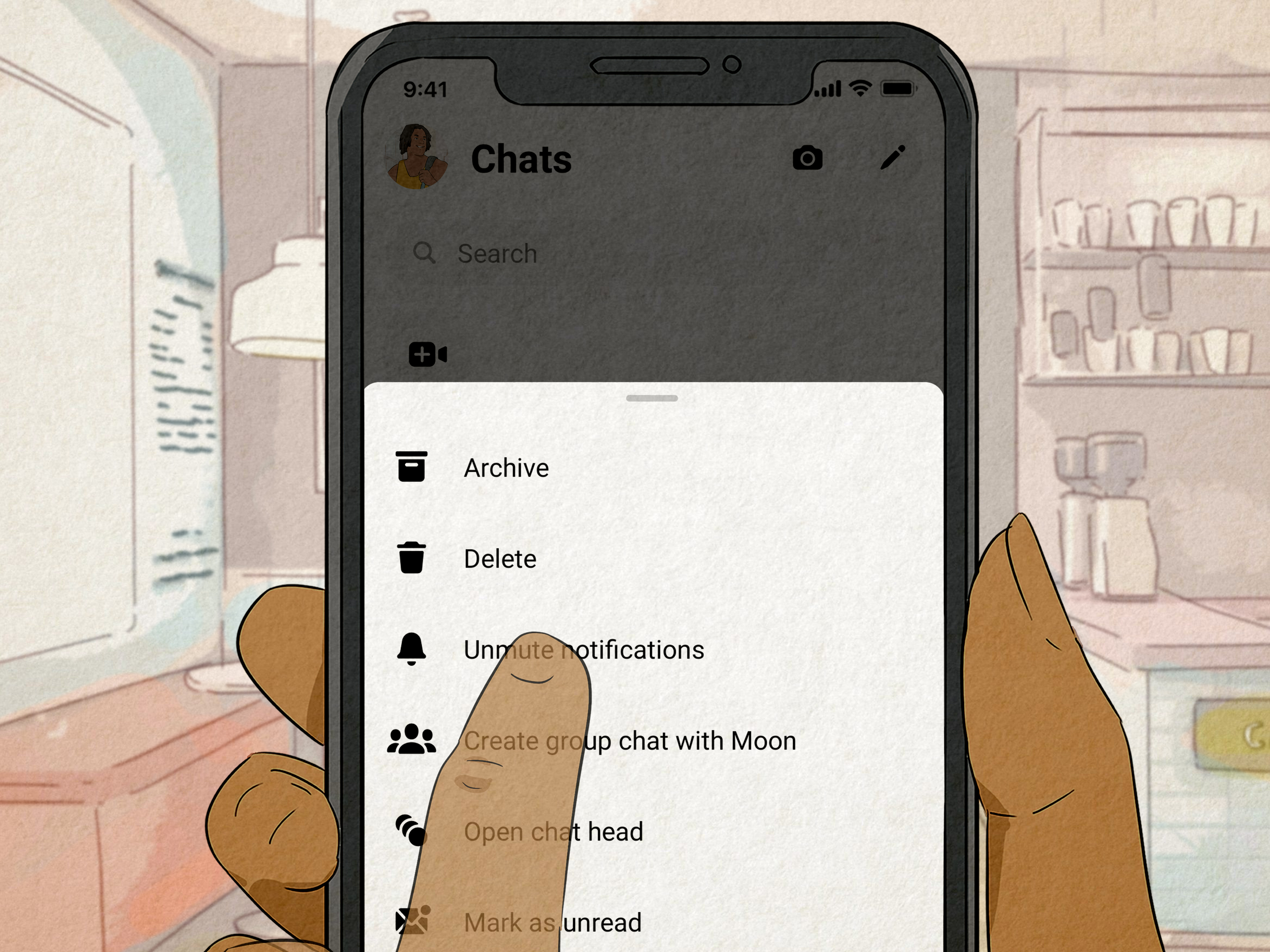
Accidentally ignored someone on Facebook Messenger and now you are staring at your phone like it owes you an apology? You are not alone. Messenger has changed its privacy tools over the years, and what many people still call “Ignore Messages” may now appear as Message Requests, Restricted Accounts, Muted Chats, or Archived Conversations, depending on what you actually did.
The good news: you can usually stop ignoring someone on Messenger in just a few taps. The slightly annoying news: Messenger likes to hide useful settings in places that feel like a digital junk drawer. This guide explains how to find the person, restore the conversation, unrestrict them, unmute notifications, move the chat back to your inbox, and avoid the awkward “Sorry, I definitely saw this six weeks late” moment.
Whether you ignored someone on purpose, did it by accident, restricted them during a drama tornado, or archived the conversation while cleaning your inbox, this in-depth guide will help you fix it without needing a social media detective badge.
What Does “Ignoring Someone” on Messenger Mean?
Before fixing the issue, it helps to understand what “ignore” means today. Older Messenger versions had an option called Ignore Messages. When used, the chat could move away from your main inbox, often into a message request-style area. You would not get normal notifications, and the conversation could become easy to miss.
In newer Messenger versions, the old ignore-style behavior is mostly handled through features such as Restrict, Mute, Archive, and Message Requests. These tools are similar, but not identical. That is where confusion begins. One person says, “Just unignore them,” while Messenger says, “Would you like to explore Privacy & Safety, Restricted Accounts, Message Delivery, Archive, or six other menus?” Very helpful, Messenger. Very zen.
Ignoring vs. Restricting
If you restricted someone, Messenger removes their chat from your main chat list and stops normal notifications. The person may still be able to message you, but you will not see their messages in the usual way. They also may not see your active status or read status in the same way they normally would.
Ignoring vs. Muting
If you muted someone, the chat stays available, but Messenger stops sending notifications for that conversation. This is the digital version of putting a chat on “silent mode” while still pretending to be organized.
Ignoring vs. Archiving
If you archived a chat, Messenger hides it from your main inbox until a new message arrives or you search for the conversation. Archiving does not block the person. It simply tidies your inbox by moving the thread out of sight.
Ignoring vs. Blocking
Blocking is stronger. If you block messages and calls from someone, they cannot message or call you through Messenger. If you blocked the person completely on Facebook, you may also limit wider Facebook interactions. If the goal is to stop ignoring someone and restart contact, blocking is the setting you may need to undo.
How to Stop Ignoring Someone on Facebook Messenger
The exact steps depend on what happened to the chat. Start with the most common fix: checking Restricted Accounts. Then check Message Requests, Archived Chats, muted notifications, and blocked profiles.
Method 1: Unrestrict Someone on Messenger
If Messenger has replaced “Ignore Messages” with “Restrict” on your app, this is probably the fix you need.
- Open the Messenger app on your phone.
- Tap the menu icon or your profile/settings area.
- Go to Settings.
- Tap Privacy & Safety or a similar privacy menu.
- Select Restricted Accounts.
- Tap the person you want to restore.
- Choose Unrestrict.
After you unrestrict them, their messages should return to normal Messenger behavior. You should be able to see the conversation more easily, receive messages normally, and reply without digging through hidden corners of the app.
Method 2: Reply to Their Message Request
If the person was moved into Message Requests, replying is usually the simplest way to stop ignoring them.
- Open Messenger.
- Tap the menu icon.
- Choose Message Requests.
- Look under request folders such as You May Know or Spam.
- Open the conversation.
- Send a reply.
Once you reply to a message request, Messenger generally moves the conversation into your regular chat list. That is Messenger’s way of saying, “Fine, this person is allowed back into the main hallway.”
Method 3: Search for the Chat Manually
Sometimes the conversation is not restricted or in message requests. It may simply be buried under newer chats. Use Messenger search:
- Open Messenger.
- Tap the search bar at the top.
- Type the person’s name.
- Open the conversation.
- Send a message or check the chat settings.
This method is useful when you are unsure whether you ignored, archived, muted, or simply lost the chat in a mountain of memes, family group messages, and “Can you send me that file?” threads.
Method 4: Check Archived Chats
If you archived the conversation, it may not appear in your normal inbox. To bring it back, search for the person’s name and send a message. You can also open archived chats from Messenger’s menu if your version shows that option.
On desktop, you can often open Messenger, find the archived conversation, and move it back by sending a new message or selecting an unarchive option. On mobile, the exact layout may differ, but searching for the person is usually the fastest path.
Method 5: Unmute the Conversation
If you are technically not ignoring the person but never receive alerts, you may have muted them. To fix that:
- Open the conversation in Messenger.
- Tap the person’s name or chat name at the top.
- Find Notifications & Sounds, Mute, or similar notification settings.
- Turn notifications back on.
Muting is perfect when your cousin sends 47 dog photos before breakfast. But if you actually want to hear from someone again, unmuting is the move.
Method 6: Unblock Messages and Calls
If you blocked the person, you need to unblock them before normal messaging can resume.
- Open Messenger settings.
- Go to Privacy & Safety.
- Look for Blocked Accounts or Blocked People.
- Select the person.
- Choose the option to unblock messages and calls.
Be aware that unblocking someone may restore their ability to contact you. If you only wanted a quieter inbox, Restrict or Mute may be better than fully blocking and unblocking.
How to Stop Ignoring Someone on Messenger Using Facebook Desktop
If the Messenger app feels like it rearranges itself every time you blink, try Facebook or Messenger on a desktop browser. Larger screens can make hidden folders easier to find.
- Go to Facebook or Messenger in your browser.
- Open Messenger.
- Use search to find the person’s name.
- Check Message Requests if the conversation is missing.
- Open the conversation and send a reply.
- Check chat options for mute, archive, restrict, or block settings.
Desktop can be especially helpful if your mobile app does not show the option you expected. Messenger features sometimes roll out differently by device, account, region, or app version. Translation: your friend’s phone may show one menu, while yours acts like it went to design school and came back mysterious.
Why You May Not See the Person in Messenger
If you cannot find the person, do not panic immediately. There are several possible explanations.
The Chat Is in Message Requests
If you are not Facebook friends or Messenger thinks the message belongs outside your main inbox, it may appear in Message Requests. Check both regular requests and spam-style filters.
The Chat Was Archived
Archived conversations are hidden from the main chat list. Search for the person’s name to locate the thread.
The Person Was Restricted
Restricted chats may not appear where you expect. Look in Messenger’s Privacy & Safety settings under Restricted Accounts.
The Person Was Blocked
If you blocked them, the conversation may behave differently, and normal messaging may not work until you unblock them.
The Account Changed or Was Deactivated
The person may have changed their name, deleted Messenger, deactivated Facebook, or adjusted their own privacy settings. In that case, your settings may not be the only reason the chat is missing.
What Happens After You Stop Ignoring Someone?
After you unrestrict, reply, unarchive, unmute, or unblock someone, Messenger should restore more normal communication. However, what changes depends on the setting you reversed.
- After unrestricting: the conversation can return to normal chat behavior.
- After replying to a request: the conversation usually moves into your main chats.
- After unmuting: notifications can start appearing again.
- After unarchiving: the conversation becomes easier to find.
- After unblocking: the person may be able to message or call you again.
One thing to remember: Messenger menus and labels can change. If you do not see the exact wording in this guide, look for similar privacy, safety, notification, or chat management options.
Will the Other Person Know You Ignored Them?
Usually, Messenger does not send a dramatic announcement saying, “Congratulations, you have been ignored.” Thankfully, the app has not reached reality-show levels of chaos. However, the other person may notice clues. For example, they may see that you did not respond for a long time, or that message status behaved differently.
If you restricted someone, they may not receive a direct notification about it. If you blocked someone, they may figure it out because they cannot message you normally. If you muted or archived a chat, the other person usually has no obvious way to know. The awkwardness mostly comes from silence, not from Messenger exposing you with a tiny trumpet.
Should You Message Them First After Unignoring?
If the silence was accidental, a simple message works best. You do not need to write a courtroom statement. Try something natural:
- “Hey, sorry, I missed your message earlier.”
- “I just saw this. Messenger hid it from me for some reason.”
- “Sorry for the late reply. I had notifications off.”
- “I found your message in requests. What’s up?”
If you ignored the person on purpose, be honest but calm. You can say, “I needed some space, but I’m okay to talk now.” That is clear, mature, and much better than pretending your phone fell into a lake for three months.
How to Avoid Accidentally Ignoring Someone Again
Once you fix the problem, prevent it from happening again by cleaning up your Messenger settings.
Review Your Message Delivery Settings
Messenger gives you control over who can message you directly and who goes to requests. Review these settings if you often miss messages from people who are not Facebook friends.
Use Mute Instead of Restrict for Temporary Quiet
If someone is noisy but not harmful, mute may be enough. Muting keeps the chat accessible while silencing alerts.
Use Archive for Inbox Cleaning
Archive chats you do not need daily, but remember that archived messages can be easy to forget unless you search for them.
Use Restrict for Boundaries
Restrict is useful when you want distance without fully blocking. It is more private and less dramatic than blocking, but it can also make messages easier to miss.
Use Block for Serious Boundaries
If someone is harassing you, pressuring you, or making you uncomfortable, blocking and reporting are better options than simply ignoring. Your inbox should not feel like a haunted house with Wi-Fi.
Common Problems and Fixes
I Unrestricted Someone, But I Still Do Not See Their Messages
Search for their name manually. Then check Message Requests and Archived Chats. Also update Messenger, close and reopen the app, or try desktop Messenger.
I Cannot Find Restricted Accounts
Messenger menus vary. Look under Settings, Privacy, Privacy & Safety, or Message Delivery. If the app layout changed, update the app or use Facebook on desktop.
I Replied, But the Chat Still Feels Hidden
Make sure the chat is not muted or archived. Open the conversation settings and check notifications.
I Think I Blocked Them by Mistake
Go to blocked accounts in Messenger or Facebook settings. If their name appears, unblock messages and calls if you want to resume communication.
The Person Says They Messaged Me, But I Never Saw It
Check Message Requests, Spam, Archived Chats, Restricted Accounts, and blocked settings. Also confirm that you are using the correct Facebook account, because yes, many people have an old account floating around like a digital ghost.
Experience Section: What It Feels Like to Stop Ignoring Someone on Facebook Messenger
Stopping the “ignore” treatment on Messenger is not just a technical task. It can feel oddly personal. One minute you are tapping through settings, and the next you are wondering whether your delayed reply needs an apology, a joke, or a full documentary titled The Inbox I Forgot.
In real life, the most common experience is accidental silence. Maybe you restricted someone during a stressful week, archived the chat while cleaning up your inbox, or muted notifications because the conversation was buzzing too much. Then life moved on. Days later, you remember the person exists, search their name, and discover unread messages sitting quietly in a hidden folder like abandoned luggage at the airport.
The first lesson is that Messenger’s privacy tools are powerful, but they are not always obvious. Restricting someone can be useful when you need breathing room, but it can also create confusion later. Muting is gentle, but it can turn into accidental ghosting if you forget you did it. Archiving is tidy, but too much tidying can become hiding. Message Requests are helpful for filtering strangers, but they can also trap legitimate conversations from people you actually want to hear from.
A practical habit is to check hidden areas once in a while. Think of it like cleaning your email spam folder, except with more profile pictures and fewer fake package delivery notices. Open Message Requests, scan Restricted Accounts, and review archived chats. You may find missed messages, old conversations, or people you meant to reply to but lost in the app’s maze.
Another real-world tip: when you restart a conversation, keep the first message simple. Most people do not need a 900-word explanation. “Sorry, I just found this in my requests” is honest and normal. “I had notifications muted and missed it” also works. If the silence was intentional because you needed space, you can say that kindly without overexplaining. Digital boundaries are healthy, but clear communication keeps them from turning into confusion.
There is also an emotional side. Sometimes you stop ignoring someone because the issue passed. Sometimes you realize you were avoiding a conversation. Sometimes you simply changed your mind. That is okay. Messenger settings are tools, not life sentences. You can restrict someone today, unrestrict them next month, mute a group chat during finals week, and unmute it when everyone stops sending memes at midnight.
The best experience comes from matching the tool to the situation. Use Mute when you need quiet. Use Archive when you want a cleaner inbox. Use Restrict when you want distance without a full block. Use Block when safety, harassment, or serious discomfort is involved. And when you want to stop ignoring someone, start by checking the setting that caused the silence in the first place.
In the end, fixing Messenger is usually easier than fixing the awkwardness. But a short, honest reply can do a lot. Technology hides messages. People forgive late replies. And sometimes the best thing you can say is, “Hey, I just saw this.” Simple, human, and much better than letting the chat collect digital dust forever.
Final Thoughts
Learning how to stop ignoring someone on Facebook Messenger is mostly about figuring out which Messenger feature created the silence. If the person is restricted, unrestrict them. If the message is in requests, reply to it. If the chat is archived, search for it and bring it back. If notifications are muted, turn them on. If the person is blocked, unblock messages and calls only if you truly want contact again.
Messenger can feel confusing because “ignore” is not always labeled as “ignore” anymore. But once you understand the difference between Restrict, Mute, Archive, Message Requests, and Block, the whole thing becomes much easier. Your inbox becomes less mysterious, your conversations become easier to manage, and your phone stops feeling like it is hiding secrets in a basement.
Use these settings thoughtfully. Sometimes ignoring a message is an accident. Sometimes it is a boundary. Either way, you are in control of who gets your attention, when they get it, and how much notification noise you allow into your day.













