
Note: This guide is based on current Rockstar Games and Steam support guidance. Policies can change, so always read the warning text inside your Rockstar Support ticket before confirming an unlink request. Account unlinking is not a magical “oops, undo” button; it is closer to defusing a tiny digital bomb wearing sunglasses.
Introduction: Why Unlinking Rockstar from Steam Is More Complicated Than It Looks
If you are searching for how to unlink Rockstar account from Steam, there is a good chance something has gone sideways. Maybe your Steam account is connected to an old Rockstar Games account. Maybe you bought Grand Theft Auto V, Red Dead Redemption 2, or another Rockstar title on Steam, only to discover the Rockstar Games Launcher is asking for an account you no longer remember. Or maybe younger-you created a Social Club account with an email address that now belongs in a museum next to floppy disks and questionable MySpace profile layouts.
Here is the important part: unlinking a Rockstar Games account from Steam is not the same as disconnecting a normal social login. For most linked accounts, Rockstar lets you go into your account settings and remove the connection. But for PC platform accounts such as Steam, Epic Games, and the Xbox app for PC, Rockstar says the unlink must be handled by the Rockstar Games Support team. That means there is no simple “Unlink Steam” button you can safely smash like a rage-quitting keyboard warrior.
This complete guide explains what unlinking really means, when you should do it, when you absolutely should not do it, what information Rockstar may need, and how to improve your chances of getting the issue resolved without creating an even larger account spaghetti monster.
Can You Unlink a Rockstar Account from Steam?
Yes, you can request to unlink your Steam account from your Rockstar Games account. However, the key word is request. Rockstar’s current support instructions say Steam unlinking must be submitted through Rockstar Games Support, and eligibility depends on the status of the Rockstar Games account.
That means you cannot reliably complete the entire process from Steam alone. Steam may show your games, purchases, profile, and account details, but the Rockstar link is managed through Rockstar’s account system. In plain English: if Steam is the shopping mall, Rockstar is the bouncer at the club door checking whether your name is on the list.
Before You Unlink: Understand the Big Warning
Before you contact Rockstar Support, slow down. Make tea. Stretch. Maybe apologize to your keyboard in advance. Rockstar’s warning is serious: unlinking Steam from a Rockstar Games account can result in being unable to play Rockstar Games titles on that Steam account and may involve loss of progress in online Rockstar Games titles.
This matters because Rockstar PC games purchased through Steam often depend on both sides of the connection: your Steam entitlement and your Rockstar Games account. If the link is broken without the right recovery path, you may still own the game on Steam, but launching or accessing online features can become a problem. That is the digital equivalent of owning a car but losing the key, the spare key, and the tiny paper tag with the key code.
Common Reasons People Want to Unlink Rockstar from Steam
Players usually want to unlink Rockstar from Steam for one of these reasons:
- The Steam account is linked to an old Rockstar Games or Social Club account.
- The Rockstar email address is no longer accessible.
- The wrong Rockstar account was linked by mistake.
- A sibling, friend, or previous PC owner linked their account.
- The Rockstar Games Launcher says the Steam account is already linked to another Rockstar account.
- The user wants to move Steam to a different Rockstar account.
Some of these situations are fixable. Some are fixable only through recovery, not unlinking. And some may not be eligible if there is gameplay time, account progress, a cooldown, or a security action attached to the account.
Step-by-Step: How to Unlink Rockstar Account from Steam
Step 1: Try to Sign In to the Correct Rockstar Games Account
Start by signing in to the Rockstar Games account that is currently linked to your Steam account. Go to the Rockstar Games account page and check your profile settings. If you can access the account, you are already in a better position than most people who arrive at this problem breathing like they just saw a “login failed” message for the tenth time.
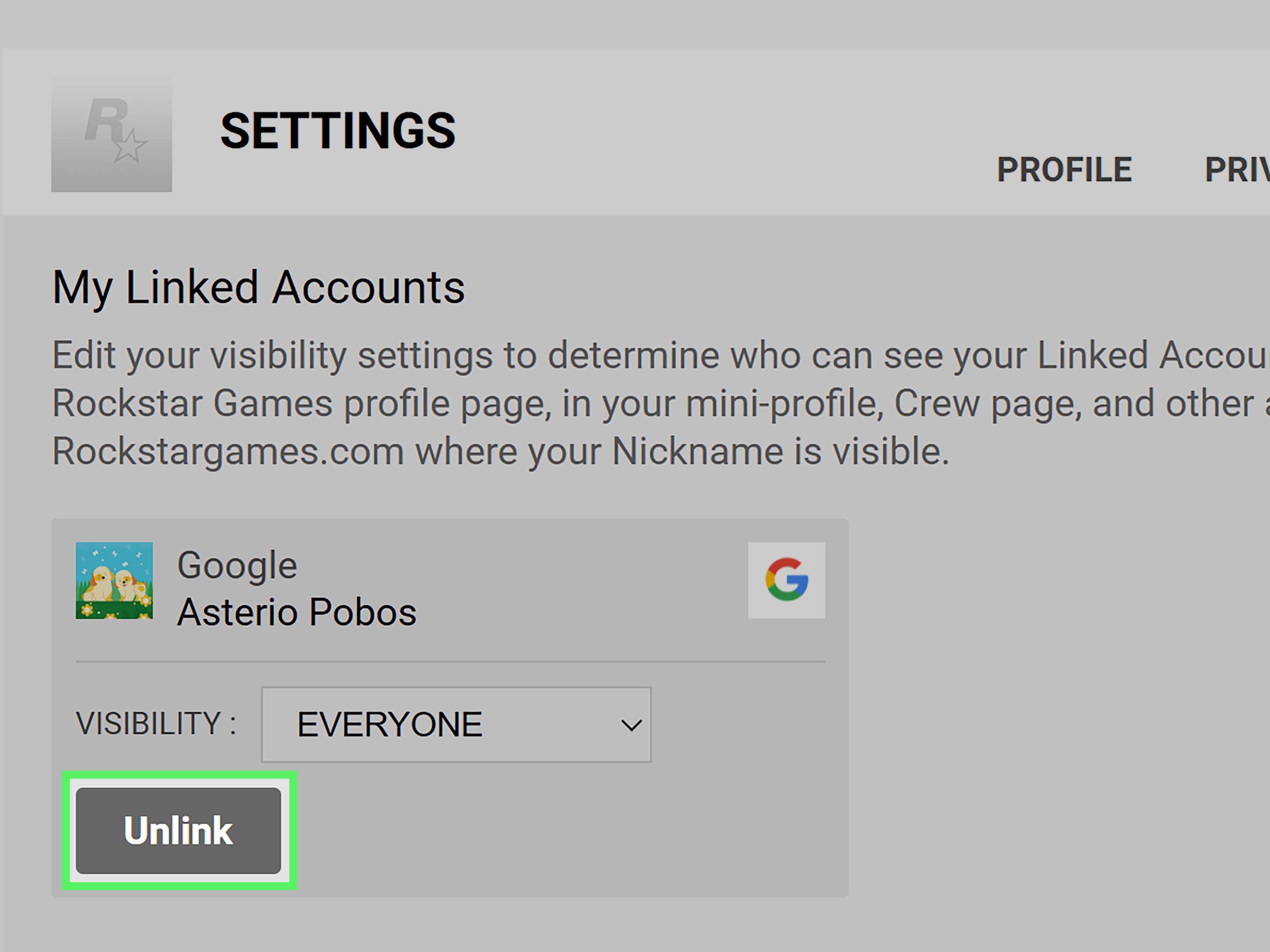
Once signed in, open the account settings area and look for Linked Accounts. Rockstar’s general account guidance says most linked accounts can be removed from this area, but PC platform accounts such as Steam, Epic Games, and Xbox app for PC require Rockstar Support assistance.
Step 2: Confirm That Steam Is the Account You Want Removed
Check the linked platform list carefully. Make sure you are not confusing Steam with Epic Games, PlayStation Network, Xbox network, or another platform. This sounds obvious until you are staring at three launchers, two email inboxes, and one confused browser tab named “final_final_login_REAL.”
If the linked Steam account is yours but the Rockstar account is old, consider whether recovering or updating the Rockstar account email is safer than unlinking. If your only problem is that you lost access to the old email, account recovery may protect your games and progress better than disconnecting Steam entirely.
Step 3: Review Rockstar’s PC Account Unlinking Policy
Rockstar’s PC account unlinking policy says eligibility depends on the account status. Accounts may be blocked from unlinking if there is an active security action, such as a suspension or ban. Rockstar also mentions cooldown periods after PC platform link changes, and support agents cannot bypass those cooldowns.
There may be one-time exceptions for mistaken initial account links, but Rockstar describes those as case-by-case and tied to conditions such as no gameplay time or progress associated with Rockstar titles on that account. Translation: “I clicked the wrong thing five seconds ago” is different from “I played 400 hours and now want a fresh identity because Trevor would understand.”
Step 4: Gather the Information You May Need
Before opening a ticket, prepare your information. Rockstar specifically asks users to be signed in to the Rockstar Games account they want to unlink from Steam and to confirm in writing that they understand the consequences of unlinking. Depending on your case, you may also need supporting details such as:
- Your Rockstar Games nickname.
- The email address currently or previously associated with the Rockstar account.
- Your Steam profile name.
- Your Steam ID64.
- Proof that you are logged into the Steam account.
- Proof of purchase for the Rockstar game on Steam, if requested.
- Screenshots of launcher errors, account-linking messages, or purchase history.
Do not send passwords. Do not send full payment details. Do not send your life story beginning with “It was a rainy Tuesday in 2015.” Keep the ticket focused, factual, and polite.
Step 5: Find Your Steam ID64
Your Steam ID64 is a unique identifier for your Steam account. It is often needed when support teams must verify which Steam account is involved. You can usually find it from your Steam account details page, where it appears below or near your profile name. If you use a custom Steam profile URL, you may also use a Steam ID lookup tool, but for support purposes, screenshots from the actual Steam client or Steam account page are often more convincing.
When taking screenshots, include the full browser or Steam client window if possible. Cropped screenshots can look suspicious, even when they are innocent. Support agents are not mind readers; they are people trying to solve account puzzles while probably drinking coffee that gave up on life three hours ago.
Step 6: Submit a Rockstar Support Request
Go to Rockstar Games Support and submit a request under account settings or linking and unlinking accounts. Choose the option related to unlinking a Steam account from a Rockstar Games account. In your message, explain the issue clearly.
Here is a clean example you can adapt:
Hello Rockstar Support, I need help with my Steam account being linked to the wrong Rockstar Games account. I am signed in to the Rockstar account involved in the request. The Rockstar nickname is [your nickname], and the Steam account is [your Steam profile name / Steam ID64]. I understand that unlinking these accounts may result in being unable to play Rockstar Games titles on Steam and may cause loss of online progress. Please review whether my account is eligible for unlinking or advise if account recovery is the safer option. Thank you.
That message does three things well: it identifies the problem, gives useful account details, and acknowledges the risk. It also avoids sounding like you are threatening to throw your router into a lake, which is generally good customer support etiquette.
Step 7: Wait for Rockstar’s Response and Follow Instructions Exactly
After submitting the request, Rockstar Support may ask for more proof, screenshots, written confirmation, or account recovery details. Reply through the requested channel and follow the instructions exactly. If they ask for confirmation wording, provide it. If they ask for a screenshot showing Steam ID64, do not send a blurry photo of your monitor taken from across the room like evidence in a UFO documentary.
If Rockstar says your account is not eligible, ask whether account recovery, email change recovery, or reverting to a previously linked email is available. Sometimes the correct fix is not unlinking Steam; it is recovering the Rockstar account that Steam is already tied to.
What If You Cannot Access the Rockstar Email?
If the Rockstar account is connected to an email you no longer control, do not rush straight to unlinking. Rockstar provides recovery guidance for users who cannot access the email tied to their account. If the email was changed, Rockstar says an account-specific recovery link may have been sent to the previous email address. If you no longer control the email account, Rockstar recommends contacting the email provider first.
In some cases, Rockstar Support may be able to revert a Rockstar Games account to a previously linked email, but the request generally needs to come from an email that was actually associated with the account. This is a security measure. Annoying? Yes. Necessary? Also yes. Otherwise, account thieves would be doing cartwheels through support forms.
Can Steam Support Unlink Rockstar from Steam?
Usually, no. Steam Support can help with Steam purchases, refunds, account access, and third-party game support contact paths, but the Rockstar account link itself is controlled by Rockstar’s system. If the issue is inside the Rockstar Games Launcher or Rockstar account linking, you should contact Rockstar Support.
Steam can be useful for gathering proof. You can use your Steam account details, purchase history, library page, or screenshots to show ownership. But asking Steam to remove a Rockstar-side account link is like asking the pizza delivery driver to fix your Wi-Fi. They may sympathize, but it is not their router.
Will You Lose GTA Online or Red Dead Online Progress?
You might. Rockstar’s Steam unlinking warning specifically mentions the possibility of being unable to play Rockstar Games titles on your Steam account and the loss of progress in online Rockstar Games titles. Because online progress is often tied to the Rockstar account and platform connection, unlinking can create serious consequences.
Before confirming any unlink request, ask yourself:
- Do I still care about GTA Online progress?
- Do I still use this Steam copy to launch Rockstar games?
- Am I trying to fix an old email problem that could be solved through recovery?
- Did I accidentally link the wrong account before ever playing?
- Have I read Rockstar’s warning carefully?
If you are unsure, do not approve unlinking yet. Ask Support whether account recovery is recommended. A boring support conversation today is better than discovering tomorrow that your online progress has packed its bags and moved to Los Santos without you.
Best Alternative: Recover the Existing Rockstar Account
For many players, the best solution is not to unlink Rockstar from Steam. The better move is to recover the Rockstar Games account already connected to Steam. This is especially true if you bought GTA V, Red Dead Redemption 2, or another Rockstar title on Steam and the launcher refuses to connect because it expects the original Rockstar account.
Recovering the old Rockstar account keeps the existing entitlement path intact. If you can regain access, update the email address, enable two-step verification, and secure the account, you may avoid the risk of losing access or progress. It is less glamorous than “unlink and start fresh,” but it is usually much safer. Account recovery is the vegetables of gaming support: not exciting, but good for you.
Troubleshooting Common Problems
Problem: “This Steam account is already linked to another Rockstar account.”
This usually means your Steam account has already been connected to a different Rockstar Games account. Try every email address you may have used for Rockstar or Social Club. Check old inboxes for Rockstar emails, purchase confirmations, password resets, or account change messages.
Problem: You Used the Wrong Rockstar Account
If the link was truly a mistake and there is no gameplay time or progress attached, Rockstar may consider a one-time exception on a case-by-case basis. Open a support request and explain the mistake clearly. Do not exaggerate. Support teams can smell “creative storytelling” from space.
Problem: The Account Is Suspended or Banned
Rockstar’s PC unlinking policy says accounts with active security actions are not eligible for unlinking while the suspension or ban is in place. In that case, you need to address the account status first.
Problem: You Recently Changed a Link
Rockstar says PC platform account link changes may trigger a cooldown period, and support agents cannot bypass it. If your account is under cooldown, waiting may be the only option. Yes, waiting is terrible. No, refreshing the ticket every six minutes will not make time move faster.
Security Tips After Fixing the Link
Once your Rockstar and Steam account issue is resolved, secure everything. Use a strong, unique password for Rockstar. Use a different strong password for Steam. Enable two-step verification where available. Update your recovery email and make sure you can actually access it. Store account details in a reputable password manager instead of a random text file named “passwords-final-new-2.txt” on your desktop.
Also, never let friends, siblings, roommates, cousins, or “just one quick login” guests connect their Rockstar account to your Steam profile. Account linking is not a casual handshake; it is more like signing a lease with a very dramatic landlord.
Real-World Experience: What This Process Feels Like for Players
The most frustrating part of unlinking a Rockstar account from Steam is that the problem often appears only when you are ready to play. You download a massive game, clear your evening, maybe prepare snacks with the confidence of a champion, and then the Rockstar Games Launcher appears with an account-linking error. Suddenly, the real final boss is not in Los Santos or the American frontier. It is account authentication.
In many real-world cases, players do not even remember creating the original Rockstar account. That is understandable. Rockstar Social Club accounts have existed for years, and many people created them once, logged in automatically for ages, and never thought about them again. Then they change email providers, lose access to an old inbox, reinstall Windows, buy a new PC, or return to a game after a long break. The launcher asks for the old account, and the player thinks, “Who is this mysterious past version of me, and why did he use that email address?”
The best experience-based advice is to treat the issue like account recovery first and account unlinking second. Start by searching every email inbox you own for terms like “Rockstar,” “Social Club,” “GTA,” “Red Dead,” “Rockstar Games Email Changed,” and “password reset.” Check spam folders and old recovery emails. If you find the account, try password recovery. If the email was changed without your permission, look for the recovery message Rockstar may have sent to the previous email address. This detective work is not fun, but it can save your progress and your Steam access.
When contacting support, clarity matters. Players who send organized information usually have a smoother time than players who send emotional essays written in all caps. Include your Rockstar nickname if known, your Steam ID64, the email addresses you believe were involved, and screenshots that show the error. Make it easy for the support agent to understand the timeline. “I bought GTA V on Steam in 2020, linked it to a Rockstar account using this old email, no longer have access, and now the launcher says my Steam account is already linked” is much more useful than “Your launcher is broken, fix it.”
Another practical lesson: do not create multiple new Rockstar accounts while troubleshooting unless support tells you to. Creating extra accounts can make the situation harder to explain. You may end up with one account that owns nothing, one account linked to Steam, one account connected to an old email, and one account created during a midnight panic session. At that point, your login history starts looking like a crime board in a detective show.
Players should also understand that “unlink” does not always mean “move everything to a new account.” Many people assume they can detach Steam from one Rockstar account and attach it to another like moving a USB cable. Rockstar’s policies and warnings make the process more restrictive, especially when gameplay history or online progress exists. If your goal is simply to change the email, recover access, or secure the account, say that clearly. Support may guide you toward recovery instead of unlinking, which is often the better result.
The emotional part is real too. It feels unfair to own a game on Steam but be blocked by a third-party account issue. That frustration is valid. But the fastest path is usually patient documentation, not rage-clicking. Take screenshots, write a calm ticket, read every warning twice, and do not confirm unlinking unless you understand the consequences. Your future self will appreciate the restraint, even if your current self wants to challenge the launcher to a duel at sunrise.
Conclusion: Unlink Carefully, Recover When Possible
Learning how to unlink Rockstar account from Steam is really learning how Rockstar’s PC account linking system works. You cannot usually disconnect Steam yourself from the normal linked accounts page. Instead, you must submit a Rockstar Support request, prove the account details, and confirm that you understand the risks.
The safest route is often to recover the existing Rockstar Games account rather than unlink it. If you still have online progress, Steam-purchased Rockstar titles, or an old account that can be restored, recovery may save you from access problems later. If the link was a true mistake and there is no gameplay history, Rockstar may review the case as a possible exception.
In short: gather your details, contact Rockstar Support, avoid unnecessary new accounts, and do not approve unlinking until you are sure. Account linking may be boring, but losing access to your games is even more boring with bonus sadness.













