Note: This article is an original editorial-style synthesis based on real public information about the Odd Inputs and Peculiar Peripherals contest, its winners, and the wider maker culture around unusual computer interfaces.
When a Keyboard Is Too Normal, Makers Reach for the Weird Drawer
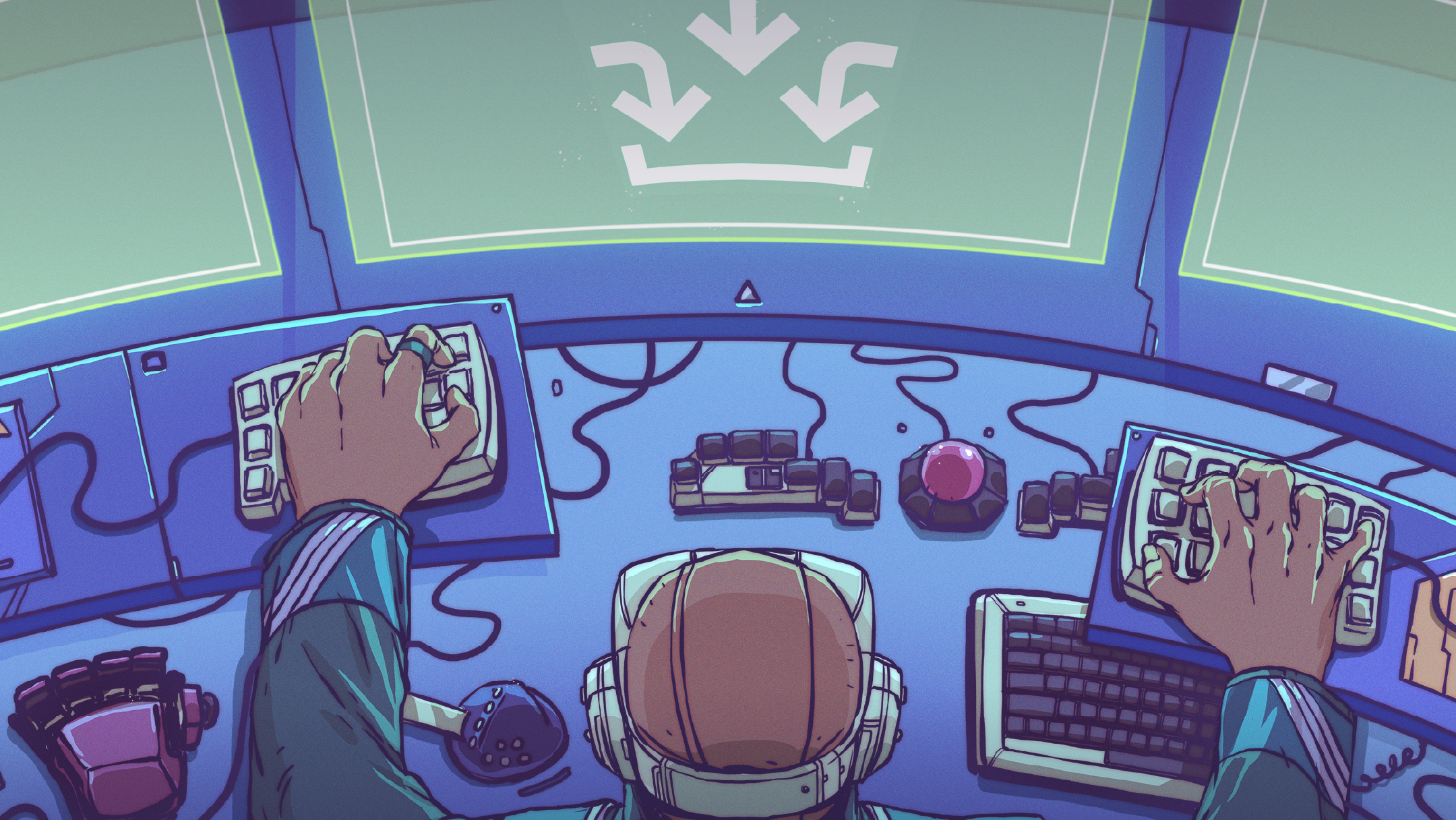
Most of us interact with computers in painfully predictable ways: keyboard, mouse, trackpad, maybe a game controller if we are feeling spicy. Then the maker community looks at that tidy little arrangement and says, “Cute. But what if the mouse were a stick, the keyboard had tiny screens, and the gamepad was an exercise bike?” That is the cheerful chaos behind Overwhelmed By Odd Inputs: The Contest Winners And More, a look at the Hackaday Odd Inputs and Peculiar Peripherals contest and the wonderfully strange projects it celebrated.
The contest invited builders to create custom computer peripherals: keyboards, macropads, mice, wearable controls, gaming rigs, and any odd input device that could help a human talk to a machine. The rules were refreshingly practical: the device had to connect to a computer, exist in the real world, include evidence such as photos or video, and be documented well enough that another maker could understand the build. In other words, “I taped a banana to a USB cable” was not enoughunless the banana had firmware, source files, and a suspiciously polished enclosure.
What made this contest memorable was not just the technical variety, but the personality. A great peripheral is not always the most efficient tool. Sometimes it is the one that solves a tiny personal annoyance with heroic overengineering. Sometimes it is a joke that became a PCB. Sometimes it is a fitness device disguised as a racing controller because apparently guilt is also an input method.
The Big Idea: Computers Should Adapt to People, Not the Other Way Around
The standard keyboard-and-mouse setup is a compromise. It works for many people, but it was never designed for every workflow, every body, every game, or every creative habit. That is why custom keyboards, macro pads, HID devices, and DIY controllers have become such a rich corner of open hardware culture. A designer wants faster shortcuts. A gamer wants a cockpit. A researcher wants math symbols without fighting a character map. A remote worker wants one mute button that never betrays them during a meeting.
The Odd Inputs and Peculiar Peripherals contest captured this movement perfectly. It was not only about novelty. It was about friction. Every project asked the same question: “What is annoying about using a computer, and what physical object would make it less annoyingor at least more hilarious?”
The Prize Winners: Three Very Different Definitions of “Useful”
Keybon: The Macro Keyboard That Knows What You Are Doing
The standout winner was Keybon, an adaptive macro keyboard created by Max.K. At first glance, it looks like the kind of desktop gadget that makes productivity nerds lean forward and whisper, “I need that.” It has nine tactile buttons, and each button contains a tiny OLED display. That alone is enough to trigger gadget envy. But the real magic is in the way Keybon changes its layout depending on the active application on the computer.
Instead of forcing users to memorize layers, labels, and mysterious shortcut hieroglyphs, Keybon displays icons and functions that match the software currently in focus. Open a design app, and the keys can become design shortcuts. Switch to a browser, and they can become browsing actions. Move to a video editor, and suddenly the board behaves like a miniature command center. It is a small device with a big idea: shortcuts should be visible, contextual, and friendly.
The project also demonstrates what separates a flashy prototype from a strong maker build. Keybon includes a 3D-printed case, custom button mechanisms, companion software, firmware, and thoughtful hardware decisions. The creator chose an STM32 microcontroller partly because driving multiple OLED displays requires more memory than a tiny microcontroller can comfortably provide. That is the kind of design detail that makes hardware people nod slowly while pretending they did not just whisper, “Nice.”
The Cree-board: A Keypad Built from Blindingly Bright Bad Puns
If Keybon is polished and practical, The Cree-board is the class clown who somehow also aced the final exam. Created by Matt Deeds, this wireless keypad uses COB LEDs as keycaps. Yes, actual bright LED modules become the things you press. The result looks like a tiny board of glowing square eggs, which is not a sentence most keyboard reviewers get to write in a normal week.
The project reportedly began with a pun around “Cree,” a well-known LED brand, and the concept grew into a real working peripheral. The Cree-board uses an ESP32-C3 for wireless communication and a separate ESP32-S2 receiver connected to the computer. The keys are mounted into a 3D-printed shell, and the thin plastic beneath the LEDs acts like a spring over tactile switches.
Is it the most practical keyboard ever made? Not exactly. A keyboard that can illuminate your fingertips like a tiny desk sunrise may not be ideal for writing a 40-page report. But practicality is not the only metric. The Cree-board succeeds because it turns a joke into a working device, documents the build, and reminds everyone that hardware can be playful. The best maker projects often begin with “This is ridiculous,” followed immediately by “I should build it.”
Exercise Bike to Wireless Gamepad: Fitness Meets High Scores
The third winner, Exercise Bike to a Wireless Gamepad, created by Josh Joy, may be the most physically demanding peripheral in the group. The idea is beautifully simple: turn an exercise bike into a Bluetooth game controller using an ESP32. Pedaling becomes an input. Touch pads become buttons. Gaming becomes cardio. Suddenly, racing games are not just about reflexes; they are about whether your legs have filed a formal complaint.
The build uses the bike’s magnetic switch to detect pedal movement. As the pedals turn, the switch produces pulses, and the ESP32 can count those pulses to estimate speed. The project also repurposes metal heart-rate pads as touch inputs, with extra touch modules used to make the controls more reliable. The ESP32 then acts as a BLE gamepad.
This project is clever because it reuses existing hardware in a way that feels obvious only after someone else has done it. An exercise bike already measures motion. A game controller already turns motion into commands. Combine them, and you get an input device that punishes lazy acceleration. It is also a reminder that “odd inputs” are not only desk accessories. They can be full-body interfaces.
Honorable Mentions: The Wider Zoo of Peculiar Peripherals
Dichotomy: Keyboard and Mouse, Finally Forced to Share an Apartment
Among the notable projects, Dichotomy stood out for combining keyboard and mouse functions into a split device. Instead of moving a hand from keyboard to mouse, the user can slide part of the keyboard itself like a pointing device. It uses mechanical switches, optical sensing, rotary encoders, wireless communication, and QMK-based handling on the receiver side.
The concept feels like a direct answer to a familiar annoyance: constantly switching between typing and pointing. For writers, coders, designers, and spreadsheet warriors, that tiny hand movement happens hundreds of times a day. Dichotomy asks whether the keyboard should simply bring the mouse along for the ride. It is ergonomic, experimental, and just strange enough to be memorable.
Squeezebox Keyboard: Ergonomics With a Tailor’s Tape Measure
Squeezebox Keyboard, by Peter Lyons, approaches odd input from a different angle: body fit. It is a split ergonomic keyboard with steeply scooped keywells, adjustable column stagger, adjustable splay angles, and modular pieces. In plain English, it is a keyboard trying very hard to stop your fingers from commuting across town.
The design focuses on tight key spacing, steep tenting, and physical adjustability for different hands. That matters because ergonomics is personal. A keyboard that feels perfect to one person can feel like a medieval finger puzzle to another. Squeezebox shows how 3D printing and modular hardware let users shape input devices around their bodies instead of forcing bodies to tolerate generic rectangles.
Magic Stick: A Mouse That Points Without Being a Mouse
Magic Stick is an HID project that uses an infrared positioning camera inspired by the Nintendo Wii controller. Instead of moving a traditional mouse, the user moves IR emitters, and the system interprets their positions as cursor movement and clicks. One point controls movement, another can trigger left click, and another can trigger right click.
This is the type of project that turns a familiar input action into a small performance. It also demonstrates a useful principle in interface design: a mouse does not have to look like a mouse. If the computer receives the right HID signals, the shape, motion, and experience can be completely reimagined.
Mathpad: Because Typing Equations Should Not Feel Like Filing Taxes
Mathpad, also known as The Math Keypad, targets a specific pain point: entering mathematical symbols. Anyone who has written equations in reports, presentations, LaTeX documents, or office software knows the ritual. Search symbol. Insert symbol. Forget shortcut. Repeat until your soul leaves the building.
Mathpad solves this with a specialized keypad for Greek letters, calculus symbols, set theory, logic, accents, and other mathematical notation. Later versions expanded the project into a more polished open-source hardware product with broad compatibility across operating systems and writing environments. The beauty of Mathpad is that it does not try to replace the keyboard. It gives a specific group of users exactly the tool they always wished existed.
KSP Gegi: A Rocket Control Panel for Serious Space Nonsense
KSP Gegi brings cockpit energy to Kerbal Space Program. It is a physical status display and control panel with LEDs, switches, pushbuttons, potentiometers, joysticks, and Arduino-based communication. The goal is immersion: make the digital experience of controlling rockets feel like a physical command station.
This is where peculiar peripherals become emotional. A keyboard can launch a rocket in a game. A dedicated panel makes you feel like you are launching a rocket, even if the rocket immediately flips over, explodes, and teaches you humility through orbital mechanics. For simulation fans, that feeling is the whole point.
Why Odd Inputs Matter More Than They First Appear
It is easy to laugh at unusual peripherals, and honestly, you should. A glowing LED keypad that looks like breakfast deserves joy. But beneath the humor is a serious lesson about design. Odd input devices challenge the assumption that mainstream products are the final answer. They show that people have different hands, different habits, different workflows, and different definitions of fun.
Custom HID devices are especially powerful because modern computers already understand many standard input categories: keyboards, mice, joysticks, gamepads, media controls, and serial devices. Makers can use microcontrollers such as Arduino-compatible boards, STM32 boards, RP2040 boards, and ESP32 modules to create hardware that appears to the computer as a familiar device while feeling completely different to the user.
That is the secret sauce. The computer thinks, “Ah yes, a keyboard.” The human thinks, “I am controlling my computer with a glowing egg pad, a bike, and a hand-built spaceship panel.” Everyone is happy, except maybe the person trying to explain the USB device list.
Documentation Was the Real Hidden Winner
The contest did not reward only clever ideas. It also valued documentation. That matters because the maker world grows when projects can be studied, remixed, repaired, and improved. A beautiful one-off gadget is fun to admire. A documented project becomes part of a larger conversation.
The strongest entries included build notes, component lists, firmware links, CAD files, photos, videos, and honest explanations of what worked and what did not. This is where DIY culture beats polished marketing. Commercial products often hide the messy middle. Maker projects celebrate it. They show the false starts, the wiring chaos, the “I almost melted this” moments, and the design choices that made the final build possible.
For readers who want to build their own custom peripheral, that honesty is gold. It teaches more than a perfect product photo ever could. You learn why one microcontroller was chosen over another, why a touch sensor needed extra filtering, why a 3D-printed mechanism failed, or why an enclosure had to be redesigned after reality rudely arrived with a ruler.
What Future Peripheral Designers Can Learn
The first lesson is to design around a real interaction. Oddness is fun, but the best odd inputs still solve something: faster shortcuts, better ergonomics, more immersion, physical accessibility, or pure delight. A project does not need to be universal. It needs to be clear about who it serves.
The second lesson is to respect feedback. Buttons should feel good. Displays should be readable. Wireless controls should be reliable. A strange input device still has to be usable, or it becomes a desk sculpture with a USB cable.
The third lesson is to build for repair and iteration. Many contest projects used 3D printing, open-source firmware, modular parts, and common components. That makes experimentation less scary. If a case cracks, print another. If a layout feels wrong, change the firmware. If the glowing LED keycaps threaten to cook your fingertips, perhaps reduce the current before your keyboard becomes a snack warmer.
Personal Experience: What Odd Inputs Teach You When You Actually Try Them
Using an odd input device is a little like adopting a pet with an unusual personality. At first, you are amused. Then you are confused. Then you start reorganizing your daily routine around it and telling everyone, “No, really, this makes sense.” That is the experience many people have when they move from standard peripherals to custom macropads, split keyboards, programmable knobs, or DIY game controllers.
The first surprise is how quickly small conveniences become addictive. A single button for mute sounds unnecessary until the day you stop fumbling through a video-call window while someone asks, “Are you there?” A macro key for opening a project folder seems minor until it saves you ten tiny interruptions every morning. A knob for volume, zoom, timeline scrubbing, or brush size can feel more natural than keyboard shortcuts because your hand understands rotation before your brain remembers a three-key combo.
The second surprise is that weird devices expose weird habits. A custom keyboard layout can reveal that you stretch too far for certain keys. A game controller can show that the most common action in a game deserves a better button. A math keypad reveals how much time technical writers waste hunting for symbols. An adaptive macro keyboard reveals that context matters: the same nine keys can mean completely different things depending on whether you are editing video, browsing, coding, or designing a circuit board.
The third surprise is that novelty fades, but good ergonomics stays. A glowing keypad may get attention on day one, but the devices that remain on a desk are the ones that reduce friction. The best odd input is not strange for the sake of being strange. It becomes invisible in use. You reach for it automatically because it fits the task better than the default tool.
There is also a learning curve, and it can be humbling. Programmable devices require decisions. What should each key do? Should the layout be universal or app-specific? Should labels be printed, displayed, memorized, or color-coded? The first version is usually too ambitious. People try to map every possible shortcut, then discover they only use five. The smart move is to start small: one mute button, one launch key, one rotary encoder, one layer for the task you do every day. A good custom peripheral grows with use.
Odd inputs also encourage a healthier relationship with technology. They remind us that computers are not magic slabs we must obey. They are tools. We are allowed to reshape the handles. We can make them more comfortable, more playful, more accessible, and more personal. Whether that means building a serious ergonomic keyboard or converting an exercise bike into a gamepad, the message is the same: the interface is negotiable.
That may be the real charm of the Odd Inputs and Peculiar Peripherals contest. It celebrated the moment when a person looks at a normal device and thinks, “This could be better,” or perhaps, “This could be much weirder.” Both instincts matter. Progress often starts with irritation, but delight keeps people building. And if the result is a computer controlled by OLED buttons, COB LEDs, Morse keys, infrared sticks, or frantic pedaling, then congratulations: the future has excellent taste in nonsense.
Conclusion: The Best Interfaces Are Personal
Overwhelmed By Odd Inputs: The Contest Winners And More is more than a funny collection of maker projects. It is a snapshot of a bigger idea: computer interfaces do not have to be generic. They can be adaptive, ergonomic, theatrical, specialized, or gloriously absurd. The contest winners showed three paths forward: Keybon made shortcuts visible and contextual, The Cree-board proved that playful hardware can still function, and the exercise-bike gamepad turned physical effort into digital control.
The honorable mentions widened the lesson. Dichotomy questioned the separation between keyboard and mouse. Squeezebox pursued hand-fitted ergonomics. Magic Stick transformed pointing into an IR-based gesture. Mathpad attacked the misery of typing equations. KSP Gegi made simulation feel physical. Together, these projects prove that odd inputs are not a sideshow. They are a laboratory for better human-computer interaction.
So the next time your keyboard feels boring or your mouse feels like a tiny plastic tax obligation, remember: somewhere, a maker is solving that problem with a microcontroller, a 3D printer, questionable wiring, and enough confidence to press an LED directly with a finger. The future of input is weird, useful, and probably sitting on a desk surrounded by jumper wires.