
Subtracting binary numbers may look like a tiny robot wrote a math problem during a power outage, but the idea is surprisingly friendly once you know the rules. Binary subtraction uses only two digits: 0 and 1. That is it. No 2, no 7, no dramatic decimal parade. Just two digits doing all the heavy lifting behind computers, calculators, processors, and basically every screen that has ever judged your password.
The good news is that binary subtraction works a lot like regular decimal subtraction. You line up the numbers, subtract from right to left, and borrow when the top digit is too small. The main difference is that in binary, borrowing gives you 10₂, which equals 2 in decimal. Once that clicks, the rest becomes much easier.
In this guide, you will learn how to subtract binary numbers using 15 practical steps, clear rules, examples, and a few sanity-saving tips. We will also look at the two’s complement method, because computers usually prefer subtraction disguised as addition. Classic computer move: why do one thing directly when you can invent a clever workaround?
What Is Binary Subtraction?
Binary subtraction is the process of subtracting one base-2 number from another. A binary number is made of bits, and each bit represents a power of 2. For example, the binary number 1011₂ equals 11₁₀ because it represents 8 + 0 + 2 + 1.
When subtracting binary numbers, you use four basic rules:
- 0 – 0 = 0
- 1 – 0 = 1
- 1 – 1 = 0
- 0 – 1 = 1, after borrowing from the next column
The last rule is the one that causes most confusion. In decimal subtraction, if you cannot subtract 8 from 3, you borrow 1 from the next column, turning 3 into 13. In binary, if you cannot subtract 1 from 0, you borrow from the next column, turning 0 into 10₂. Then 10₂ – 1₂ = 1₂.
Why Learning Binary Subtraction Matters
Binary subtraction is not just a classroom exercise. It is part of how digital electronics, computer architecture, programming logic, networking, and embedded systems handle numbers. Computers store and process data in binary, so understanding binary arithmetic helps explain what happens underneath the software surface.
For students, binary subtraction builds a foundation for topics like signed numbers, two’s complement, overflow, CPU operations, and bitwise logic. For programmers, it makes debugging low-level code less mysterious. For curious humans, it is proof that computers are not magical; they are just extremely fast machines flipping tiny switches and pretending to be sophisticated.
How to Subtract Binary Numbers: 15 Steps
Step 1: Understand the Place Values
Before subtracting, remember that binary place values increase by powers of 2 from right to left. The rightmost digit is 1, then 2, then 4, then 8, then 16, and so on.
For example:
You do not always need to convert binary to decimal, but knowing the place values helps you check your answer later.
Step 2: Write the Larger Number on Top
For basic binary subtraction, place the number you are subtracting from on top. This top number is called the minuend. The number being subtracted is called the subtrahend.
Here, 1101₂ is the minuend and 0101₂ is the subtrahend.
Step 3: Align the Digits by Place Value
Always line up binary numbers from the right. The rightmost bits must be in the same column because they represent the same place value.
If one number has fewer digits, add leading zeros to the left. Leading zeros do not change the value.
This makes the subtraction clean, organized, and less likely to turn into a digital spaghetti incident.
Step 4: Start from the Rightmost Column
Just like decimal subtraction, begin at the far right. Subtract the bottom bit from the top bit.
In the first column, 1 – 1 = 0. Easy start. Enjoy it while it lasts.
Step 5: Apply the Simple Binary Subtraction Rules
When the top digit is equal to or greater than the bottom digit, subtract normally:
- 1 – 0 = 1
- 1 – 1 = 0
- 0 – 0 = 0
Example:
There is no borrowing here, so the subtraction flows smoothly from right to left.
Step 6: Borrow When You Need to Subtract 1 from 0
The tricky case is 0 – 1. Since 0 is too small, borrow 1 from the next column to the left. In binary, borrowing gives the current column 10₂, which equals 2 in decimal.
Then:
So the answer for that column is 1.
Step 7: Reduce the Column You Borrowed From
When you borrow from a neighboring 1, that 1 becomes 0. This is the same idea as decimal borrowing, only with fewer digits and fewer opportunities for your pencil to betray you.
Here, the left 1 lends value to the right column, allowing the subtraction to work.
Step 8: Handle Borrowing Across Zeros
Sometimes the column to the left is also 0. In that case, you keep moving left until you find a 1 to borrow from. Every 0 between the borrowed-from 1 and the current column changes as the borrow passes through.
Example:
This works because 1000₂ is 8 in decimal, and 0001₂ is 1. The answer is 0111₂, or 7 in decimal.
Step 9: Work One Column at a Time
Do not try to solve the whole problem at once. Binary subtraction rewards patience. Move from right to left, column by column, applying the rules carefully.
Example:
Check in decimal: 1011₂ = 11₁₀ and 0110₂ = 6₁₀. The result 0101₂ equals 5. Correct.
Step 10: Practice a Basic Example
Let us subtract 1010₂ – 0011₂.
From right to left:
- 0 – 1 requires borrowing, giving 1 in the answer.
- The next column is adjusted after borrowing.
- Continue subtracting each column carefully.
- The final result is 0111₂.
Decimal check: 1010₂ = 10₁₀, 0011₂ = 3₁₀, and 0111₂ = 7₁₀. The math behaves. No tiny robot rebellion today.
Step 11: Check Your Answer by Converting to Decimal
One of the best ways to confirm your work is to convert both binary numbers to decimal, subtract them, and then compare the decimal result with your binary answer.
Example:
This checking method is especially useful while learning. Once you gain confidence, you may not need to convert every time.
Step 12: Use Leading Zeros for Cleaner Subtraction
Leading zeros make binary subtraction easier to read. They also help when working with fixed-width binary numbers, such as 4-bit, 8-bit, 16-bit, or 32-bit values.
Without the leading zeros, the columns can look misaligned. With them, each place value stays in its proper lane like a polite little bit.
Step 13: Learn the Two’s Complement Method
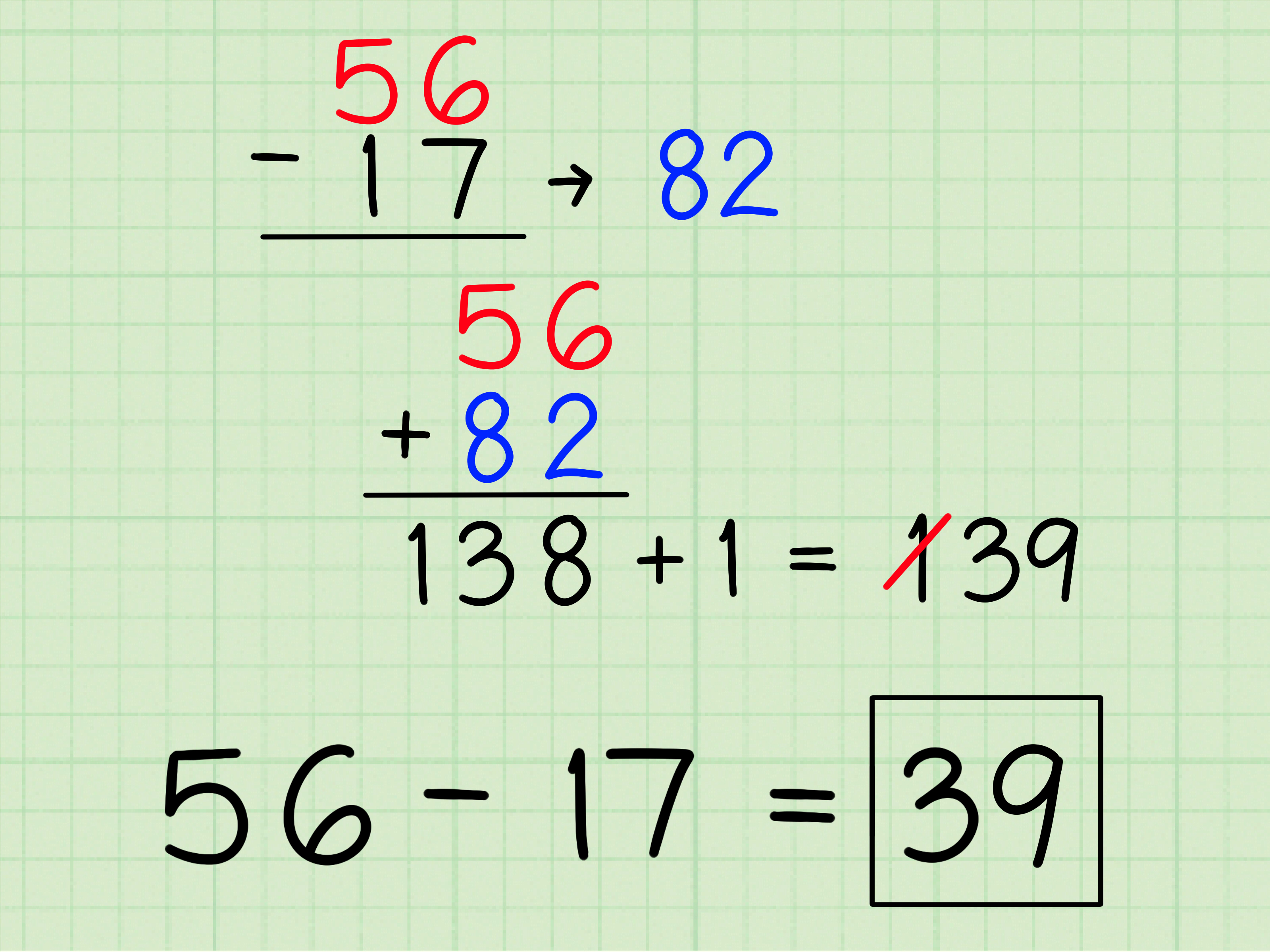
Computers often perform subtraction using two’s complement. Instead of subtracting directly, the computer converts the number being subtracted into its negative form and then adds it.
The idea is:
To find the two’s complement of a binary number:
- Write the number using a fixed number of bits.
- Invert every bit: change 0 to 1 and 1 to 0.
- Add 1 to the result.
Example: Find the 4-bit two’s complement of 0011₂.
So, in 4-bit two’s complement, 1101₂ represents -3.
Step 14: Subtract by Adding the Two’s Complement
Now let us solve 1010₂ – 0011₂ using two’s complement.
First, find the two’s complement of 0011:
Then add it to 1010:
Because we are using 4 bits, drop the extra carry on the left:
The answer is 0111₂, which equals 7 in decimal. This matches the direct subtraction method.
Step 15: Watch for Negative Results
If you subtract a larger binary number from a smaller one, the result is negative. Direct borrowing becomes awkward, so two’s complement is usually the better method.
Example using 4 bits:
This is 3 – 5, so the answer should be -2.
Find the two’s complement of 0101:
Add it to 0011:
In 4-bit two’s complement, 1110₂ represents -2. The leftmost bit is 1, which signals a negative number in signed two’s complement notation.
Common Mistakes When Subtracting Binary Numbers
Forgetting That Borrowing Means 10₂, Not 10₁₀
The borrowed value in binary is 10₂, which equals 2 in decimal. It does not mean ten. Binary likes to look dramatic, but it is actually very small-scale.
Misaligning the Numbers
If the digits are not aligned from the right, your answer will be wrong even if every subtraction rule is correct. Always line up place values before starting.
Ignoring Fixed Bit Width
When using two’s complement, the number of bits matters. A 4-bit result and an 8-bit result may look different, even if they represent the same value. For example, -1 is 1111 in 4 bits and 11111111 in 8 bits.
Dropping or Keeping the Carry Incorrectly
In two’s complement subtraction, if there is an extra carry beyond the fixed bit width, you usually discard it. This is not a mistake; it is part of how fixed-width binary arithmetic works.
Binary Subtraction Examples
Example 1: 1100₂ – 0101₂
Decimal check: 12 – 5 = 7. The answer 0111₂ equals 7.
Example 2: 10000₂ – 00001₂
This example requires borrowing across several zeros. Decimal check: 16 – 1 = 15, and 01111₂ equals 15.
Example 3: 11101₂ – 01010₂
Decimal check: 29 – 10 = 19, and 10011₂ equals 19.
Direct Binary Subtraction vs. Two’s Complement
Direct subtraction is great for learning because it shows how borrowing works. It is visual, logical, and similar to decimal subtraction. However, computers often use two’s complement because it allows subtraction to be handled through addition circuits. That is efficient in digital hardware.
In simple terms, direct subtraction is excellent for understanding the math. Two’s complement is excellent for understanding how computers actually perform signed arithmetic. Both methods matter, and learning both gives you a stronger foundation.
Tips for Mastering Binary Subtraction
- Practice with 4-bit numbers first before moving to 8-bit numbers.
- Always align digits from the right.
- Add leading zeros when needed.
- Use decimal conversion to check your answers.
- Write each borrow clearly above the problem.
- Learn two’s complement after you understand direct borrowing.
- Do not rush; binary errors love speed.
Real-World Uses of Binary Subtraction
Binary subtraction appears in many areas of computing and electronics. Processors use binary arithmetic for calculations. Programming languages rely on binary representation for integers. Network addresses, masks, checksums, memory offsets, and machine instructions all depend on binary logic in some way.
Even if you never manually subtract binary numbers in daily life, understanding the concept helps you understand what computers are doing at a deeper level. It is like learning the backstage language of technology. You may not need to build the stage, but it is nice to know why the lights turn on.
Experience-Based Notes: What Learning Binary Subtraction Feels Like in Practice
When people first learn binary subtraction, the biggest obstacle is usually not the math itself. It is the unfamiliar look of the numbers. Decimal numbers feel natural because we have used them since childhood. Binary numbers, on the other hand, look like a secret code written by a keyboard with commitment issues. But after a few examples, the pattern becomes surprisingly predictable.
A helpful learning experience is to begin with very small problems. For example, start with 1 – 0, then 1 – 1, then 10₂ – 1₂. That last one is important because it introduces the idea that 10₂ means 2, not ten. Once that mental switch happens, binary subtraction becomes much less intimidating.
Another practical tip is to write the decimal value beside each binary number during early practice. For example, if you are subtracting 1011₂ – 0011₂, write 11 – 3 in the margin. This gives your brain a safety net. You can focus on the binary process while still having a familiar way to check the result.
Borrowing across zeros is where many learners stumble. A problem like 1000₂ – 0001₂ can feel unfair at first because there are several zeros in the way. The best approach is to slow down and trace the borrow from the first available 1. Once the borrow travels across the zeros, the answer becomes 0111₂. After doing this a few times, it starts to feel normal. Slightly annoying, perhaps, but normal.
Two’s complement is another moment where students often say, “Wait, why are we adding if the topic is subtraction?” That reaction is completely reasonable. The method seems odd until you understand that computers prefer using addition circuits whenever possible. Instead of building separate hardware for every subtraction case, a computer can represent negative numbers in two’s complement form and add them. It is clever, efficient, and a little sneaky.
In real study sessions, the best way to master binary subtraction is to alternate between direct subtraction and two’s complement. Solve a problem using borrowing first, then solve the same problem using two’s complement. If both answers match, you know your understanding is getting stronger. If they do not match, congratulations: you have found a bug in your human processor. Debug gently.
It also helps to practice using fixed-width numbers. Choose 4-bit numbers first, such as 0110, 1010, and 0011. Then move to 8-bit numbers once the process feels comfortable. Fixed-width practice is important because signed binary arithmetic depends heavily on bit length. The same pattern can represent different values depending on whether you are using unsigned binary or signed two’s complement notation.
One experience-based warning: do not skip writing down borrows. Mental math works fine for small decimal problems, but binary borrowing can get messy fast, especially when zeros are involved. Marking each borrow above the column keeps your work visible and reduces mistakes. Binary is simple, but it is not always forgiving.
Finally, remember that learning binary subtraction is not about memorizing a giant list of rules. It is about understanding place value, borrowing, and representation. Once you see that binary arithmetic follows consistent logic, the strange-looking strings of ones and zeros become manageable. They may still look like tiny barcode noodles, but at least they will be noodles you can subtract.
Conclusion
Binary subtraction is easier when you break it into steps: align the numbers, start from the right, apply the basic rules, borrow when needed, and check your result. For positive results, direct subtraction is usually simple enough. For negative results and computer-based arithmetic, two’s complement is the method to know.
Whether you are studying computer science, digital electronics, programming, or number systems, understanding how to subtract binary numbers gives you a practical foundation for more advanced topics. It also makes computers feel a little less mysterious. They are not magic boxes after all; they are very fast machines doing math with ones, zeros, and impressive confidence.













