A Visa gift card can turn into almost anything on Amazon: headphones, pantry supplies, a new coffee maker, or yet another phone charger that will mysteriously disappear within three weeks. The only problem is that using a prepaid Visa card online is not always as effortless as swiping it at a store.
The good news is that Amazon accepts most prepaid Visa gift cards. You can usually add the card to your Amazon Wallet just like a regular debit or credit card. The less-good news is that prepaid cards have fixed balances, issuer-specific rules, and an impressive talent for being declined when the order total is 37 cents too high.
This guide explains exactly how to use a Visa gift card on Amazon, how to spend the remaining balance through Amazon Reload, and what to do when the payment refuses to cooperate.
Can You Use a Visa Gift Card on Amazon?
Yes. Amazon accepts prepaid Visa, Mastercard, and American Express cards for most eligible purchases. A Visa gift card is processed through the Visa payment network, so Amazon generally treats it as a prepaid payment card rather than as an Amazon Gift Card.
That distinction matters. A Visa gift card is entered in the credit or debit card section of your Amazon account. You do not enter its number in the box labeled “Redeem a gift card, voucher, or promotional code.” That box is reserved for Amazon-issued claim codes.
Visa Gift Card vs. Amazon Gift Card
A Visa gift card can be used at many businesses that accept Visa, subject to the card issuer’s restrictions. An Amazon Gift Card, on the other hand, is stored in your Amazon account balance and can generally be used only for eligible purchases on Amazon and certain affiliated services.
The Visa card is more flexible outside Amazon. The Amazon balance is usually easier to manage inside Amazon. Fortunately, Amazon Reload provides a practical way to move an eligible prepaid card balance into your Amazon Gift Card balance.
What You Need Before Getting Started
Before placing an order, collect the following information from the card:
- The 16-digit Visa card number
- The expiration date
- The three-digit CVV security code
- The card’s exact available balance
- The billing name and address, when required by the issuer
Do not guess the balance based on the original value printed on the packaging. A previous purchase, temporary authorization, activation charge, or forgotten transaction may have reduced the available amount.
Activate the Card If Required
Some Visa gift cards are activated automatically at the store when purchased. Others require activation online or by phone. Check the sticker, packaging, cardholder agreement, or instructions on the back of the card.
Use only the official website or telephone number printed on the card. Searching for a balance-checking website and clicking the first advertisement is a fine way to meet the internet’s least charming residents.
Check the Available Balance
Visit the issuer’s official balance portal or call the number on the card. Record the exact balance, including cents. If the portal shows pending transactions, subtract those amounts when planning your Amazon purchase.
Add a Billing Address When the Issuer Allows It
Card procedures vary. Some issuers require users to register the prepaid card before making online purchases. Others do not offer traditional registration but instruct customers to use their own name and address during checkout.
If the issuer’s website lets you attach a billing address, use the same address when adding the card to Amazon. A mismatched ZIP code or billing address can trigger a decline even when the card has enough money.
How to Add a Visa Gift Card to Your Amazon Account
Once the card is active and its balance is confirmed, add it to Amazon as a standard payment method.
- Sign in to your Amazon account.
- Open Account & Lists.
- Select Your Account.
- Choose Your Payments.
- Select Add a payment method.
- Choose the option to add a credit or debit card.
- Enter the Visa gift card number, expiration date, and CVV.
- Enter the cardholder name requested by the issuer.
- Select or add the appropriate billing address.
- Save the card to your Amazon Wallet.
The wording and menu positions may look slightly different in the Amazon mobile app, but the process is essentially the same. The important part is adding the Visa gift card as a payment card, not trying to redeem it as an Amazon claim code.
How to Pay With a Visa Gift Card at Amazon Checkout
- Add the products you want to your cart.
- Proceed to checkout.
- Confirm the shipping address and delivery option.
- Review the complete order total, including tax and shipping.
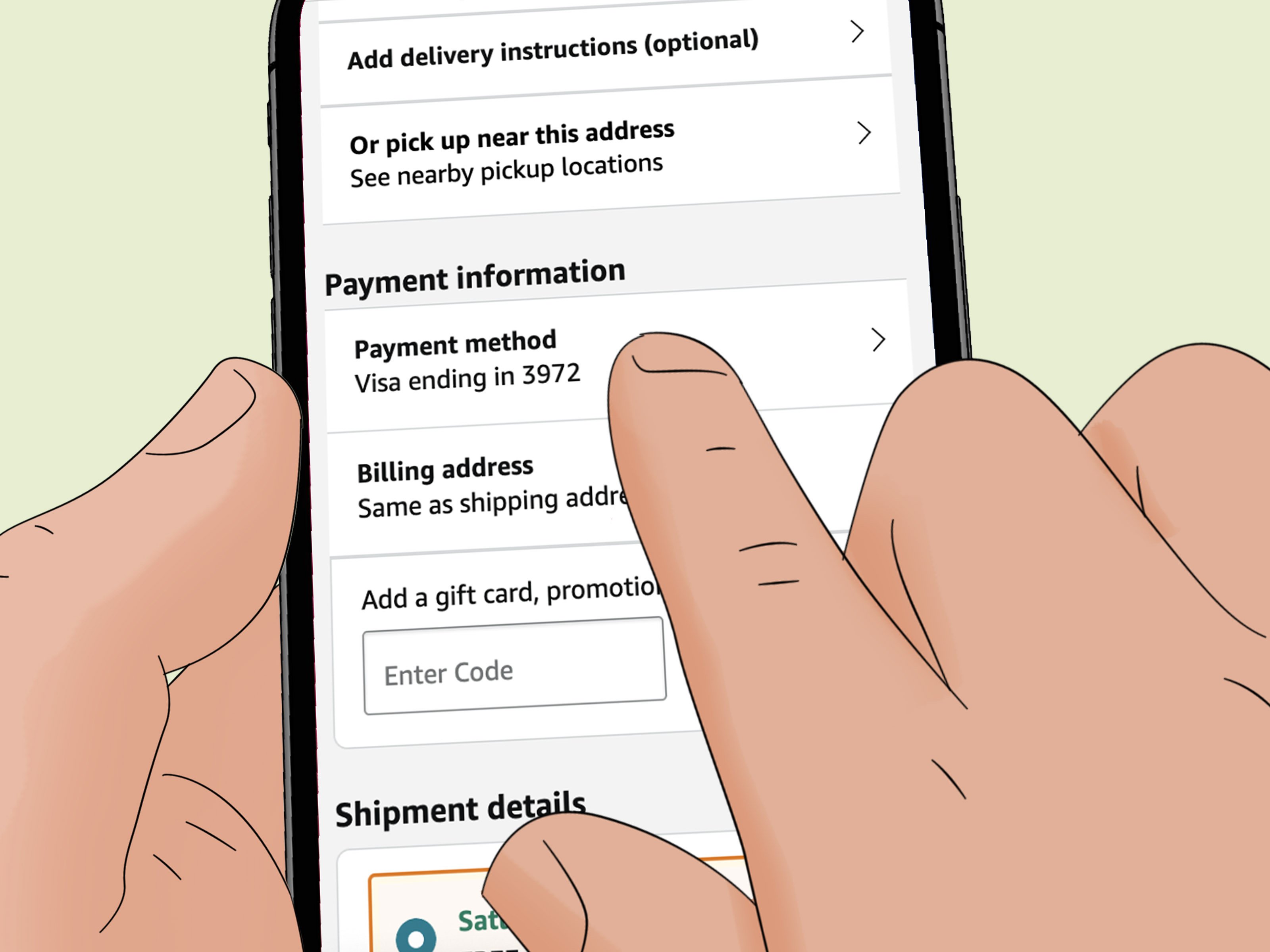
- Select the Visa gift card from your available payment methods.
- Place the order.
- Keep the physical or digital card until the order is delivered and the return period has passed.
Your available balance should comfortably cover the final total. Do not compare the card balance only with the advertised product price. Sales tax, delivery charges, gift wrapping, import fees, or other costs may increase the amount due.
A Simple Example
Suppose your Visa gift card has a balance of $50. You add a $46 item to your cart. After tax, the checkout total becomes $50.18. The transaction will probably be declined because a nonreloadable gift card generally cannot provide the missing 18 cents.
Choosing an item with a final total of $48.75 would leave $1.25 on the card but give the transaction enough room to succeed. Prepaid cards reward arithmetic, which is unfortunate news for anyone who thought shopping was supposed to be relaxing.
Can You Split an Amazon Payment Between Two Cards?
Amazon generally does not allow customers to divide one order between two regular credit, debit, or prepaid cards. Therefore, you normally cannot charge $40 to a Visa gift card and the remaining $10 to a personal credit card.
Amazon can support certain combinations involving an Amazon Gift Card balance and one additional eligible payment method. However, prepaid card restrictions can complicate this arrangement, so you should not assume that Amazon will automatically use every remaining dollar on your Visa card and charge the shortage elsewhere.
When your order costs more than the prepaid Visa balance, Amazon Reload is often the cleaner solution.
How to Use Amazon Reload With a Visa Gift Card
Amazon Reload lets you add money directly to your Amazon Gift Card balance using an eligible credit, debit, or prepaid gift card. Amazon specifically promotes this feature as a way to consolidate prepaid card balances.
- Check the exact available balance on your Visa gift card.
- Sign in to Amazon and open the Amazon Reload page.
- Choose a one-time reload.
- Enter the amount you want to transfer.
- Select or add the Visa gift card as the payment method.
- Review the amount carefully.
- Complete the reload transaction.
- Check your Amazon Gift Card balance before shopping.
For example, if a prepaid Visa card has exactly $23.47 remaining, you can attempt to reload your Amazon balance by $23.47. Once completed, that money becomes part of your Amazon Gift Card balance and can be combined with another eligible payment method during a future purchase.
Amazon may display minimum, maximum, security, or processing restrictions on the reload page. Some transactions are completed quickly, while others may be delayed for payment verification. Do not repeatedly submit the same reload if the first one is still pending.
Advantages of the Reload Method
- It can consolidate awkward prepaid card balances.
- The converted amount becomes easier to combine with another payment method.
- You no longer need to match an order total to the Visa card’s exact balance.
- The Amazon balance can remain available for later eligible purchases.
Important Trade-Off
After a successful reload, the money is tied to your Amazon account and subject to Amazon Gift Card terms. Reloaded funds are generally not refundable or redeemable for cash except where required by law. Convert only the amount you expect to use on Amazon.
Why Is My Visa Gift Card Being Declined on Amazon?
A declined Visa gift card does not necessarily mean the card is defective. Work through the following causes before launching it dramatically across the room.
1. The Balance Is Too Low
The card must cover the final charge, not merely the product’s listed price. Recheck taxes, shipping, and other fees. Even a shortage of a few cents can cause a decline.
2. The Card Has Not Been Activated
Confirm activation through the official telephone number or website printed on the card. Registration and activation may be separate steps.
3. The Billing Information Does Not Match
Verify the name, street address, and ZIP code entered in Amazon. Match the information associated with the card whenever the issuer provides address-registration tools.
4. Online Purchases Are Restricted
Some prepaid cards limit online transactions, international purchases, recurring payments, digital services, or specific merchant categories. Read the cardholder agreement or contact the issuer.
5. A Pending Authorization Reduced the Balance
Amazon may request authorization from the card issuer when an order is placed. Although an authorization is not necessarily a completed charge, the issuer may temporarily hold that amount and reduce the balance available for another transaction.
6. The Card Details Were Entered Incorrectly
Check the card number, expiration date, CVV, billing address, and cardholder name. A single mistyped digit can transform a perfectly good gift card into a decorative rectangle.
7. The Issuer Declined the Transaction
Amazon usually cannot explain the issuer’s exact decline reason. Call the number on the back of the card and ask whether the transaction was blocked, whether a hold is pending, and whether the card supports Amazon purchases.
Authorization Holds and Split Shipments
Amazon may authorize a payment method when an order is placed and charge for individual items when they ship. If one order is divided into multiple shipments, separate charges may appear.
This matters with a prepaid Visa card because its balance is limited. Do not use the apparent remaining balance elsewhere while the Amazon order is processing. A temporary authorization may disappear and the actual shipment charge may occur later.
Keep checking the order status and the card transaction history until all items have shipped. When possible, Amazon Reload avoids some of this uncertainty because the funds are already stored in your Amazon account.
Returns and Refunds With a Visa Gift Card
Never throw away the Visa gift card immediately after placing an order. If you cancel or return an item, Amazon may send the refund to the original payment method. A prepaid card with a zero-dollar balance can still be needed to receive that credit.
Keep the card, packaging, receipt, and issuer contact information until you are certain that no refund will be necessary. Refund processing is not always instant, and the issuer may need additional time after Amazon releases the money.
If a refund cannot be returned to the original card, Amazon may use another permitted refund method, such as the customer’s Amazon account balance. Check the refund method shown in the Online Returns Center before confirming a return.
Tips for Using a Visa Gift Card Safely
- Check the packaging for signs of tampering before buying a physical card.
- Save the purchase receipt and a photo of the front and back of the card.
- Never share the card number, CVV, or PIN with a stranger.
- Use only the issuer website printed directly on the card.
- Avoid entering card information while connected to public Wi-Fi.
- Monitor the balance and transaction history after each purchase.
- Report unfamiliar transactions to the issuer immediately.
No legitimate government agency, employer, utility company, or technical-support representative will demand payment through a gift card. Anyone asking you to send a photo of the card or read its numbers over the phone is almost certainly trying to steal the balance.
Frequently Asked Questions
Can I use a Visa gift card for Amazon Prime?
It may work in some situations, but recurring subscriptions can be unreliable with nonreloadable prepaid cards. Amazon or the card issuer may require a payment method that supports future charges. A standard debit or credit card is usually more suitable for ongoing subscriptions.
Can I buy an Amazon Gift Card with a Visa gift card?
Amazon Reload is the official and more direct method for adding eligible prepaid card funds to an Amazon Gift Card balance. Gift card purchases and reloads can be reviewed or restricted for security reasons.
Can I use multiple Visa gift cards on one Amazon order?
Not directly. Amazon generally does not split a single order across multiple payment cards. You may be able to load the balances individually into your Amazon Gift Card balance and then shop with the combined Amazon balance.
What name should I enter for a Visa gift card?
Follow the card issuer’s instructions. When the card can be registered, use the name associated with that registration. When the issuer does not require registration, it may instruct you to enter your own name and billing address.
What should I do with a very small remaining balance?
Try using Amazon Reload if the amount meets the limits displayed on the reload page. Otherwise, use the card for a small purchase elsewhere or ask the issuer whether another redemption option is available.
Practical Experiences: Lessons From Common Amazon Checkout Scenarios
The most common successful experience begins before the shopper opens Amazon. The user checks the card balance, confirms that the card is active, and writes down the exact amount. That two-minute preparation prevents most of the confusion that later gets blamed on Amazon, Visa, the weather, or Mercury being in retrograde.
One typical scenario involves a $100 Visa gift card and an Amazon order that appears to cost $98. The shopper assumes there is enough money, clicks “Place your order,” and receives a payment-revision message. After checking the order summary, the shopper discovers $7.84 in sales tax. The actual total is $105.84, so the decline is completely logical. Selecting a less expensive product or moving the card balance through Amazon Reload solves the problem.
Another common experience occurs when a card works for a small test purchase but fails on a larger order. The issue may be a pending authorization from the test transaction. The card portal can temporarily show less available money even though the earlier order was canceled. Waiting for the authorization to disappearor asking the issuer when it will be releasedis safer than repeatedly submitting new charges.
Billing addresses cause their share of trouble too. A shopper may add the card using the shipping address of a family member while the card was registered to the shopper’s home address. Amazon sends the transaction for authorization, the address information does not match, and the issuer declines it. Editing the payment method so the billing details match the issuer’s records often fixes the problem.
Split shipments create a less obvious challenge. Imagine ordering three products with a $75 card. Amazon may ship the products on different days and create separate charges. The first item ships successfully, but the shopper sees money remaining and spends it at another merchant. When Amazon attempts to charge for the second shipment, the remaining balance is no longer sufficient. The order then requires a new payment method. The lesson is simple: treat the full order amount as unavailable until every package has shipped.
Refunds provide another reason to keep the card. Some shoppers discard a gift card after spending the final dollar, only to return the product two weeks later. When the refund is sent to the original prepaid card, they no longer have the card number or issuer information. Saving the physical card and receipt until the return window closes avoids an unnecessary customer-service adventure.
For awkward balances, the smoothest experience is often Amazon Reload. A user with $14.63 left on a Visa gift card can attempt to add that amount to an Amazon balance. After the reload is completed, the $14.63 can be combined with an eligible card when buying a more expensive item. There is no need to find a product costing exactly $14.63, which is useful because Amazon does not maintain a special department called “Products Priced to Empty My Gift Card.”
The broad lesson from these scenarios is that a Visa gift card works best when treated like a small bank account with a hard spending limit. Verify the balance, match the billing information, leave room for the final total, and keep the card after checkout. When the amount is inconvenient, convert it through Amazon Reload rather than trying to force two payment cards into one order.
Conclusion
Using a Visa gift card on Amazon is straightforward once you understand how Amazon processes prepaid cards. Activate the card when necessary, check its exact balance, add it to Your Payments as a credit or debit card, and make sure the complete order total stays below the available funds.
When your purchase costs more than the Visa gift card balance, do not rely on splitting the order between two payment cards. Instead, consider using Amazon Reload to transfer an eligible amount into your Amazon Gift Card balance. This method is especially useful for combining leftover balances and avoiding the dreaded “payment revision needed” message.
Above all, keep the card until every shipment, return, refund, and pending authorization has been resolved. A prepaid card may look disposable, but throwing it away too early can turn a simple refund into an archaeological expedition through your recycling bin.