
Facebook messages are a strange little time capsule. One minute they are harmless memes, dinner plans, and “I’m outside” messages. The next minute they become proof of a sale, a record of family news, or the only place you can still find photos your cousin sent in 2019 and then vanished like a magician with Wi-Fi. That is why knowing how to save your Facebook message history matters more than most people realize.
The good news is that you do not need to be a tech wizard wearing three monitors and a suspiciously intense expression. There are two practical ways to save your Facebook message history. The first is the official method: download your information directly from Facebook or Messenger. The second is the quick-and-targeted method: save a specific conversation manually as a PDF or document. One is best for full backups. The other is perfect when you only need one thread and you need it now, not after Facebook finishes “preparing your file” sometime before the sun burns out.
In this guide, you will learn both methods, when to use each one, what settings to choose, and how to avoid the most common mistakes. By the end, you will know exactly how to save your Facebook Message history without turning a simple backup into a weekend project.
Why Saving Your Facebook Message History Is Worth It
People usually think about backing up photos, contacts, and work files. Messages often get ignored until a phone breaks, an account gets locked, or an important conversation becomes impossible to find. Saving your Facebook messages gives you a clean backup of conversations you may actually need later.
- Personal memories: family updates, old chats, voice messages, and photos shared in Messenger.
- Work records: client approvals, scheduling details, and project notes sent in direct messages.
- Moving to a new device: a saved copy can give you peace of mind before switching phones or computers.
- Legal or financial reasons: some people save message history to preserve proof of agreements, sales, or arrangements.
- Account cleanup: if you are considering deactivating or deleting Facebook, a backup is smart insurance.
The trick is choosing the right method. If you want everything, use the official export tool. If you only need one conversation, do not overcomplicate your life. Save that single thread as a PDF and call it a productive day.
Method 1: Download Your Facebook Message History the Official Way
Best for full backups and long-term storage
This is the most reliable way to save your Facebook message history because it uses Facebook’s own export tool. It is ideal if you want a complete backup of your messages, including older conversations and media that may be buried under years of scrolling. It is also the better choice if you want to save more than just messages, such as photos, posts, or profile data.
What you will get
When you use Facebook’s download tool, you can usually choose exactly what to export. That means you do not have to download your entire digital life if all you want is Messenger data. In most cases, you can select only Messages, set a date range, choose a format, and decide on media quality.
For most everyday readers, HTML is the easiest format because it is more readable. You can open it in a browser and view conversations in a friendlier layout. If you are more technical or want raw data for searching or analysis, JSON may be useful. Think of HTML as “nice to read” and JSON as “nice to feed into spreadsheets, scripts, or your inner chaos goblin.”
How to save your Facebook message history
- Open Facebook or Messenger and go to Settings.
- Look for Accounts Center.
- Open Your information and permissions.
- Choose Download your information, Export your information, or a similarly named option. Meta occasionally renames buttons because apparently calm, consistent menus are too easy.
- Select the Facebook profile you want to export from.
- Choose Messages only if that is all you need.
- Set your date range. Pick “all time” for a full archive or a custom range for a smaller file.
- Choose your format. HTML is best for reading; JSON is better for structured data.
- Choose media quality. High quality is best if attachments matter. Lower quality can reduce file size.
- Click or tap Create File or Create Export.
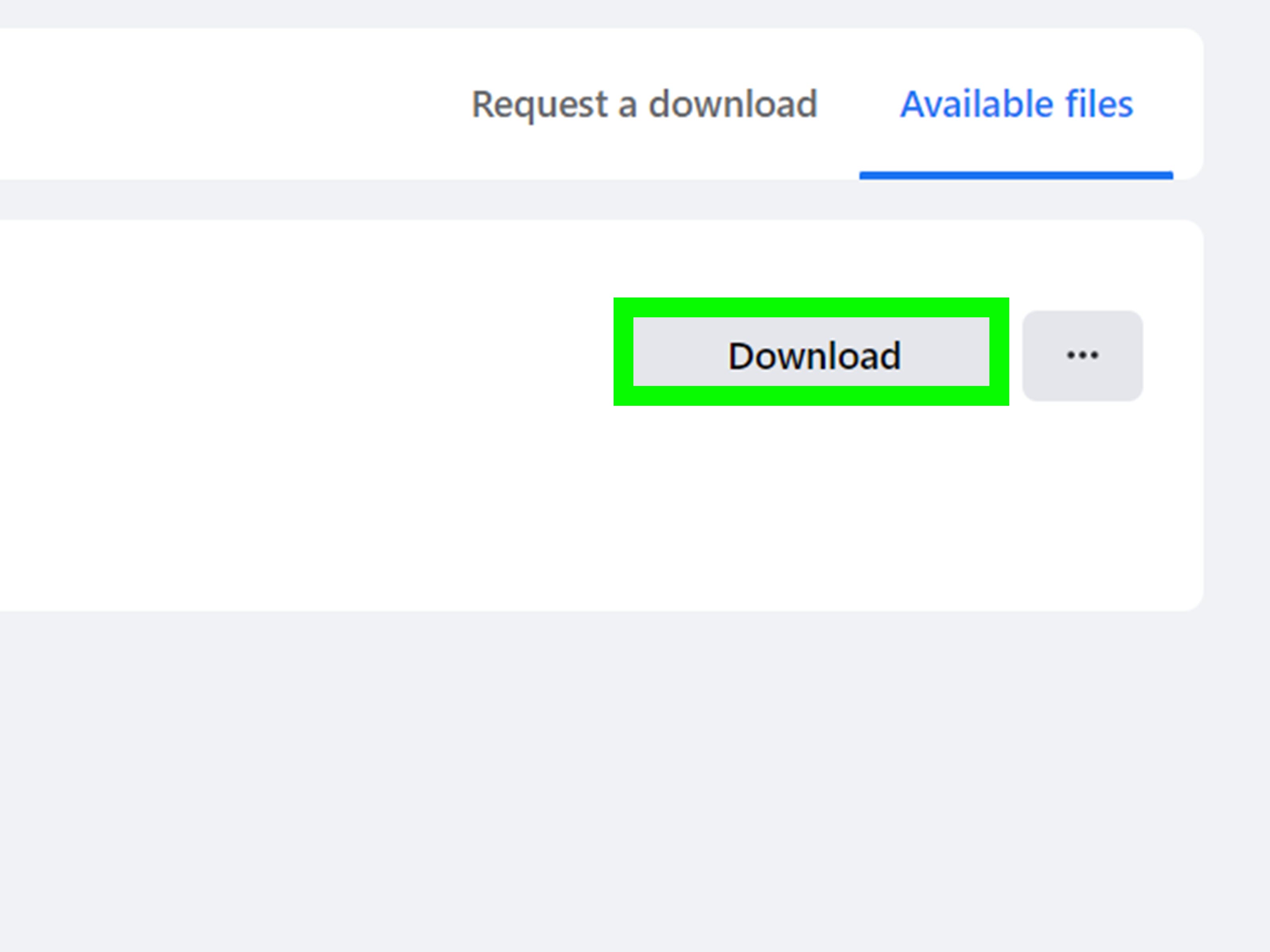
- Wait for Facebook to prepare the file, then download it when the notification arrives.
What happens next
Facebook usually packages your exported data as a ZIP file. After downloading it, unzip the folder and look for the messages section. If you chose HTML, you should be able to open the files in a web browser and read your message history in a more organized format. If you chose JSON, you will see structured files that are better for advanced use.
Tips to make this method easier
- Select Messages only if your goal is a message backup. This keeps the archive smaller and easier to manage.
- Use a desktop or laptop if possible. It is easier to download, unzip, and review files on a computer.
- Name your backup clearly, such as “Facebook-Messages-2026-03.” Future you will be grateful.
- Store the backup securely on an external drive or cloud storage you trust.
Pros and cons of the official export method
Pros: complete, organized, customizable, and reliable for long-term archiving.
Cons: it can take time, the file may be large, and it is not the fastest option if you only need one conversation.
Method 2: Save a Specific Facebook Conversation as a PDF
Best for one chat, one project, or one urgent need
Sometimes you do not need an archive of your whole Facebook life. You just need that one conversation with a landlord, a client, a friend, or the person who promised to pay you back for concert tickets and then mysteriously developed selective amnesia. In those cases, saving a specific Facebook conversation as a PDF is faster and simpler.
How this method works
You open the conversation in Facebook or Messenger on a computer, make sure the relevant messages are visible, and use your browser’s print feature to save the page as a PDF. It is not as elegant as a full export, but it is handy, readable, and easy to share with yourself.
How to save one Facebook message thread manually
- Open Facebook or Messenger in a desktop browser.
- Go to the conversation you want to keep.
- Scroll up to load as much of the chat history as you need. This part matters. If it is not loaded on screen, it may not appear in your saved version.
- Use your browser’s print command, usually Ctrl + P on Windows or Command + P on Mac.
- Select Save as PDF or your system’s PDF option instead of a physical printer.
- Preview the result to make sure names, timestamps, and the correct portion of the thread are included.
- Save the file with a clear name, such as “Messenger-Client-Approval-February-2026.pdf.”
When manual saving works best
- You only need one conversation.
- You want something quickly readable.
- You need to attach the conversation to notes, records, or a work file.
- You want a PDF instead of a ZIP archive full of folders.
Common mistakes to avoid
Not scrolling far enough: if older messages are not loaded, they probably will not appear in the PDF.
Using mobile first: this is possible on some phones, but a desktop browser is usually easier and cleaner.
Forgetting attachments: some media may not display perfectly in a print preview, so double-check before saving.
Saving a messy page: use print preview to see whether sidebars, ads, or extra interface clutter are included.
Pros and cons of the PDF method
Pros: fast, simple, readable, and perfect for one thread.
Cons: not ideal for full message history, may miss unloaded content, and can be messy if the page preview is not checked carefully.
Which Method Should You Choose?
If you are backing up your account, switching devices, or preserving years of conversations, the official export tool is the better method. It is slower, but it gives you more control and a more complete archive.
If you only need one important chat, the PDF method is the practical winner. It is faster, easier to open later, and does not require waiting for Facebook to package a file.
Honestly, many people should use both. Export your full message history once in a while for peace of mind, then save individual conversations as PDFs when they become important. That combo gives you a big-picture backup and a quick-access record of your most useful threads.
Extra Tips for Keeping Your Saved Message History Safe
Store backups in more than one place
If your backup only lives on one laptop, it is not really a backup. It is a wish. Save important files to an external drive, a secure cloud account, or both.
Use clear file names
“messages_final_final_REAL.zip” is funny for about three seconds and then deeply annoying. Use names with dates and context so you can find what you need later.
Protect private conversations
Message history often contains personal details, addresses, payment info, and private photos. If the content is sensitive, store it in a protected folder or encrypt the file.
Check encrypted chat settings
If you use end-to-end encrypted chats in Messenger, review the app’s message storage and restore options as well. That does not replace exporting a readable backup, but it can help preserve access to encrypted history across devices.
Frequently Asked Questions
Can I save Facebook messages without downloading all my data?
Yes. In many cases, Facebook lets you choose only the Messages category when creating an export. You can also save a single thread manually as a PDF.
Is HTML or JSON better for Facebook message history?
HTML is better if you want to read the messages easily. JSON is better if you want structured data for advanced searching or analysis.
Can I save Facebook messages on my phone?
Yes, but the export-and-review process is usually easier on a computer. Phone-based downloads work, but opening ZIP files and reviewing message folders is less convenient.
Will deleted messages appear in my export?
Do not count on that. If a message is no longer available in your account, it may not show up in a new export. Back up important conversations before you need them.
Conclusion
Saving your Facebook message history is not difficult once you know which road to take. The official download tool is the best option for a full archive, while the PDF method is the quick fix for one conversation you want to preserve. Both are useful. Both are easy. And both are far better than realizing too late that your “important chat” is now trapped in a broken phone, a missing account, or the foggy wilderness of your memory.
If you want the safest approach, use the official export tool for regular backups and the PDF method for specific conversations that matter right now. That way, your Facebook message history stays where it belongs: saved, searchable, and not dangling by a thread made of hope and old notifications.
Real-World Experiences: What People Learn After Saving Their Facebook Message History
One of the most common experiences people have with Facebook messages is realizing too late that Messenger has quietly become their filing cabinet. Not an organized filing cabinet, of course. More like a junk drawer with emotional damage, memes, payment details, birthday plans, blurry screenshots, and one message from 2018 that somehow still matters. People do not think of message history as important until they suddenly need proof, context, or an old photo that exists nowhere else.
A freelancer, for example, may discover that a client approved a project scope only inside Messenger. No formal email. No signed document. Just a cheerful “Yep, looks good!” followed by six weeks of work. Saving that conversation as a PDF becomes less of a tech trick and more of a business survival move. The same thing happens with online sellers who use Facebook messages to confirm prices, delivery arrangements, or pickup times. A saved thread can clear up confusion fast.
Families have their own version of this story. Someone upgrades a phone, loses access to an account for a while, or starts cleaning out old devices and suddenly realizes that years of family chats lived mostly inside Messenger. Baby photos, voice notes from relatives, holiday plans, and messages from loved ones who are no longer around can carry a lot of emotional value. In those cases, saving message history is not just practical. It is personal. It becomes a way to hold onto conversations that would otherwise fade into the digital void.
Students and younger users often run into a different lesson: important details are frequently shared in the least formal place possible. Group project instructions, class meetups, club planning, and shared documents often land in Messenger chats because it feels quick and casual. Then deadlines hit, people deny they ever said something, and suddenly everyone wishes they had saved the thread when it was still easy to find. Message history has a funny way of turning into evidence the moment people start saying, “I never got that.”
There is also the simple relief factor. Many users describe feeling calmer after downloading their message history, especially before deleting old accounts, changing phones, or cleaning up their online life. A backup does not make the platform perfect, but it does make the user feel more in control. That matters. Technology is much less stressful when your memories, conversations, and records are not trapped in one app with ever-changing menus and a talent for moving buttons around like it is redecorating for fun.
In the end, the experience is usually the same: people back up their Facebook messages after a problem, then wish they had done it sooner. That is why these two methods matter so much. They are simple, practical, and surprisingly useful once real life barges in and demands receipts.













