Minecraft is usually a cheerful place where you punch trees, befriend wolves, build suspiciously flammable wooden houses, and pretend you are not scared of cave sounds. Then a phrase like “At the crossroads, don’t turn left” shows up, and suddenly the blocky sandbox feels less like a game and more like a warning written by someone who has already made the mistake for you.
This Minecraft horror guide explores the eerie idea behind “At the Crossroads, Don’t Turn Left,” a phrase strongly associated with the Wifies-style Minecraft ARG trend and fan-made liminal horror maps. It is not a normal “kill the boss, grab the loot, high-five the dog” walkthrough. The real gameplay is about atmosphere, observation, strange repetition, environmental storytelling, and the growing suspicion that the world knows where you are looking.
Whether you are playing an ARG-inspired map, building your own Minecraft horror experience, or trying to understand why one left turn can make an entire world feel cursed, this guide breaks down the setup, the survival strategy, the clues, the settings, and the psychological tricks that make the crossroads so unsettling.
What Is “At the Crossroads, Don’t Turn Left”?
“At the crossroads, don’t turn left” works because it is simple. It sounds like advice. It sounds like a command. It also sounds like the final sentence someone writes before vanishing into a mine shaft while carrying nothing but three torches, a loaf of bread, and the confidence of a doomed horror-movie character.
In the Minecraft horror community, the phrase is tied to an ARG-style story structure: a player finds a strange book, a mine appears where it should not be, and the path leads toward a Minecraft world that feels wrong. The fan-map version leans into liminal horror, silence, empty space, and the disturbing feeling of walking through a place that looks familiar but behaves like a memory with corrupted files.
The important thing to understand is that this kind of Minecraft horror is usually not about constant jump scares. It is about rules. Do not turn left. Do not look back. Do not follow the sound. Do not open the door twice. The moment a player receives a rule, curiosity becomes the monster. The game does not need to chase you. Your own brain will do cardio for free.
Why Minecraft Is Perfect for Horror
Minecraft horror works because the base game is already a little spooky. During the day, it is a cozy survival sandbox. At night, the same world becomes a threat map. Hostile mobs appear in dark areas, caves make unexplained noises, and even a peaceful forest can feel suspicious when the fog rolls in. The blocky graphics do not weaken the fear; they sharpen it. A realistic monster can be impressive, but a motionless figure made of cubes standing at render distance? That is how you make players question their monitor.
The game also gives players control, which makes horror more personal. You decide where to walk. You place the torch. You open the chest. You turn left. In a movie, the character makes the bad decision. In Minecraft, you make it yourself, and then you have to live with the consequences while a zombie groans like it has been waiting for your poor life choices.
Before You Play: Choose the Right Version and Setup
Java Edition vs. Bedrock Edition
If you are playing a downloadable horror map, always check whether it is made for Minecraft Java Edition, Minecraft Bedrock Edition, or both. Java Edition is usually stronger for community mods, custom resource packs, data packs, and command-heavy horror experiences. Bedrock Edition is more convenient for cross-platform play and Marketplace content, especially if you want to play on console, mobile, or with friends across different devices.
For “At the Crossroads, Don’t Turn Left”-style horror, Java can offer deeper customization, while Bedrock can be easier for casual single-player exploration. Either can work, but the wrong version can break textures, commands, sounds, or scripted events. Nothing ruins fear faster than a terrifying monster spawning as a missing texture cube. Actually, that might still be terrifying, but for the wrong reason.
Install Safely
Only download maps, mods, or resource packs from trusted platforms and creators. Minecraft horror is fun; suspicious files named “totally_safe_horror_mod_final_REAL.exe” are not. Check comments, update dates, version compatibility, file type, and creator history. If a map needs a resource pack, make sure it comes from the same trusted source as the map. Do not disable security tools just because a random download page tells you to. That is not a gameplay mechanic. That is how your computer becomes the haunted house.
Back Up Your World
If you are playing on a world you care about, create a backup before installing anything. Horror maps may change gamerules, resource packs, lighting, spawn points, inventories, or command settings. A backup lets you explore without worrying that your main survival base will wake up possessed and replace your storage room with ominous gravel.
Best Settings for the Full Horror Experience
Atmosphere matters. If the map recommends headphones and low brightness, listen to it. Horror in Minecraft often depends on subtle audio, distant footsteps, cave ambience, and environmental timing. Playing through laptop speakers while a lawn mower screams outside is technically possible, but it is like watching a ghost movie at noon in a shopping mall food court.
Recommended Settings
- Brightness: Moody or low, but not so dark that you cannot read signs.
- Music: Off or reduced, unless the map uses custom music.
- Hostile creatures: Keep audio high enough to hear movement.
- Render distance: Medium is often best; too far can spoil reveals, too low can break atmosphere.
- Particles: Keep on if the map uses fog, dust, or status effects.
- Fullscreen: Recommended, unless you need emotional support from your desktop icons.
For maximum effect, play alone at night. For maximum survival of your dignity, do not record your first reaction unless you are prepared to hear yourself whisper, “Nope,” seven different ways.
The Core Rule: Don’t Turn Left
The obvious strategy is simple: when you reach the crossroads, do not turn left. The deeper strategy is harder: understand why the map is asking you not to. In horror design, a forbidden path creates tension before anything happens. The left path may contain danger, a loop, a clue, an entity, a false ending, or nothing at all. Sometimes the scariest answer is nothing, because then the player has to fill the silence with imagination, and imagination has terrible customer service.
At the crossroads, pause. Look for environmental clues. Are there signs? A book? Repeated blocks? Missing trees? Torches placed in odd patterns? Does the left path look too clean, too empty, or too inviting? In Minecraft horror maps, details often matter more than enemies. A single misplaced flower can be a breadcrumb. A repeated structure can suggest a loop. A chest with one item can be a sentence without words.
Step-by-Step Horror Guide
Step 1: Read Everything
Books, signs, item names, coordinates, and even advancements can carry clues. Do not speedrun the opening. Horror maps often hide instructions in plain sight, and ARG-inspired builds love making the player question what is official, what is accidental, and what is bait. If a book says not to turn left, do not treat it like flavor text. Treat it like a contract written by a cave.
Step 2: Mark the Crossroads
If the map allows block placement, mark your starting direction with a torch, sign, flower, or low-risk block. If block placement is disabled, use screenshots or coordinates. In a looping environment, your memory will betray you faster than a creeper behind a dirt wall. A simple marker helps you confirm whether the world is changing or whether panic has started editing your brain.
Step 3: Test the Safe Routes First
Before taking the forbidden left path, explore the forward, right, and backward routes. Look for repeated landmarks. Count turns. Notice whether the sky, terrain, or structures shift after each path. The goal is not just to survive; it is to understand the rule system. In many horror maps, the safe path teaches you how the dangerous path will lie.
Step 4: Watch for Audio Cues
Audio is one of the strongest tools in Minecraft horror. Footsteps without visible mobs, sudden silence, distant minecart sounds, distorted cave ambience, and repeated note-block patterns can all signal progression. If you hear something after looking left, stop moving and listen. Running blindly is a traditional horror response, but in Minecraft it usually means sprinting directly into a hole, which is less cinematic and more embarrassing.
Step 5: Manage Light Carefully
Torches are comfort, navigation, and safety. They reduce ordinary mob danger and help you track where you have been. But in a horror map, light can also reveal too much or trigger scripted contrast. Place torches behind you, not only in front of you. A trail of light tells you whether you are returning to familiar ground or walking through a copy of it.
Step 6: Don’t Assume Death Is Failure
Some Minecraft horror experiences use death as part of the story. A respawn point may change. Your inventory may reset. The crossroads may appear closer. A path may unlock only after you make the “wrong” choice. If you die, pay attention to what changed. The map may not be punishing you; it may be talking to you in the dramatic language of losing all your stuff.
Common Mistakes Players Make
Turning Left Immediately
Yes, the title basically dares you. No, you do not have to obey your inner raccoon. Players who turn left immediately often miss the tension-building details that make the later reveal work. Horror is pacing. Let the map breathe before you sprint into the suspicious direction like a villager with no self-preservation.
Playing With Brightness Maxed Out
Maximum brightness can make exploration easier, but it can flatten the atmosphere. Shadows, fog, and limited vision are part of the design. If you brighten everything until the cursed forest looks like a dentist’s office, the horror becomes a walking simulator with anxiety subtitles.
Ignoring Version Compatibility
A horror map built for one Minecraft version may malfunction in another. Command blocks, mob behavior, custom sounds, and resource packs can break. Always match the recommended version when possible. If the map says 1.20.1, do not confidently launch it in a wildly different version and then complain that the ghost is now a chicken.
Assuming Every Scare Is a Mob
Not every threat is a zombie, skeleton, or Warden-style monster. The map itself can be the antagonist. A disappearing landmark, a changed sign, an impossible hallway, or a repeated crossroads can be more frightening than a custom creature. If the world changes when you are not looking, congratulations: the blocks have learned gaslighting.
How to Survive the Crossroads
The best survival strategy is slow observation. Move in short bursts. Stop at intersections. Check behind you only when necessary, because some maps use backward glances as triggers. Keep track of item changes, sound shifts, and repeated terrain. If there is a mine, enter carefully and mark exits. Mines are naturally scary in Minecraft because they combine darkness, vertical drops, echoing audio, and the universal fear of hearing a skeleton before seeing it.
If hostile mobs are enabled, carry food, a shield, spare torches, blocks for emergency walls, and at least one backup weapon. If the map disables normal survival tools, your main weapons are memory and patience. That sounds poetic until you are lost in a hallway that looks exactly like the hallway you left five minutes ago.
How the Map Creates Fear Without Explaining Everything
Good Minecraft horror does not over-explain. It gives the player a phrase, a place, and a wrong choice. The crossroads becomes powerful because it is symbolic. A crossroad means decision. Turning left means disobedience. The warning means someone was here before you. The empty world means they may not have left.
This is why liminal horror fits Minecraft so well. A normal village with no villagers is uncomfortable. A mine with no ores feels staged. A path that loops back to itself feels impossible, but still technically believable inside a game made of chunks, seeds, and generation rules. The player starts asking, “Is this a bug, a feature, or a ghost?” The correct answer is usually, “Keep walking and regret it later.”
For Creators: How to Build a Crossroads Horror Map
If you want to create your own “don’t turn left” Minecraft horror map, focus on restraint. Do not fill every hallway with monsters. Build a simple rule and then slowly corrupt it. Start with a normal crossroads. Add one strange sign. Repeat the crossroads later with one detail changed. Let the player notice the difference. Then change something behind them.
Use sound sparingly. A single distant footstep can be scarier than constant screaming. Use lighting to guide attention, but avoid making the path too obvious. Place clues in books, item names, paintings, map art, and environmental shapes. If you use command blocks, make them invisible to the player’s experience. The best horror trick is the one that feels like the world did it by itself.
Most importantly, give the player time to dread the left turn before forcing it. The title already plants the fear. Your job is to water it with silence.
Player Experience: The Night I Finally Turned Left
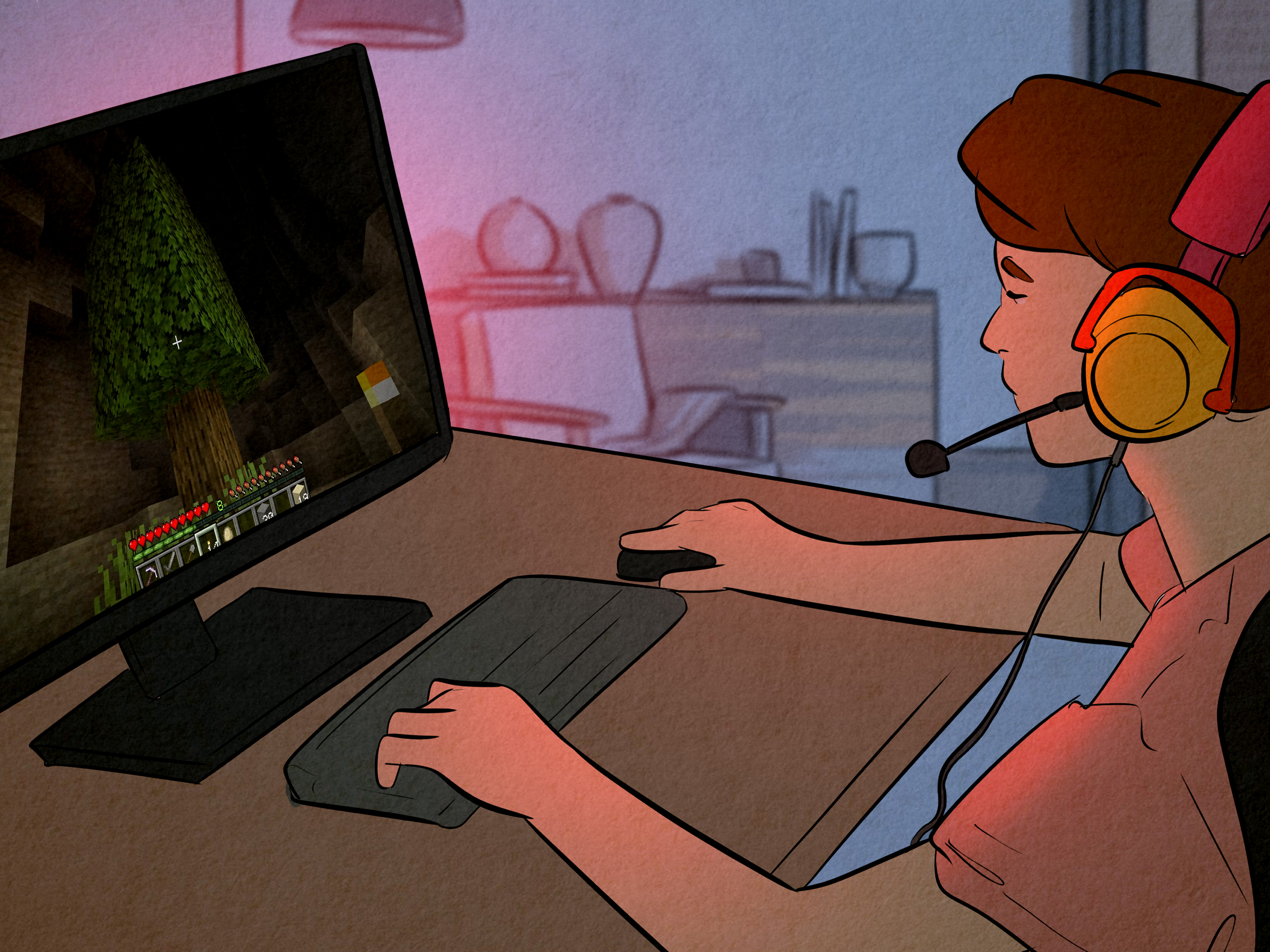
The first time I played a crossroads-style Minecraft horror map, I made the classic mistake of pretending I was brave because there were no monsters on screen. This is the same logic people use in horror movies right before they investigate the basement. I spawned near a quiet path, read the warning, and laughed a little too loudly at my own desk. “Don’t turn left?” I said, like a person who absolutely intended to turn left within five minutes.
At first, nothing happened. That was the worst part. I walked forward, checked the right path, circled back, and placed torches like a responsible adult with a sword. The world felt empty, but not unfinished. Empty in Minecraft usually means peaceful. This felt watched. The trees were spaced too neatly. The dirt path looked natural until I noticed it repeated the same broken edge three times. A normal player might call that coincidence. A horror player calls it “the map clearing its throat.”
I tried to be systematic. I counted blocks from the center of the crossroads. I took screenshots. I marked the path with cobblestone. Then I returned to the middle and saw that one of my markers was missing. Not all of them. Just one. That tiny change did more damage to my confidence than a creeper in full daylight. I checked my inventory, as if the cobblestone might apologize and explain itself. It did not.
Eventually, I turned left. No lightning. No monster roar. No dramatic music. Just a narrow path, slightly darker than it should have been. I followed it for maybe thirty seconds before realizing I could no longer hear my own footsteps clearly. The sound seemed delayed, like something behind me was walking half a second late. I stopped. The footsteps stopped after I did. That is when Minecraft stopped being Minecraft and became a very expensive way to stare at a screen while not breathing.
The path led to a mine entrance. Of course it did. Minecraft horror loves mines because they are basically anxiety tunnels with ore. Inside, there was a chest with a book. The book did not explain the story. It only repeated the warning in a slightly different way. That was enough. I backed out of the mine and found myself at the crossroads again, except the left path was now straight ahead. I turned around. Another crossroads. I looked up. No stars.
What made the experience memorable was not a jump scare. It was the feeling that the map had quietly moved the rules while I was busy obeying them. I was not fighting a monster; I was negotiating with a place. Every decision felt like it had been predicted. Every torch looked less like safety and more like evidence. By the end, I understood why the phrase works so well. “Don’t turn left” is not just a direction. It is a test of curiosity, and Minecraft players are famously bad at leaving mysterious things alone. Put a warning on a path, and we will bring snacks, screenshots, and one terrible decision.
Conclusion
At the Crossroads, Don’t Turn Left is effective Minecraft horror because it understands that fear does not need high-definition graphics or endless monsters. It needs a rule, a quiet place, and a player curious enough to break the rule. The crossroads turns Minecraft’s familiar exploration loop into a psychological trap. Every path becomes suspicious. Every repeated block becomes evidence. Every left turn becomes a confession.
If you are playing the map or an ARG-inspired version of it, take your time. Read everything. Mark your route. Listen more than you sprint. Most of all, respect the warning until you are ready to understand why it exists. And when you finally turn left, do not be surprised if the world seems pleased that you did.