Ever wished your inbox had a split personality? One side for work, one side for online shopping, and one side for those newsletters you swear you’ll read “later”? Good news: Yahoo Mail makes it easy to create a second Yahoo email address, whether you want a completely new account or an extra disposable address linked to your existing inbox.
In this guide, you’ll learn how to set up a second Yahoo email address on both desktop and mobile devices, understand the difference between a new Yahoo account and a temporary alias, and discover the smartest ways to organize your digital life. By the end, your inbox will be less chaotic and more like a well-trained assistant instead of a raccoon knocking over trash cans.
Why Create a Second Yahoo Email Address?
There are plenty of reasons to add another Yahoo email address:
- Separate work and personal messages
- Use one email for online shopping and promotions
- Create a private address for family and close friends
- Protect your primary inbox from spam
- Manage multiple businesses or side hustles
Think of your second Yahoo email as a guest room. It keeps the visitors comfortable without letting them sleep on your living room couch.
Two Ways to Create a Second Yahoo Email Address
1. Create a Brand-New Yahoo Account
This method gives you a completely separate inbox, password, and account settings.
2. Create a Disposable Email Address (Alias)
Yahoo allows you to create temporary addresses linked to your main account. Messages still arrive in your primary inbox, but you can hand out different addresses for different purposes.
Which method should you choose?
| Option | Best For |
|---|---|
| New Yahoo Account | Separate login, independent inbox, full privacy |
| Disposable Address | Spam control, online signups, temporary use |
How To Create a Second Yahoo Email Address on the Web
Method 1: Create a New Yahoo Account
- Open your web browser and go to Yahoo Mail.
- Click Create an account.
- Enter your first and last name.
- Choose a unique email address.
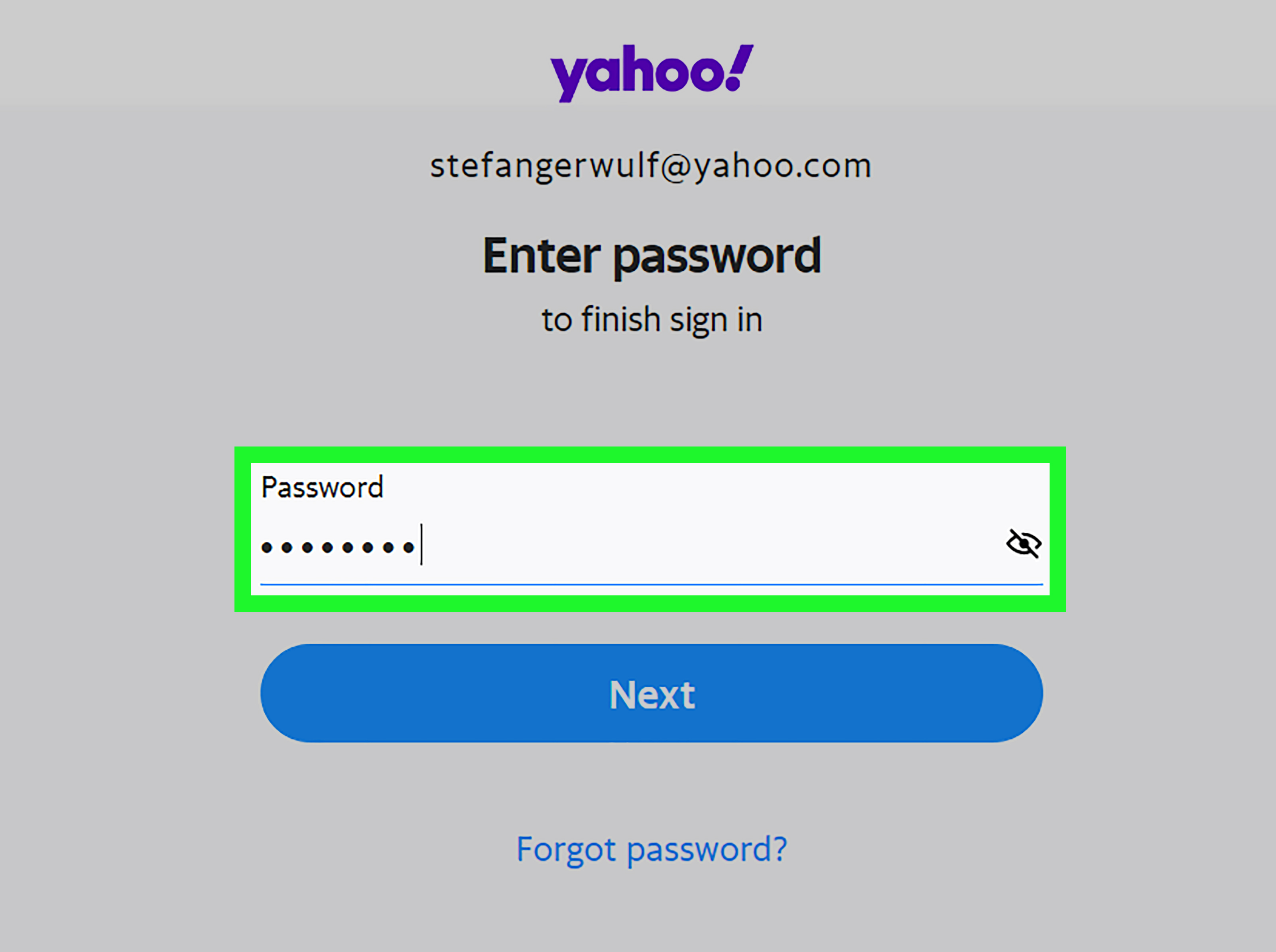
- Create a strong password.
- Enter your mobile phone number.
- Provide your birth date.
- Click Continue.
- Verify your phone number using the code Yahoo sends.
- Click Done.
Congratulations! You now have a second Yahoo email account. It’s like adopting a new puppy, except it won’t chew your shoes.
Method 2: Create a Disposable Email Address
- Sign in to your Yahoo Mail account.
- Click the Settings gear icon.
- Select More Settings.
- Choose Mailboxes.
- Select Disposable email addresses.
- Click Add.
- Enter a base name such as shopping.
- Click Save.
Your new address may look like [email protected].
How To Create a Second Yahoo Email Address on Mobile
Using the Yahoo Mail App
- Open the Yahoo Mail app.
- Tap your profile icon.
- Select Manage accounts.
- Tap Add another mailbox.
- Choose Yahoo.
- Tap Create an account.
- Complete the registration process.
- Verify your phone number.
The Yahoo app lets you switch between accounts with a couple of taps. It’s like changing TV channels, but less likely to land on a cooking competition you suddenly become invested in.
Creating Disposable Addresses on Mobile
Some versions of the Yahoo Mail app support disposable addresses under Settings. If you don’t see the option, use a mobile browser and follow the desktop instructions.
How To Switch Between Multiple Yahoo Accounts
Yahoo Mail makes account juggling surprisingly painless.
On Desktop
- Click your profile name.
- Select another signed-in account.
- Or click Add Account.
On Mobile
- Tap your profile icon.
- Select the account you want to use.
How To Manage Multiple Yahoo Email Addresses Efficiently
Use Folders
Create folders such as Work, Receipts, Family, and Coupons.
Set Filters
Automatically sort incoming mail into designated folders.
Customize Notifications
Enable alerts only for important accounts.
Label Your Accounts Clearly
Use descriptive names like “Business Yahoo” or “Shopping Yahoo.”
Benefits of Disposable Yahoo Email Addresses
- Reduce spam in your main inbox
- Identify which websites sell your email address
- Delete an alias if it becomes overloaded
- Maintain better privacy online
If one alias starts receiving messages from “Totally Legit Crypto Ferret Investments,” you’ll know exactly where the leak happened.
Security Tips for Your Second Yahoo Email Account
Use a Unique Password
Never reuse passwords across multiple accounts.
Enable Two-Step Verification
Add an extra layer of protection with your phone or authentication app.
Review Recovery Information
Keep your backup email and phone number updated.
Watch for Phishing Emails
If a message screams “URGENT!!!” in all caps, approach with caution.
Common Problems and Fixes
Email Address Already Taken
Try adding numbers or words to make it unique.
Verification Code Not Received
Wait a few minutes, check your signal, and request another code.
Cannot Add Disposable Address
Ensure your account supports the feature and use the desktop version if needed.
Trouble Switching Accounts
Update the Yahoo Mail app to the latest version.
Best Practices for Using a Second Yahoo Email Address
- Use one account exclusively for online purchases
- Create a professional account for job applications
- Use disposable aliases for contests and downloads
- Archive old messages regularly
Real-World Examples
Example 1: Online Shopping
Maria uses her primary Yahoo account for personal communication and a second address for retail stores. Her main inbox is blissfully free of “flash sale” emails every 17 minutes.
Example 2: Freelancing
David created a dedicated Yahoo account for clients, invoices, and project updates. His personal account no longer has to coexist with tax documents and cat memes.
Example 3: Privacy Protection
Jenna uses disposable aliases for newsletters. If one starts receiving spam, she deletes it instantly.
Second Yahoo Email Address vs Gmail Alias
Yahoo’s disposable addresses offer a practical privacy tool. Unlike some providers, Yahoo lets you quickly disable an alias without creating a whole new account. For users concerned about spam, that’s a major advantage.
Frequently Asked Questions
Can I Have Two Yahoo Email Accounts?
Yes. You can create as many Yahoo accounts as needed, provided each uses a unique email address and meets Yahoo’s requirements.
Do I Need a Different Phone Number?
Not always. Yahoo may allow multiple accounts linked to the same phone number, though limits can vary.
Is a Disposable Address Free?
Yes. Yahoo includes this feature at no extra cost in supported accounts.
Can I Delete My Second Account Later?
Yes. You can close the account or simply remove it from your app.
How Businesses Use Multiple Yahoo Email Accounts
Small business owners often create separate Yahoo addresses for support, billing, and marketing. This keeps communication organized and ensures the right messages reach the right people.
For example:
Your inbox transforms from a junk drawer into a neatly labeled filing cabinet.
Final Thoughts
Setting up a second Yahoo email address is one of the easiest ways to organize your digital life, reduce spam, and improve privacy. Whether you create a fully separate Yahoo account or use a disposable alias, the process takes only a few minutes on both desktop and mobile.
If your inbox currently resembles a garage after a tornado, a second Yahoo email address can restore order. And unlike color-coding your sock drawer, this organizational project actually pays off.
Personal Experience and Practical Insights
Over the years, I’ve experimented with more email addresses than a secret agent in a spy movie. My primary Yahoo account started out noble and organized. Then life happened. Online stores, webinar invitations, coupon alerts, software receipts, newsletters about productivity (which ironically created more clutter), and random “limited-time offers” piled up until the inbox looked like Times Square on New Year’s Eve.
The turning point came when I created a second Yahoo email address dedicated to shopping and subscriptions. Suddenly, my main inbox was quiet enough to hear crickets. Important messages from family and colleagues were no longer buried under subject lines like “Last Chance to Save 3% on Garden Hoses!”
On mobile, managing two Yahoo accounts became surprisingly convenient. The app made switching accounts as easy as changing hats. Personal hat on. Shopping hat on. Professional hat on. No actual hats required.
One of the most useful discoveries was Yahoo’s disposable email feature. I created aliases such as shopping, trials, and newsletters. When one alias began attracting suspicious spam, I disabled it with a few clicks. It felt a bit like changing the locks after an unwanted guest starts sending postcards.
For freelancers and entrepreneurs, a second Yahoo email account can be a lifesaver. Client messages stay separate from personal correspondence, making it easier to focus and reducing the chance of replying to a customer while accidentally attaching your grocery list.
Parents can also benefit by setting up dedicated accounts for school communications, extracurricular activities, and family coordination. Instead of digging through hundreds of emails, they can find permission slips and schedule changes in one place.
The biggest lesson is simple: email organization is not glamorous, but it saves time and reduces stress. Creating a second Yahoo email address takes just a few minutes, yet the payoff can last for years.
If you’ve ever missed an important message because your inbox was drowning in promotional emails, setting up another Yahoo address is one of the smartest and easiest digital upgrades you can make.