Terminating coaxial cable looks intimidating until you realize that the job is mostly careful measuring, clean cutting, and persuading several tiny metal layers to behave. With the correct connector and a few inexpensive tools, you can create a professional-quality cable for television, cable internet, satellite equipment, or an over-the-air antenna.
This tutorial focuses on installing a compression F-connector on RG6 coaxial cable, the most common combination in modern residential video and broadband systems. Other coaxial cables and connectors use different preparation dimensions, so always check their manufacturer instructions before cutting.
What Does Terminating Coaxial Cable Mean?
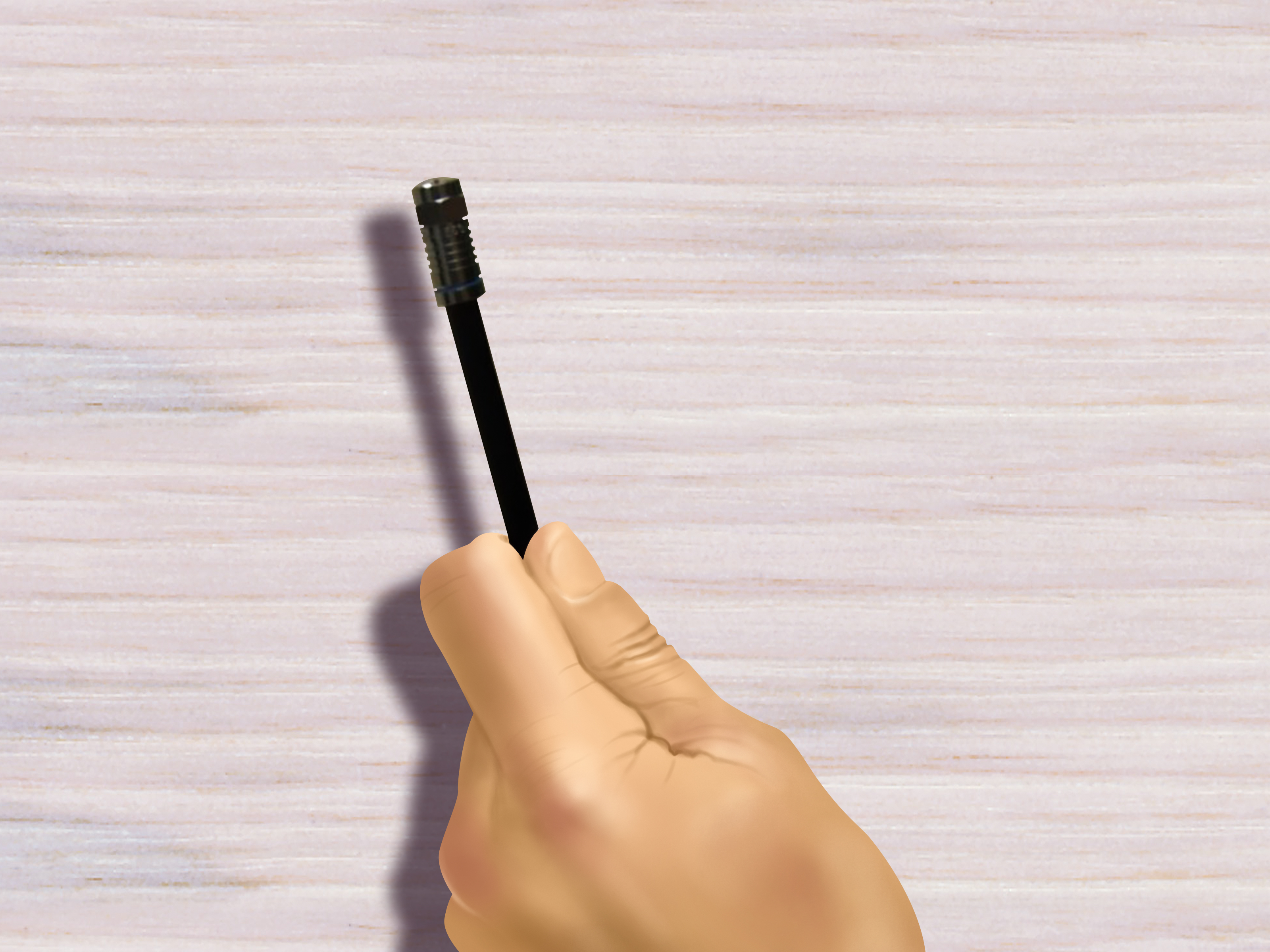
Terminating coaxial cable means attaching a connector to its cut end so it can connect securely to equipment, wall plates, splitters, or adapters. A proper termination maintains the cable’s electrical characteristics while protecting the signal from interference and moisture.
A typical coaxial cable contains four important layers:
- Center conductor: Carries the primary signal.
- Dielectric: The foam or solid insulation surrounding the center conductor.
- Foil and braided shield: Blocks outside interference and provides the signal return path.
- Outer jacket: Protects the internal layers from physical damage and moisture.
The center conductor and shield must remain electrically separate. Even one rebellious braid strand touching the center wire can create a short and ruin the connection.
Choose the Correct Cable and Connector
Identify the coaxial cable
Read the printing on the cable jacket before buying connectors. Common residential types include RG6, RG6 quad-shield, RG59, and RG11. RG6 is widely used for cable television, broadband internet, satellite receivers, and TV antennas. RG59 is thinner and remains common in older or short video installations, while RG11 is larger and may be used for longer runs.
RG6 and RG59 connectors may look like twins wearing the same outfit, but they are not necessarily interchangeable. Quad-shield cable can also require a connector designed for its greater diameter. Match the connector to the exact cable series, shield construction, jacket diameter, and application.
Match the system impedance
Residential television and cable-distribution systems generally use 75-ohm cable and connectors. Radio and specialized RF systems often use 50-ohm components. Some connector families, including BNC, are available in both impedances. A connector may physically attach while still being electrically wrong, producing reflections and signal loss at higher frequencies.
Select a termination style
Three connector styles are commonly encountered:
- Compression connectors: The preferred choice for most permanent RG6 installations. They provide strong cable retention and, when properly rated, good moisture resistance.
- Crimp connectors: Reliable when installed with the exact connector, die, and preparation dimensions specified by the manufacturer.
- Twist-on connectors: Convenient for quick repairs but generally less secure and less weather-resistant than a quality compression fitting.
This guide uses a compression F-connector because it is durable, repeatable, and beginner-friendly once the tools are adjusted correctly.
Tools and Materials You Will Need
- RG6 coaxial cable
- RG6 or RG6 quad-shield compression F-connectors
- Coaxial cable cutter or sharp side cutters
- Two-level coaxial cable stripper
- Compatible compression tool
- Coaxial continuity tester or multimeter
- Safety glasses
- Optional connector-insertion tool
- Outdoor-rated weather seals when applicable
A purpose-built coax stripper is worth buying. A utility knife can nick the center conductor, slice shield strands, distort the dielectric, and occasionally perform an unscheduled manicure.
How to Terminate Coaxial Cable Step by Step
Step 1: Make a square cut
Cut off the damaged or unfinished end of the cable. Hold the cutter perpendicular to the cable and make the end as square as possible. An angled or crushed cut makes stripping less accurate and can prevent the cable from seating fully inside the connector.
If the cable becomes flattened, reshape it gently with your fingers. Do not squeeze aggressively or bend it back and forth; maintaining the cable’s round geometry helps preserve its impedance.
Step 2: Confirm the stripping dimensions
Many RG6 compression F-connectors use a common “quarter-inch by quarter-inch” preparation. This usually leaves approximately 1/4 inch of center conductor exposed and another 1/4 inch of dielectric and shield prepared behind it. However, some connectors specify different dimensions, such as a 5/16-inch jacket strip.
Check the connector packaging and stripper markings instead of treating 1/4 by 1/4 as a law of nature. BNC, RCA, N-type, SMA, and multi-piece crimp connectors can require completely different cuts.
Step 3: Strip the cable
Open the stripper and insert the cable until its end reaches the tool’s stop. Close the tool, then rotate it around the cable in the direction recommended by its manufacturer. Several smooth rotations are normally sufficient. Stop when the resistance noticeably decreases.
Pull the stripper straight off. Remove the loose jacket and dielectric pieces if they do not come away with the tool. Avoid repeatedly spinning a dull stripper because it may chew the braid or score the center conductor.
Step 4: Inspect the center conductor and dielectric
The center conductor should be straight, clean, and free of deep nicks. The dielectric should have a flat face rather than a ragged or compressed edge. Remove any thin plastic residue from the conductor without scraping away its plating.
If the center conductor is badly nicked, cut the end off and start again. A deep score creates a weak point that can snap while the connector is being installed or later when the cable is moved.
Step 5: Arrange the shielding correctly
Follow the connector manufacturer’s directions for the braid and foil. Many standard compression fittings require the braid to be folded evenly over the outer jacket. Keep every strand away from the center conductor and the exposed dielectric face.
With tri-shield or quad-shield cable, instructions may call for removing an additional outer foil layer and folding back the corresponding braid. Do not automatically remove the inner foil bonded to the dielectric. Some modern connectors are designed for installation without folding the braid, which is another reason to read the instructions instead of relying on muscle memory.
Step 6: Push on the compression connector
Guide the center conductor into the back of the connector. Push the connector firmly onto the cable while using a gentle rocking motion if necessary. Do not twist so aggressively that the braid bunches up behind the connector post.
The dielectric should seat against the connector’s internal shoulder or appear flush in the inspection area, depending on the connector design. The jacket must extend deeply enough into the connector sleeve to be captured during compression. If a large gap remains, remove the fitting and investigate rather than hoping the compression tool will fix it through positive thinking.
Step 7: Compress the connector
Place the connector squarely into the compression tool. Confirm that the tool is adjusted for the connector’s length and style. Close the handles fully in one controlled motion, then release them and remove the finished cable.
The compression sleeve should sit evenly against the connector body. Do not double-compress a connector unless its manufacturer specifically permits it. Repeated squeezing can deform parts that were already correctly installed.
Step 8: Perform a pull and visual test
Give the connector a firm, moderate pull. It should not slide, spin loosely, or separate from the jacket. Inspect the front and back for the following:
- No braid strands are touching the center conductor.
- The dielectric is fully seated and not badly distorted.
- The cable jacket is captured by the connector sleeve.
- The center conductor is straight and reaches the position specified by the connector manufacturer.
- The compression ring is even and completely engaged.
If anything looks questionable, replace the connector. Most compression fittings are not designed to be removed and reused.
How to Test the Finished Coaxial Cable
A coaxial cable tester offers the quickest check. Connect the tester and remote to opposite ends of the cable, then look for a pass, open, or short indication. An open result often means the conductor or shield lacks continuity. A short usually means braid, foil, or another conductive object is touching the center conductor.
You can also test a fully disconnected cable with a multimeter:
- Verify continuity from the center conductor at one end to the center conductor at the other.
- Verify continuity between the connector shells at both ends.
- Confirm there is no continuity between the center conductor and connector shell.
Disconnect splitters, terminators, amplifiers, antennas, and equipment before interpreting multimeter results. Connected components can create readings that resemble faults. A basic continuity test confirms wiring integrity, but it does not measure impedance, return loss, shielding performance, or signal quality across the operating frequency range.
Common Coaxial Cable Termination Problems
| Problem | Likely cause | Recommended fix |
|---|---|---|
| Connector pulls off | Wrong connector size, shallow insertion, or incomplete compression | Cut it off and install a cable-compatible connector |
| Tester reports a short | Braid or foil is touching the center conductor | Remove the connector, cleanly prepare the cable, and retry |
| Tester reports an open | Broken conductor, poorly seated connector, or damaged cable | Inspect both terminations and test the cable in sections |
| Internet drops intermittently | Loose fitting, damaged dielectric, moisture, or excessive bending | Replace suspect ends and inspect the full cable route |
| Connector will not slide on | Incorrect fitting, bunched braid, or incomplete stripping | Verify compatibility and redo the cable preparation |
| Outdoor connector corrodes | Indoor fitting or inadequate environmental sealing | Use outdoor-rated components and approved weather protection |
Experience-Based Lessons That Make Coax Termination Easier
The most useful lesson from real-world coaxial cable work is that preparation determines nearly everything that follows. When a connector refuses to seat, beginners often reach for larger pliers or greater determination. Usually, the real problem is a crooked cut, an incorrect connector, or braid gathered around the post. Forcing the fitting may hide the problem temporarily, but it rarely creates a reliable RF connection.
Practice on a short scrap before working on a cable that disappears into a finished wall. Make three or four terminations, cut them apart, and examine how the post, braid, jacket, and compression sleeve fit together. This small exercise makes connector instructions much easier to understand and costs far less than shortening an installed cable one mistake at a time.
Lighting matters more than expected. A single shield strand can be nearly invisible in a dim equipment closet, especially against foil. A bright work light and reading glasses or a magnifier can reveal shorts before the tester does. Running a fingertip carefully around the dielectric also helps locate loose strands, although the freshly cut center conductor is sharp enough to demand respect.
Tool condition is another recurring difference between a clean termination and a frustrating one. Stripper blades become dull gradually, so installers may compensate by rotating the tool more times. The result can be torn braid, spiral cuts in the jacket, or a scored conductor. When a tool that once needed a few turns suddenly requires a miniature workout, inspect or replace its blade cartridge.
Connector compatibility deserves equal attention. Cable labeled RG6 may have standard, tri-shield, quad-shield, plenum, flooded, or other construction. Jacket diameters and shield stacks vary. A connector advertised as “universal” still has a defined compatibility range. Saving the connector packageor photographing its model numbermakes future repairs considerably easier.
Testing before final installation prevents particularly annoying surprises. Terminate and test the cable before fastening wall plates, sealing weather boots, pushing furniture back, or climbing out of an attic. If the cable fails, you can fix it while the tools are still in your hand instead of rediscovering the project after dinner.
Outdoor work adds another group of practical concerns. Use cable and connectors rated for the environment, form a drip loop where appropriate, and keep the cable from bending sharply behind the connector. Water can travel along the braid and damage more than the visible fitting. Weather protection should complement a properly installed compression connector, not serve as a bandage over a loose one.
Finally, avoid overtightening F-connectors on equipment ports. Begin by threading the nut straight by hand so it cannot cross-thread. Tighten according to the equipment or connector specification, using the correct wrench when required. Excessive force can damage a television, modem, splitter, or wall-plate port. “Tighter” is not a signal-quality setting.
Frequently Asked Questions
Can I terminate coaxial cable without a compression tool?
Yes, if you use a connector specifically designed for tool-free or twist-on installation. Do not attempt to install an ordinary compression connector with pliers. For a permanent broadband or outdoor connection, a compatible compression system is usually the better option.
Should the braid touch the connector?
The shield must make proper contact with the connector’s outer conductive structure, but no braid strand should touch the center conductor. Prepare the shield exactly as the connector instructions specify.
Can I reuse a compression connector?
Generally, no. Once compressed, the fitting is permanently deformed around the cable. Cut off a questionable connector and install a new one.
Why did my signal worsen after replacing the connector?
Possible causes include a shorted braid strand, an incompletely seated cable, a damaged center conductor, the wrong impedance, an incompatible connector, or moisture elsewhere in the run. Start with a continuity test and careful visual inspection.
Conclusion
Learning how to terminate coaxial cable is straightforward when every component matches. Cut the cable squarely, follow the connector’s exact strip dimensions, keep the shield away from the center conductor, seat the cable fully, compress it once, and test the result. Those habits produce a dependable connection without mysterious pixelation, random modem dropouts, or a connector that falls off when someone sneezes nearby.