Note: This guide reflects current U.S. Verizon and Apple unlocking information as of 2026. Carrier policies can change, so use this article as a practical roadmap and confirm your exact account status with Verizon before switching carriers, selling your iPhone, or buying a travel eSIM.
Introduction: Unlocking Your Verizon iPhone Without Losing Your Mind
Unlocking a Verizon iPhone sounds like something that should require a secret code, a mysterious back room, and possibly a wizard wearing an Apple Watch. Thankfully, the real process is much less dramatic. In most cases, unlocking a Verizon iPhone means removing the carrier restriction that keeps the phone tied to Verizon’s network. Once unlocked, the iPhone can usually work with another compatible carrier, including many U.S. wireless providers and international eSIM plans.
That little word “usually” matters. An unlocked iPhone is not automatically guaranteed to work perfectly on every network in the universe. Different carriers use different bands, activation rules, eSIM systems, and plan requirements. Still, unlocking gives you far more flexibility. You can switch providers, use a local SIM while traveling, sell your device for a better price, or keep your old iPhone as a backup phone that is not chained to one network like a digital houseplant.
This step-by-step guide explains how to unlock a Verizon iPhone, how to check whether your iPhone is already unlocked, what Verizon’s current unlocking rules mean, how prepaid and postpaid plans differ, and what to do if your phone still says “SIM Not Supported.” Let’s make your iPhone carrier-flexible without turning the process into a full-time hobby.
What Does It Mean to Unlock a Verizon iPhone?
Unlocking a Verizon iPhone means removing the software restriction that limits the device to Verizon’s network. It does not mean removing your passcode, bypassing Activation Lock, hacking iCloud, jailbreaking the phone, or magically making a blacklisted device usable. Those are different issues, and mixing them up is how people end up yelling at a phone in a grocery store parking lot.
A carrier-locked iPhone can usually only activate cellular service with the carrier that locked it. For example, if your iPhone is locked to Verizon, it may reject a T-Mobile, AT&T, Mint Mobile, Google Fi, or international eSIM plan. When the iPhone is unlocked, it should show “No SIM restrictions” in the Carrier Lock section of iOS settings.
Carrier Unlock vs. Passcode Unlock vs. iCloud Lock
Before you start, make sure you are solving the right problem:
- Carrier lock: The phone is restricted to Verizon or another carrier.
- Passcode lock: You forgot the screen passcode used to open the iPhone.
- Activation Lock: The iPhone is still tied to someone’s Apple ID.
- Blacklist or lost/stolen status: The device has been reported lost, stolen, or associated with fraud.
This article focuses on the carrier unlock process. If the iPhone says “iPhone Locked to Owner,” the seller or previous owner must remove Activation Lock. Verizon cannot unlock an Apple ID-protected iPhone, and neither can a suspicious website with neon graphics and a countdown timer.
Step 1: Check If Your Verizon iPhone Is Already Unlocked
Many people search for how to unlock a Verizon iPhone only to discover that the device is already unlocked. That is the best kind of tech problem: the one that solves itself before coffee gets cold.
Here is how to check your iPhone’s carrier lock status:
- Open the Settings app.
- Tap General.
- Tap About.
- Scroll to Carrier Lock.
- If it says No SIM restrictions, your iPhone is unlocked.
If you see Verizon or another carrier listed instead, the iPhone may still be locked. You can also test by inserting another carrier’s physical SIM card, if your iPhone has a SIM tray, or by trying to activate an eSIM from another carrier. If you receive a message like “SIM Not Supported,” “Unsupported SIM,” or “This eSIM is not supported,” the phone is likely still carrier locked.
Step 2: Know Verizon’s Current iPhone Unlocking Rules
Verizon’s unlocking policy has changed over time, so old advice online can be misleading. If an article still says every Verizon iPhone automatically unlocks after 60 days, treat it like leftover sushi: maybe it was fine once, but you should not rely on it today.
For standard Verizon monthly postpaid plans, Verizon-purchased devices are generally locked to Verizon until the device is paid in full or the device financing agreement balance is completed. Once the device is eligible, Verizon normally unlocks it automatically. If you pay off the device early, the payment method can affect how quickly the unlock happens. Secure payment methods may trigger an automatic unlock sooner, while certain payment methods, including Verizon gift cards or less secure payment types, may involve a security hold before the unlock is completed.
For Verizon Prepaid devices purchased from Verizon, the current rule is stricter. Devices activated on or after January 27, 2026, generally require 365 days of paid and active service before they can be unlocked. If service is suspended, paused, or not paid, those inactive days may not count toward the requirement. Older prepaid activations may follow different rules, especially devices activated before the 2026 policy change.
Military customers may have additional accommodations if they are deployed or relocated outside Verizon’s coverage area, but documentation and account verification are usually required. Business accounts may also follow different terms depending on the agreement, line term, or early termination fee.
Step 3: Confirm Your iPhone Is Eligible for Unlocking
Before contacting Verizon or switching carriers, gather the basics. This saves time and reduces the chance of a support chat becoming a five-act play.
Your Verizon iPhone is more likely to be eligible if:
- The device was purchased from Verizon or an authorized Verizon retailer.
- The phone is fully paid off or the financing agreement is complete.
- The account is in good standing.
- The device has not been reported lost or stolen.
- The phone is not flagged for fraud.
- Any prepaid service requirement has been completed.
- You are the account owner, account manager, or authorized user.
If you bought the iPhone used, things get trickier. Verizon may not unlock a device for a random buyer if the original owner still owes money or the device is connected to a problematic account. That is why buying a “Verizon locked but easy unlock bro” iPhone from a stranger named PhoneKing999 can become expensive comedy.
Step 4: Find Your iPhone’s IMEI Number
Your IMEI is the unique device identification number carriers use to check lock status, financing status, and compatibility. Think of it as your iPhone’s license plate, except it does not honk when someone cuts it off.
To find your IMEI:
- Open Settings.
- Tap General.
- Tap About.
- Scroll to IMEI or IMEI2.
- Press and hold the number to copy it.
Newer iPhones with eSIM may show more than one IMEI. If you are activating an eSIM, the receiving carrier may ask for IMEI2 or the EID. Always provide the exact identifier requested by the carrier.
Step 5: Pay Off the Verizon iPhone If Needed
If your Verizon iPhone is on a device payment agreement, paying off the remaining balance is often the most important step. On a standard monthly plan, Verizon generally unlocks the device automatically once the financing agreement is completed and the account passes Verizon’s security checks.
You can usually pay off a Verizon device through:
- The My Verizon app
- The Verizon website
- Verizon customer service
- A Verizon store or authorized retailer
For the fastest result, use a secure payment method and keep confirmation of the payment. If you use a payment type that Verizon considers less secure, such as certain gift card payments, the unlock may be delayed while the funds are verified. This can be frustrating if your flight leaves tomorrow and your travel eSIM is sitting there like a tiny digital suitcase. Plan ahead.
Step 6: Wait for the Unlock to Process
Verizon iPhones usually do not require you to type in an unlock code. Unlike some older Android phones, iPhones are unlocked through the carrier’s system and Apple’s activation servers. Once Verizon approves or completes the unlock, the iPhone should update its carrier lock status after it checks in with Apple’s servers.
To help the process along:
- Connect the iPhone to Wi-Fi.
- Restart the device.
- Install any available iOS update.
- Go to Settings > General > About.
- Check whether Carrier Lock now says No SIM restrictions.
Sometimes the status updates quickly. Sometimes it takes longer. If the phone still appears locked after you meet all requirements, contact Verizon and ask them to check the device unlock status by IMEI.
Step 7: Test the iPhone With Another Carrier
Once your iPhone says “No SIM restrictions,” test it. The best test depends on your iPhone model.
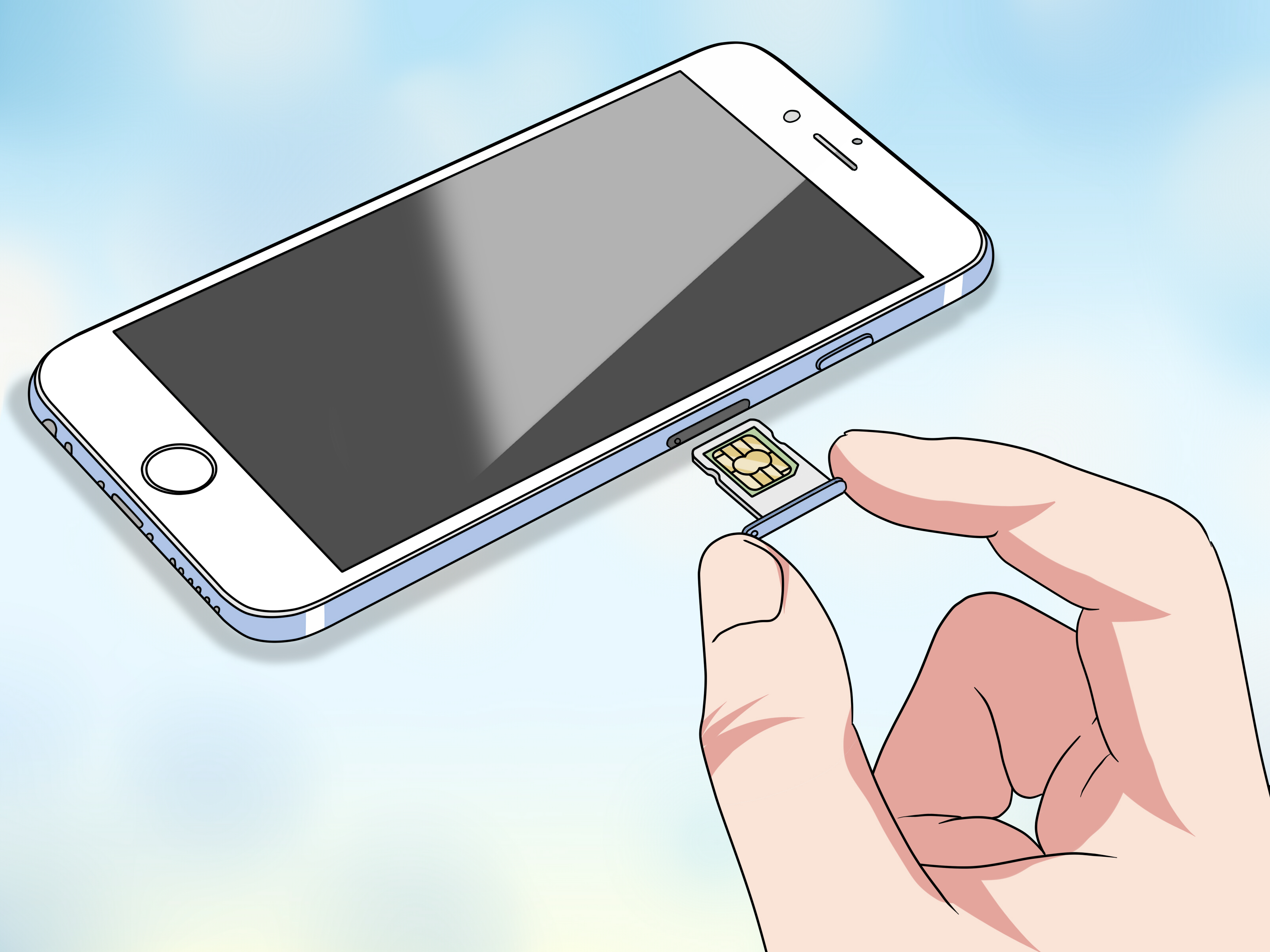
If your iPhone has a physical SIM tray:
- Turn off the iPhone.
- Insert a SIM card from another compatible carrier.
- Turn the phone back on.
- Follow any activation prompts.
- Make a test call or use cellular data.
If your iPhone uses eSIM:
- Make sure the phone is connected to Wi-Fi.
- Go to Settings > Cellular.
- Tap Add eSIM.
- Use carrier activation, a QR code, or the carrier’s app.
- Set your default voice and data line if using Dual SIM.
If the new carrier’s service activates successfully, congratulations: your iPhone has graduated from Verizon-only life and is ready to mingle.
What If Your Verizon iPhone Still Says “SIM Not Supported”?
If your Verizon iPhone still refuses another SIM or eSIM, do not panic. The issue is usually one of several common problems.
Common reasons your iPhone is still locked
- The device is not paid off: A remaining balance can block unlocking.
- The payment has not posted: The account may need time to update.
- A security hold applies: Some payment methods may delay unlock completion.
- The iPhone is prepaid: It may need 365 days of paid active service.
- The device was reported lost or stolen: Verizon generally will not unlock it until the report is cleared.
- The phone is flagged for fraud: This can prevent unlocking even if the balance is paid.
- You bought it used: The original owner may need to resolve the account issue.
- The new carrier is incompatible: An unlocked phone still needs to support the receiving carrier’s network and activation system.
Try restarting the phone, updating iOS, checking Carrier Lock again, and contacting Verizon with the IMEI. If Verizon says the device is unlocked but another carrier cannot activate it, contact the new carrier and ask them to verify compatibility and eSIM provisioning.
How to Unlock a Used Verizon iPhone
A used Verizon iPhone can be a smart buy, but only if you check it carefully. Before paying, ask the seller to show the Carrier Lock status in person. The screen should say No SIM restrictions. Also confirm that the iPhone is not Activation Locked, not blacklisted, not still financed, and not attached to a seller’s Apple ID.
Here is a simple used-iPhone checklist:
- Check Settings > General > About > Carrier Lock.
- Make sure the seller erases the device properly.
- Avoid any iPhone showing iPhone Locked to Owner.
- Test your SIM or eSIM before final payment when possible.
- Ask for the original proof of purchase if the device is expensive.
- Do not trust vague promises like “Verizon will unlock it later.”
Example: Suppose you are buying an iPhone 15 from a local seller. The phone looks perfect, the battery health is good, and the price is suspiciously friendly. Before handing over cash, open Settings, check Carrier Lock, and test your carrier’s SIM. If the seller refuses, suddenly remembers a dental appointment, or says “my cousin handles the unlocking,” walk away gracefully. Your wallet will thank you.
Can You Use an International eSIM on a Locked Verizon iPhone?
Usually, no. To use a travel eSIM from another provider, your iPhone generally needs to be unlocked. If your Verizon iPhone is still carrier locked, it may not accept a foreign eSIM or a travel data plan. You might be able to roam internationally through Verizon’s own travel plan, but that is different from using a local or third-party eSIM.
If you travel often, unlock status matters. An unlocked iPhone gives you the freedom to buy a local plan, install a travel eSIM, keep your U.S. number active, and use a second line for data. With Dual SIM, you can keep Verizon for calls and texts while using a local data eSIM abroad, as long as the phone is unlocked and the model supports eSIM in the region you are visiting.
Should You Use a Third-Party Unlocking Service?
Be careful. Many third-party unlocking sites promise instant Verizon iPhone unlocks, but they may be unreliable, overpriced, or risky. Some collect IMEI numbers and personal information without delivering results. Others may claim they can unlock blacklisted or stolen devices, which is a major red flag.
The safest route is always through Verizon or the original carrier. If the iPhone is legitimately eligible, the official unlock process is cleaner and less risky. If it is not eligible, a random website probably cannot fix the underlying problem. It may simply fix the balance of your bank account by making it smaller.
Quick Troubleshooting Table
| Problem | Likely Cause | Best Fix |
|---|---|---|
| Carrier Lock does not show “No SIM restrictions” | The iPhone is still locked | Confirm eligibility with Verizon and restart the phone |
| SIM Not Supported message | Carrier lock or incompatible SIM | Check unlock status and verify new carrier compatibility |
| Device paid off but still locked | Payment pending, security hold, or account issue | Wait for payment posting or contact Verizon support |
| Used iPhone cannot be unlocked | Original owner still owes money or device is flagged | Ask seller to resolve it or return the device |
| Travel eSIM will not activate | Phone locked or eSIM setup issue | Check Carrier Lock, Wi-Fi, iOS version, and eSIM compatibility |
Real-Life Experiences: What Unlocking a Verizon iPhone Is Actually Like
In real life, unlocking a Verizon iPhone is often less like pressing a magic button and more like checking a few boring boxes in the right order. The people who have the easiest experience usually do three things: they confirm the iPhone is paid off, they check Carrier Lock before switching carriers, and they avoid waiting until the night before a trip to solve everything. Technology loves deadlines the way cats love baths.
Consider a common situation: someone buys a Verizon iPhone on a monthly payment plan, uses it for two years, then decides to switch to another carrier because a new plan is cheaper. If the final device payment has already been made and the account is clean, the unlock may happen automatically. The user checks Settings, sees “No SIM restrictions,” installs the new carrier’s eSIM, and the whole thing feels suspiciously easy. That is the dream scenario.
Now compare that with a traveler who buys an international eSIM at the airport, scans the QR code, and gets an error. The iPhone is new, beautiful, and completely uninterested in cooperating. After some digging, the traveler finds that the iPhone is still locked to Verizon because the device payment agreement is not finished. In that case, buying another eSIM will not help. The phone needs to meet Verizon’s unlock requirements first, or the traveler must use Verizon roaming instead.
Used phones create another memorable category of experiences. A buyer sees a great price on a Verizon iPhone and assumes “locked” is a tiny inconvenience. Later, they learn the original owner still owes money, the phone cannot be unlocked, and the seller has vanished into the digital mist. This is why checking Carrier Lock, IMEI status, Activation Lock, and seller credibility matters before money changes hands. A cheap locked iPhone can become a very expensive Wi-Fi-only rectangle.
Prepaid users may also be surprised by the waiting period. Someone might buy a discounted prepaid Verizon iPhone expecting to unlock it quickly, only to discover that current prepaid rules can require a full year of paid active service. That does not mean the phone is broken. It means the plan type has stricter unlocking conditions. If your goal is to switch carriers soon, buying an unlocked iPhone directly from Apple or purchasing a fully paid unlocked model may be simpler.
The best practical advice from these experiences is simple: check first, switch second. Before you cancel Verizon, sell the phone, buy a travel eSIM, or move your number, confirm the iPhone says “No SIM restrictions.” Keep payment receipts, know your IMEI, and make sure your new carrier supports your exact iPhone model. Unlocking is usually straightforward when the account is clean, the rules are met, and nobody is relying on wishful thinking as a technical strategy.
Conclusion: Unlock First, Switch Smarter
Learning how to unlock a Verizon iPhone is really about understanding eligibility. Start by checking Settings > General > About > Carrier Lock. If you see “No SIM restrictions,” your iPhone is already unlocked and ready for another compatible carrier. If not, review your Verizon plan type, payment status, prepaid service time, and account standing.
For postpaid Verizon iPhones, paying off the device is often the key step. For prepaid Verizon iPhones, the required active service period may be much longer under current rules. For used iPhones, the safest move is to verify everything before purchase. And for international travelers, do not assume a travel eSIM will work unless the iPhone is unlocked.
Once your iPhone is unlocked, you gain flexibility: better carrier deals, easier travel, improved resale value, and less dependence on one provider. In other words, your iPhone gets options. And honestly, in this economy, even phones deserve options.