
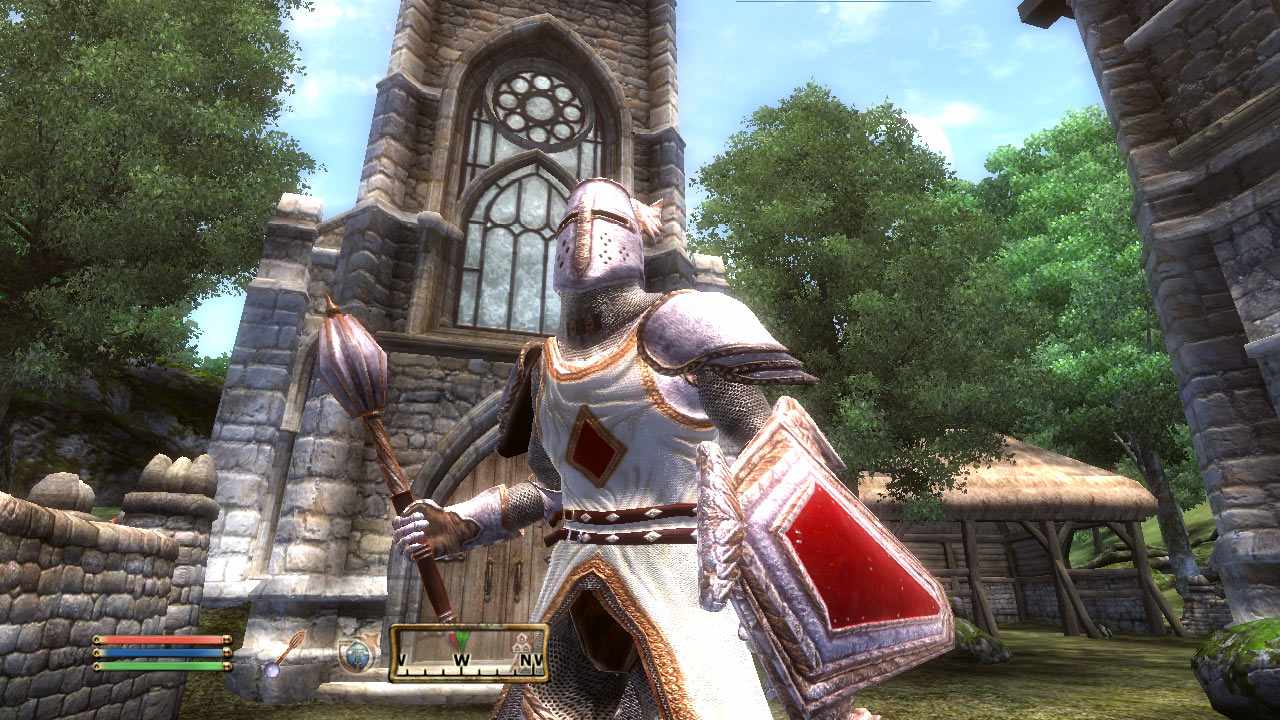
Few role-playing games make getting lost feel as important as getting stronger. The Elder Scrolls IV: Oblivion drops players into Cyrodiil with a sword, a prophecy, and the suspicious confidence that “just one more cave” will not turn into a three-hour detour. Spoiler: it absolutely will. That is exactly why Oblivion annotated and interactive maps have become essential tools for new players, returning veterans, completionists, lore hunters, and anyone who has ever wandered into the woods looking for a shrine and found three wolves, a bandit camp, and personal regret instead.
Whether you are playing the original 2006 classic or The Elder Scrolls IV: Oblivion Remastered, maps are more than navigation aids. They are planning boards, treasure trackers, quest companions, and sometimes the only thing standing between you and accidentally walking past the dungeon you meant to explore. This guide explains how annotated maps and interactive maps work, what they are best used for, and how players can use them without draining the magic out of exploration.
Why Oblivion Maps Still Matter
Oblivion’s world design is built around discovery. Cyrodiil is divided into cities, forests, mountains, rivers, Ayleid ruins, forts, caves, mines, Daedric shrines, settlements, roads, and wilderness landmarks. The map is readable enough to keep you moving, but mysterious enough to make you wonder what is hiding beyond the next hill. That balance is one of the game’s greatest strengths.
The challenge is that Oblivion is packed with locations. Major cities such as the Imperial City, Chorrol, Bruma, Cheydinhal, Bravil, Leyawiin, Skingrad, Anvil, and Kvatch anchor the map, but the real adventure often happens between them. A small marker might lead to an Ayleid ruin full of Welkynd Stones, a gloomy fort occupied by undead, a mine crawling with enemies, or a Daedric shrine that starts one of the game’s strangest and most memorable quests.
That is where annotated and interactive maps shine. They give structure to a world that is designed to tempt you in every direction. Instead of asking, “Where am I?” every five minutes, you can ask the much more useful question: “What kind of trouble do I want to get into next?”
What Are Annotated Oblivion Maps?
Annotated Oblivion maps are static maps that include labels, symbols, or notes showing important locations across Cyrodiil and the Shivering Isles. Think of them as fantasy road atlases with fewer rest stops and more Daedra. These maps are especially useful when you want a broad overview of the world without clicking filters, opening side panels, or managing a digital checklist.
A good annotated map may show camps, settlements, forts, caves, Daedric shrines, Doomstones, Wayshrines, Oblivion Gates, landmarks, ruins, and natural features. Some older annotated maps are beloved because they capture the feeling of unfolding a paper map at your desk while planning a proper adventure. They may not offer live tracking, but they give players a clean, big-picture understanding of Cyrodiil’s geography.
Best Uses for Annotated Maps
Annotated maps are excellent for route planning. For example, if you are traveling from Chorrol to Skingrad, you can scan the path for nearby forts, caves, shrines, or settlements worth visiting along the way. This is perfect for players who want guidance but still enjoy the thrill of reaching a place naturally.
They are also helpful for role-playing. A pilgrim character might use a Wayshrine map to plan a spiritual route across Cyrodiil. A treasure hunter might focus on Ayleid ruins. A wandering knight might travel road by road, clearing forts and helping towns. A thief, naturally, might use the map to avoid honest employment.
What Are Interactive Oblivion Maps?
Interactive Oblivion maps are modern digital maps that let players zoom, search, filter, and track locations. Many include separate views for Cyrodiil and the Shivering Isles, while some also include city maps, dungeon markers, quest points, collectible checklists, and progress tracking.
Instead of looking at one fixed image, players can turn categories on and off. Want to see only Daedric shrines? Done. Hunting Nirnroot? Activate the plant-related markers and prepare to hear imaginary humming in your sleep. Looking for Ayleid wells, skill books, trainers, merchants, Oblivion Gates, or unique items? Interactive maps make that kind of targeted search much easier.
Why Interactive Maps Are So Popular
Oblivion is not just a game about reaching the next quest objective. It is a game about everything you discover while pretending to reach the next quest objective. Interactive maps support that style beautifully. They help players find missed content, organize completion runs, and revisit areas that are easy to overlook.
Modern map tools often include filters for caves, forts, mines, settlements, cities, camps, Ayleid ruins, Daedric shrines, Doomstones, Wayshrines, quests, guild locations, and collectibles. Some newer tools built around Oblivion Remastered also highlight Shivering Isles content, city-specific maps, live-location features, and 100% completion checklists.
Cyrodiil: The Heart of Oblivion’s Map
Cyrodiil is the central province of Oblivion and the main playground for most of the game’s quests. Its geography is surprisingly varied. The Imperial City sits in the center, surrounded by Lake Rumare. Bruma rises in the snowy north. Leyawiin rests in the humid south near Blackwood. Anvil watches the Gold Coast. Cheydinhal leans toward the eastern border. Skingrad sits in wine country, which is probably why everyone there seems one dramatic conversation away from becoming a side quest.
An interactive Cyrodiil map helps players understand these regional differences. The Jerall Mountains feel different from the West Weald. The Nibenay Basin has its own rhythm. The Gold Coast encourages a coastal route full of ruins, caves, and roadside distractions. When players use a map with filters, they can see how Bethesda distributed content across the province.
Important Cyrodiil Map Categories
The most useful categories on an Oblivion interactive map usually include cities, settlements, caves, mines, forts, Ayleid ruins, Daedric shrines, Doomstones, Wayshrines, camps, inns, landmarks, Oblivion Gates, trainers, merchants, guild halls, player homes, and quest locations. Completionists may also want filters for skill books, Nirnroot, unique weapons, unique armor, and rare items.
For beginners, the best approach is to start with only a few categories turned on. Too many icons can make the map look like someone spilled enchanted confetti over Tamriel. Begin with cities, quests, shrines, and dungeons. Add collectibles later when you are ready for the glorious madness of completion tracking.
The Shivering Isles: Mapping Madness
The Shivering Isles expansion adds one of the most distinctive regions in The Elder Scrolls series. Instead of Cyrodiil’s familiar forests and cities, players enter the realm of Sheogorath, Prince of Madness. The land is divided between Mania and Dementia, two regions with different visual moods, themes, and dangers.
Interactive maps are especially helpful in the Shivering Isles because the environment can feel more surreal and less predictable. Roads twist through strange landscapes, settlements have unusual layouts, and quest locations often lean into the expansion’s dreamlike logic. A map helps players enjoy the weirdness without feeling completely swallowed by it.
What to Track in the Shivering Isles
In the Shivering Isles, players may want to track settlements, caves, ruins, quest locations, unique items, plants, bosses, and points of interest. Because the expansion has its own tone and structure, it is worth using a map that separates Shivering Isles content from the base Cyrodiil map. Mixing both together can make planning harder than convincing an Oblivion NPC to stop staring directly into your soul.
Annotated vs. Interactive Maps: Which One Is Better?
The best choice depends on how you play. Annotated maps are better for immersion, broad planning, and casual reference. Interactive maps are better for precision, searching, filtering, and completion tracking. One is a beautiful overview; the other is a digital command center.
If you are playing Oblivion for the first time, an annotated map may preserve more mystery. It gives you enough guidance to understand the world but not so much that every secret becomes a checklist item. If you are replaying the game, building a perfect character, hunting every shrine, or trying to finish every major questline, an interactive map will save time and sanity.
Use Both for the Best Experience
The smartest strategy is to use both types. Keep an annotated map for general orientation and an interactive map for specific goals. For example, you might use an annotated map to plan a journey from Anvil to the Imperial City, then use an interactive map to locate a nearby Daedric shrine or Ayleid ruin once you are in the region.
This method keeps the adventure alive while still helping you avoid aimless wandering. Aimless wandering is charming in Oblivion, of course, but after the third cave full of rats and rusty daggers, even the most patient hero starts craving a little organization.
How Oblivion Remastered Changed Map Interest
The release of Oblivion Remastered renewed interest in Cyrodiil, especially among players who missed the original or had not returned in years. The remastered edition includes the base game along with major story expansions such as Shivering Isles and Knights of the Nine, plus additional downloadable content. That means players have a large amount of content available from the start, making map tools more useful than ever.
Remastered visuals also change how players experience navigation. Familiar roads, ruins, cities, and forests can feel fresh again. A location that veterans remember from 2006 may look different enough to invite another careful look. Interactive maps help bridge nostalgia and modern convenience, especially for players who want to revisit classic places without missing newly appreciated details.
Essential Ways to Use Oblivion Interactive Maps
1. Plan Efficient Quest Routes
Oblivion quests often send players across long distances. Instead of fast traveling immediately, use a map to build a route. If your next objective is near a cave, shrine, or ruin, mark it as a side stop. This turns routine travel into layered exploration.
2. Track Daedric Shrines
Daedric shrine quests are some of Oblivion’s most memorable adventures. Each shrine has its own requirements, personality, and reward. Interactive maps make it easier to find shrine locations and plan when your character is ready to complete them.
3. Find Ayleid Ruins
Ayleid ruins are iconic Oblivion locations. They often contain Welkynd Stones, Varla Stones, traps, undead, bandits, and enough ancient atmosphere to make you temporarily forget you came in only to grab loot. A map helps players identify which ruins they have explored and which ones are still waiting.
4. Hunt Skill Books and Trainers
Players who care about character development can use interactive maps to track skill books and trainers. This is especially helpful for specialized builds, such as stealth archers, battlemages, pure mages, or heavily armored warriors who solve most problems by becoming the problem.
5. Manage Completion Runs
Completionists benefit the most from map checklists. Tracking every cave, fort, ruin, shrine, city, quest, and collectible manually can become overwhelming. A digital checklist turns the process into a manageable project instead of a second job with more goblins.
Tips for Using Maps Without Spoiling the Game
Maps are powerful, but too much guidance can flatten the sense of wonder. The best way to use an Oblivion map is to decide your purpose before opening it. Are you stuck? Are you planning a route? Are you hunting a specific item? Are you checking whether a region has more content? Use the map for that purpose, then return to the game.
For a first playthrough, avoid turning on every marker immediately. Let the world surprise you. Use city markers, main roads, and broad categories. Save the deep collectible filters for later. Oblivion is at its best when you still believe the next hill might hide something unexpected.
A Good Rule: Explore First, Verify Later
Try exploring a region naturally before checking a detailed map. After you have wandered, fought, looted, fled, and possibly offended a local guard, open the map to see what you missed. This preserves discovery while still giving you the satisfaction of thorough exploration.
Best Features to Look For in an Oblivion Map Tool
A strong Oblivion interactive map should include clear icons, fast filtering, search tools, separate regional maps, city maps, collectible tracking, quest markers, and progress-saving options. For Oblivion Remastered, support for both Cyrodiil and Shivering Isles is especially valuable.
Mobile usability is another major advantage. Many players like checking maps on a phone or tablet while playing on PC or console. A cluttered map may work on a desktop monitor but become chaotic on a smaller screen. The best tools make icons readable and filters easy to manage.
Useful Map Filters for Most Players
The most practical filters are cities, quests, dungeons, Daedric shrines, Wayshrines, Doomstones, Oblivion Gates, merchants, trainers, unique items, and player homes. For advanced players, filters for Nirnroot, skill books, Ayleid wells, and specific loot categories can be extremely helpful.
Practical Example: Planning a Cyrodiil Adventure
Imagine you start in the Imperial City and want to travel west toward Chorrol. With an annotated map, you can see the main road, nearby wilderness, and general landmarks. With an interactive map, you can add filters for forts, caves, and Ayleid ruins along the route. Suddenly, a simple trip becomes a mini-campaign.
You might clear a ruin near Lake Rumare, visit a shrine, stop at an inn, sell loot in Chorrol, and then continue north toward Bruma. This kind of route planning makes Oblivion feel richer because you are not simply jumping from marker to marker. You are building your own story through the landscape.
Common Mistakes Players Make With Oblivion Maps
The first mistake is over-filtering. Turning on every marker at once can make the map harder to read. The second mistake is treating the map like a chore list. Oblivion is not only about clearing icons; it is about stumbling into strange stories. The third mistake is ignoring vertical and interior spaces. A world map can bring you to a dungeon entrance, but it cannot always solve the dungeon for you.
Another mistake is relying too much on fast travel. Fast travel is convenient, but walking roads and crossing wilderness areas reveals encounters, locations, and scenery you would otherwise miss. Use fast travel when needed, but remember that Cyrodiil rewards the scenic route.
Player Experience: Why Maps Make Oblivion More Memorable
The best experiences with The Elder Scrolls IV: Oblivion annotated and interactive maps often come from using them as companions rather than shortcuts. A map can tell you where a cave is, but it cannot predict what will happen when you enter underleveled, overconfident, and carrying six stolen cheese wheels for reasons you no longer remember.
One of the most satisfying ways to play is to choose a theme for the session. For example, you might declare, “Tonight is Daedric shrine night,” then use an interactive map to find the nearest shrine you have not visited. The map gives direction, but the quest provides the surprise. Another night might become an Ayleid ruin expedition. You filter for ruins, pick three in one region, stock up on repair hammers and potions, and head out like a professional archaeologist with questionable lockpicking ethics.
Maps also make Oblivion more relaxing. Not every gaming session needs to be a major quest push. Sometimes you want to wander, gather ingredients, discover new markers, or clear small locations while listening to the game’s music. An annotated map helps you choose a region that looks interesting, while an interactive map helps you avoid missing nearby content. The result is a comfortable rhythm: explore, check, adjust, continue.
For returning players, maps can trigger nostalgia in a surprisingly strong way. Seeing the Imperial City at the center of Cyrodiil, the snowy approach to Bruma, or the road to Anvil can bring back memories of old characters and unfinished adventures. Interactive maps add a modern layer to that nostalgia. You can revisit familiar places with better organization and maybe finally complete the quests you abandoned years ago because a random ruin distracted you. No judgment. That is basically Oblivion’s official personality.
New players benefit differently. Oblivion can feel huge at first, especially when the journal fills up and multiple guilds start asking for your attention. A map creates confidence. It shows that the world is big but understandable. You can see where guild halls are, where major cities sit, how roads connect, and which regions are dense with optional content. That clarity makes the game less intimidating without making it smaller.
The best personal approach is to keep maps nearby but not constantly open. Play for discovery, then use the map when curiosity becomes confusion. If you find a mysterious shrine, mark it mentally and investigate. If you keep hearing about a location but cannot find it, search the interactive map. If you want to role-play a long journey across Cyrodiil, use an annotated map like a traveler’s chart. This balance keeps the world alive.
Oblivion’s maps also encourage storytelling. A completionist might remember the exact route used to collect every Wayshrine blessing. A mage might remember the journey to Frostcrag Spire. A thief might remember sneaking between cities and fences. A warrior might remember clearing forts across the Colovian Highlands. The map becomes a record of adventures, not just a tool for locating icons.
That is why Oblivion mapping remains popular after so many years. The game’s world is not simply large; it is dense with memories waiting to happen. Annotated maps help players appreciate the shape of that world. Interactive maps help players master its details. Together, they turn Cyrodiil into something easier to navigate but still wonderfully unpredictable.
Conclusion
The Elder Scrolls IV: Oblivion annotated and interactive maps are essential companions for exploring Cyrodiil and the Shivering Isles. Annotated maps offer a clean, immersive overview of the world, while interactive maps provide filters, checklists, search tools, and detailed location tracking. Used wisely, they help players plan routes, find hidden content, complete quests, track collectibles, and enjoy the game without turning exploration into homework.
The key is balance. Let Oblivion surprise you, then use maps to deepen the adventure. Whether you are a first-time prisoner stepping out of the sewers or a veteran Hero of Kvatch returning for one more glorious detour, the right map can make every road, ruin, shrine, and suspicious cave feel worth discovering.













