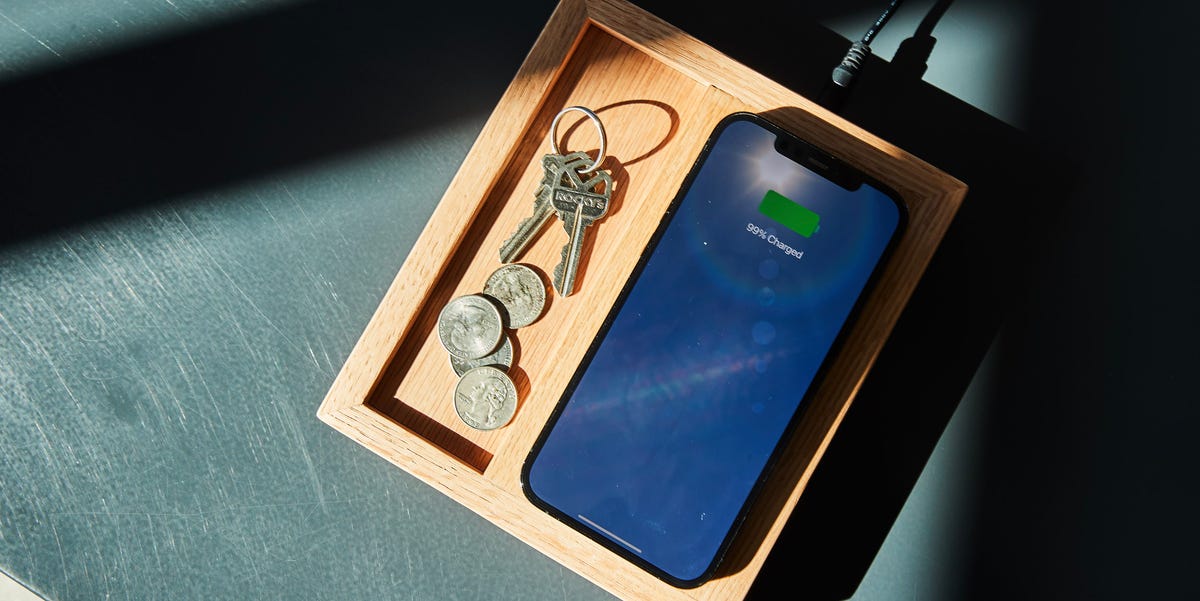
Wireless charging feels suspiciously like magic: place a phone on a little platform, hear a cheerful notification, and watch the battery percentage climb without plugging in a cable. Fortunately, no tiny wizard lives inside the charging pad. The technology relies on electromagnetic induction, carefully controlled electronics, and two coils positioned close enough to exchange power.
Building a DIY wireless charger is an approachable weekend project when you begin with a reliable Qi transmitter module. You can hide the module inside a wooden nightstand, a 3D-printed phone stand, an acrylic desk organizer, or almost any nonmetallic enclosure. The result can look far better than a generic plastic charging puck while teaching you useful lessons about coil alignment, heat management, power supplies, and enclosure design.
This guide explains how wireless charging works, what components to buy, how to assemble the charger safely, and how to troubleshoot common problems. It focuses on a low-voltage modular build rather than designing a high-frequency transmitter circuit from individual components. That approach is easier, safer, and much less likely to produce the traditional electronics-project finale known as “the mysterious smell.”
How a DIY Wireless Charger Works
A wireless charger contains a transmitter coil connected to an electronic controller. The controller drives the coil with alternating current, producing a changing magnetic field. A compatible phone or accessory contains a receiver coil. When the receiver enters the magnetic field, an alternating voltage is induced in that coil. The device then rectifies and regulates the received energy so it can charge its battery.
The transmitter and receiver behave somewhat like the two halves of a transformer, except they are separated by an air gap and the charger’s outer surface. Because the magnetic coupling is relatively weak, distance and alignment matter. The farther apart the coils areor the more dramatically they are misalignedthe more energy is lost as heat instead of reaching the battery.
Why Qi Compatibility Matters
Qi is the dominant interoperability standard for consumer wireless charging. A Qi system does more than blindly energize a coil. The receiver communicates with the transmitter, requests an appropriate power level, and provides feedback while charging. A properly designed transmitter can also monitor temperature, efficiency, operating conditions, and unexpected power losses.
Foreign object detection, commonly shortened to FOD, is particularly important. It helps the charger recognize when a conductive object such as a coin, key, or piece of jewelry may be absorbing energy and becoming hot. Commercial Qi designs use carefully calibrated hardware and software for this job, which is one reason a reputable transmitter module is preferable to a homemade oscillator connected to a hand-wound coil.
Qi, Qi2, and Magnetic Alignment
Traditional Qi chargers rely on the user to place the device over the transmitter coil. Qi2 introduced a Magnetic Power Profile that improves alignment by positioning the transmitter and receiver more precisely. Better alignment can improve efficiency and charging consistency. However, adding a random ring of strong magnets to an ordinary Qi module does not magically transform it into a certified Qi2 charger. Magnetic placement, field strength, shielding, authentication, and thermal behavior are all part of the complete design.
The Best DIY Approach: Customize a Qi Transmitter Module
There are two ways to interpret “build your own wireless charger.” The first is to design the complete transmitter electronics, select switching MOSFETs, tune a resonant network, choose a coil, implement communication, calibrate foreign object detection, manage electromagnetic interference, and validate thermal performance. That is an excellent engineering project, but it is not an ideal first soldering adventure.
The second approach is to buy a preassembled Qi transmitter module and build the power connection, enclosure, mounting system, cooling, and user interface around it. This still provides plenty of hands-on work while preserving the protection and communication features designed into the module.
For most hobbyists, the second option offers the best combination of customization, reliability, and safety. You are not cheating. You are practicing systems integration, which is the professional term for persuading several separately reasonable parts to cooperate.
Parts and Tools You Will Need
Core Components
- Qi transmitter module with coil: Select a module from a reputable supplier with documented input-voltage and current requirements. A 5-watt module is sufficient for a simple first build.
- Regulated power adapter: Use the voltage and minimum current rating specified by the transmitter manufacturer. Do not assume every USB adapter can deliver the module’s required power.
- USB cable or power connector: Choose a short, good-quality cable to reduce voltage loss.
- Nonmetallic enclosure: Wood, cork, acrylic, ABS, PETG, PLA, or another electrically nonconductive material can work.
- Mounting material: Plastic standoffs, screws, thin foam tape, or high-temperature double-sided adhesive can secure the board and coil.
- Optional power switch: Use a switch rated for the charger’s low-voltage DC input.
- Optional status light: Many transmitter boards already include an LED. A light pipe or small window can make it visible through the enclosure.
- Optional silicone feet: These stop the finished charger from skating across the desk whenever you pick up your phone.
Recommended Tools
- Digital multimeter
- USB power meter
- Soldering iron and electronics-grade solder
- Wire cutters and wire strippers
- Small screwdrivers
- Drill, rotary tool, hobby knife, or 3D printer
- Ruler or digital calipers
- Noncontact thermometer or thermal camera, when available
A transmitter module with a built-in USB-C or Micro-USB connector is easiest to use. When choosing a board with bare power pads, connect it only to a properly regulated low-voltage supply. Never place exposed mains-voltage wiring inside a homemade enclosure unless you are trained and equipped to design mains-powered products safely.
Planning the Wireless Charger Enclosure
Choose a Nonmetallic Charging Surface
The material between the transmitter coil and phone must allow the magnetic field to pass without introducing large losses. Thin wood veneer, plastic, acrylic, cork, and similar materials are common choices. Avoid a metal top plate, metallic paint, foil decoration, steel screws directly over the coil, and decorative washers in the active charging area.
Start with a charging surface approximately 2 to 3 millimeters thick unless the module documentation recommends something different. Some systems tolerate a larger gap, but thinner material generally improves coupling. Remember that the phone case adds to the total separation. A 3-millimeter enclosure wall plus a thick protective case can turn a promising charger into an expensive desk coaster.
Keep the Original Ferrite Shield
Wireless charging coils commonly include a dark ferrite backing layer. This is not packaging material. The ferrite helps direct the magnetic field and shields nearby electronics. Do not peel it off, trim it aggressively, fold it, or replace it with aluminum foil. Damaging the backing can reduce performance and may increase heating behind the coil.
Plan for Ventilation
Wireless power transfer is not perfectly efficient, so some warmth is normal. Give the controller board a small air space rather than trapping it between thick layers of glue. Ventilation slots underneath or behind the enclosure can help heat escape without changing the visible design.
Mark the Charging Sweet Spot
The center of the transmitter coil should line up with the receiver coil in the phone. Mark this position on the enclosure with a shallow groove, engraved circle, contrasting wood inlay, printed symbol, or subtle raised ring. Good alignment is more useful than a dramatic glowing logo, although nobody has ever stopped a maker from adding both.
How to Build Your Own Wireless Charger
Step 1: Inspect the Module
Before connecting power, inspect the transmitter board and coil. Look for cracked ferrite, pinched wires, loose solder joints, bent connectors, or conductive debris. Confirm the input rating and identify the power connector, status LED, and any documented fault indicators.
Step 2: Test the Electronics Before Building the Case
Place the transmitter module on a dry, nonconductive surface. Connect it to the specified regulated adapter and cable. Put a Qi-compatible phone directly over the coil and verify that charging begins.
Move the phone slowly in different directions to learn how much misalignment the system tolerates. Rotate the phone, test it with and without its normal case, and observe the module’s LED behavior. This test establishes a baseline. If the charger does not work now, sealing it inside a beautiful walnut enclosure will not improve its personality.
Step 3: Measure and Cut the Enclosure
Measure the coil, circuit board, connector, and wire routing. Create enough internal space to avoid crushing the coil lead or placing stress on solder joints. Cut or print the enclosure, including openings for the power connector, switch, ventilation, and status light.
For a wooden charging pad, route a shallow pocket into the underside of the top panel. Leave a thin, even layer of wood above the coil. Check the remaining thickness in several places because an uneven pocket can tilt the coil and reduce alignment.
Step 4: Position the Coil
Center the transmitter coil directly below the intended phone position. Keep the coil flat and parallel to the charging surface. Secure it around the edges or against its ferrite backing without placing thick adhesive over the active face.
Do not drill through the coil, place a steel fastener in its center, or use hot glue at a temperature that may deform the coil assembly. Plastic clips, printed retainers, or thin high-temperature tape are usually cleaner solutions.
Step 5: Mount the Controller Board
Use nonconductive standoffs or secure adhesive pads to mount the circuit board. Leave clearance under exposed solder joints. Make sure the USB connector aligns with the enclosure opening and can withstand repeated cable insertion without transferring all the mechanical force to one delicate solder joint.
Step 6: Add Optional Controls
An inline power switch can be installed on the low-voltage input side. A status-light window can be made from clear acrylic, translucent filament, or a commercial light pipe. Avoid connecting decorative LEDs directly to unknown points on the transmitter board. Power them from an appropriate regulated connection and include the required current-limiting components.
Step 7: Perform an Open-Enclosure Test
Before closing the enclosure, connect the charger and test it again. Confirm that charging starts promptly and remains stable when the phone is lightly tapped or moved. Check that no wire is pinched and no component becomes excessively hot.
Step 8: Close the Case and Repeat Testing
Assemble the enclosure without permanently gluing it shut. Test multiple compatible devices, several phone orientations, and the thickest case you expect to use. Run a longer charging test while occasionally checking temperatures at the phone, coil, controller, connector, and power adapter.
Mild warmth can be normal. Stop using the charger if the enclosure becomes uncomfortably hot, charging repeatedly starts and stops, the module reports a fault, the adapter buzzes or smells unusual, or the phone displays a temperature warning.
Important Wireless Charger Safety Tips
- Use only the regulated input voltage specified by the transmitter module.
- Do not power the project from exposed household wiring.
- Keep coins, keys, jewelry, batteries, magnetic plates, and RFID cards away from the charging surface.
- Do not use the charger when the enclosure, cable, connector, coil, or ferrite sheet is damaged.
- Keep the charger dry and provide reasonable ventilation.
- Do not cover the charger with bedding, clothing, or other insulating materials during operation.
- Stop testing immediately if you notice excessive heat, smoke, discoloration, melted plastic, or an unusual odor.
Phone manufacturers also warn against placing metal objects, magnetic accessories, payment cards, security badges, passports, and key fobs between a device and a wireless charger. Such objects can interfere with charging, damage magnetic data, or become warm.
How to Improve Wireless Charging Performance
Reduce the Gap
Every layer matters: the charging-pad surface, decorative covering, phone case, adhesive pad, and camera bump can all increase separation. Remove unnecessary layers and avoid thick rubber pads directly above the coil.
Improve Alignment
When charging works only in one tiny location, add a physical guide. A shallow recess, corner stop, or raised lip can position the phone consistently without requiring magnets. For an upright charging stand, test the receiver-coil height of each target phone before fixing the transmitter coil permanently.
Use the Correct Power Adapter
An underpowered adapter or high-resistance cable can cause slow charging, repeated resets, or complete failure. The power adapter must support the voltage requested by the transmitter module, and the cable must carry the required current without a large voltage drop.
Control Heat
Heat may come from poor alignment, excessive separation, an unsuitable power supply, a thick case, or inadequate ventilation. Improving alignment usually helps both charging speed and temperature because less input energy is wasted.
Manage Electrical Noise
The switching electronics and transmitter coil can generate electromagnetic noise. Commercial designs address this with filtering, shielding, component placement, grounding, and careful circuit-board layout. Keep the transmitter away from sensitive radio circuits, audio cables, magnetic-stripe cards, and unshielded sensor wiring. A DIY device intended for commercial sale would also require appropriate safety, interoperability, and electromagnetic-compliance testing.
DIY Wireless Charger Troubleshooting
The Phone Does Not Detect the Charger
Confirm that the phone supports Qi charging. Test the transmitter outside the enclosure, remove the phone case, verify the adapter rating, and place the phone directly over the center of the coil. Try another known-compatible device to determine whether the problem is the charger or the phone.
Charging Starts and Stops Repeatedly
This behavior often indicates poor alignment, too much distance, unstable input power, overheating, or foreign object detection. Remove nearby metal, use a shorter cable, test another adapter, and reduce the enclosure thickness above the coil.
Charging Is Very Slow
A basic DIY module may provide only standard 5-watt charging. The phone may also reduce power because of temperature, battery level, case thickness, background activity, or imperfect alignment. Do not compare a simple 5-watt module with a certified high-power magnetic charger and conclude that your project is broken merely because it loses the imaginary drag race.
The Charger Gets Too Hot
Disconnect power. Remove the enclosure and inspect the coil, board, wiring, and ferrite backing. Test without the phone case and check for metal hardware near the active area. Verify that the module is receiving the correct input voltage. Persistent excessive heat is a reason to replace the module, not an invitation to add a larger logo over the warm spot.
The Charger Works Before Assembly but Not Afterward
The enclosure probably increased the coil distance, shifted its position, introduced metal, compressed a wire, or blocked ventilation. Compare the assembled geometry with your successful open-air test and change one variable at a time.
Creative DIY Wireless Charger Ideas
Once the basic circuit works, the same transmitter module can become part of many useful projects:
- A hardwood bedside charging tray for a phone, watchband, and keys
- A 3D-printed upright stand designed for video calls
- A charger hidden beneath a thin section of a desk or nightstand
- A cork charging coaster with a laser-engraved alignment mark
- An acrylic organizer with an illuminated charging indicator
- A modular charging shelf for a home office
- A custom console insert powered from a properly regulated vehicle adapter
Embedding a charger beneath furniture requires extra care. Verify the surface thickness, keep metal brackets and fasteners away from the coil, provide access for repairs, and test temperatures during an extended session. A removable mounting plate is far more practical than permanently gluing the electronics into an heirloom desk.
Hands-On Build Experiences and Lessons
Alignment Usually Causes the First Problem
The most common surprise in a wireless charger DIY project is how dramatically a small positional change can affect performance. During an open-air test, a phone may charge across a reasonably wide area. Once the transmitter is installed beneath a wooden panel and the phone is placed in a protective case, that generous charging zone can shrink considerably.
A practical solution is to mark the phone’s successful position during testing rather than relying only on the visible center of the handset. Receiver coils are not located in exactly the same place in every model. Camera modules, battery layouts, and internal magnets can change the ideal placement. A cardboard template matching the phone’s footprint makes it easy to transfer the correct position to the enclosure.
Build the Enclosure Around a Working Prototype
It is tempting to finish the enclosure first because cutting wood or printing plastic feels more exciting than testing a circuit board. That order frequently creates extra work. The better experience comes from testing the exact transmitter, adapter, cable, phone, and case together before finalizing any dimensions.
After confirming the setup, create a temporary mock-up from cardboard, foam board, or scrap plastic. Add layers one at a time to simulate the enclosure thickness. This simple experiment reveals whether the planned surface is too thick before an expensive piece of hardwood meets a router bit.
Thin Does Not Mean Fragile
Many first attempts leave too much material above the coil because the builder is afraid of breaking through the top surface. The charger then works without the phone case but fails as soon as the case is reinstalled. Rather than carving the entire enclosure thinner, create a localized pocket that leaves a controlled membrane above the coil while retaining thicker material around it for strength.
For 3D-printed enclosures, ribs around the charging area can support a thin top skin. Print orientation also matters: a thin horizontal ceiling may sag without appropriate bridging settings or support. A removable coil carrier allows experimentation without reprinting the entire stand.
Heat Testing Should Not Be an Afterthought
A charger that successfully triggers the battery icon has passed only the first test. Let it operate long enough to reach a stable temperature. Check it with the battery at different charge levels, because the phone may request different amounts of power during the session.
One useful test compares four conditions: no case, normal case, deliberately poor alignment, and correct alignment. Poor alignment often creates more heat while delivering less useful power. That demonstration makes the value of a physical positioning guide immediately obvious.
Adhesive selection matters as well. Ordinary craft tape may soften when warm and allow the coil to slide. A movement of only a few millimeters can turn a previously reliable charger into an intermittent one. Mechanical clips or temperature-resistant adhesive provide more predictable results.
Cables Can Quietly Ruin the Project
A transmitter may work perfectly with one short USB cable and repeatedly reset with a longer decorative cable. The problem is often voltage loss rather than the transmitter itself. A USB power meter helps identify this issue by showing the input voltage and current while the phone is charging.
This is also why an adapter should be selected by its documented output capabilities, not merely by the fact that it fits the connector. Fast-charging protocols, voltage profiles, and current limits vary. Matching the transmitter manufacturer’s requirements removes a major troubleshooting variable.
Simple Features Produce the Best Finished Experience
The most satisfying improvements are often mechanical rather than electronic. Silicone feet keep the charger still. A shallow alignment ring makes placement effortless in the dark. A recessed connector protects the USB plug. A small ventilation opening prevents heat from collecting around the controller.
Status lighting should remain subtle. A powerful blue LED beside the bed may look futuristic during the afternoon and resemble a miniature airport runway at 2 a.m. Diffusing the existing module LED through a tiny window usually provides enough feedback without illuminating the ceiling.
The broader lesson is to optimize the charger for daily behavior, not just for the moment it appears in a project photograph. A successful DIY wireless charger should accept the phone naturally, charge consistently, remain reasonably cool, and require no nightly search for the invisible sweet spot.
Conclusion
Building your own wireless charger is a rewarding way to combine electronics, fabrication, and practical product design. The most dependable method is to use a documented Qi transmitter module and concentrate your custom work on the enclosure, power connection, alignment, ventilation, and user experience.
Test the electronics before building the case, keep the charging surface thin and nonmetallic, preserve the coil’s ferrite backing, and use the exact power supply recommended for the module. Most performance problems can be traced to excessive distance, poor alignment, weak cables, unsuitable adapters, nearby metal, or trapped heat.
A homemade charger may not break charging-speed records, but it can become a polished, useful object that fits your desk or bedside table perfectly. More importantly, it demonstrates that good DIY design is not merely about making something function. It is about making that function reliable, safe, easy to use, and attractive enough that nobody asks why a circuit board is taped to the furniture.