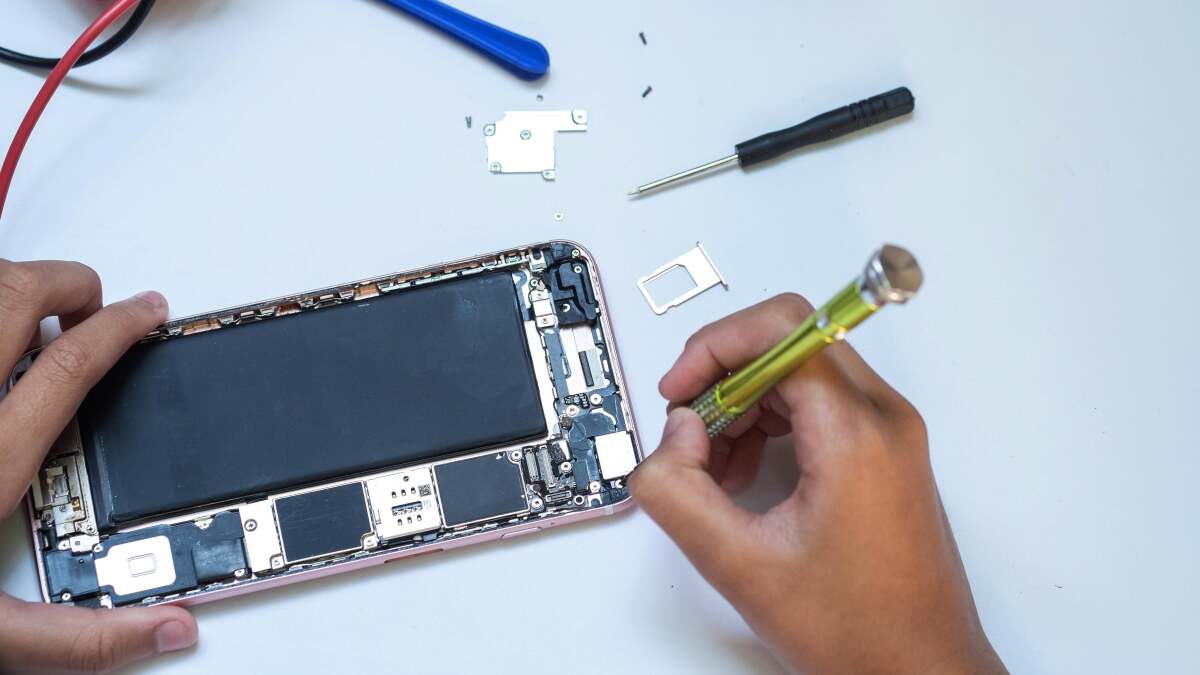
For years, fixing an Apple device felt a little like trying to open a spaceship with a butter knife. You owned the iPhone, MacBook, or iPad, but once something cracked, swelled, dimmed, stopped charging, or started acting like it had joined a tiny robot union, your realistic options were limited: visit Apple, find an authorized repair shop, try an independent technician, or accept defeat and start pricing a new device while whispering, “I guess this is my life now.”
That era is changing. Apple’s Self Service Repair program gives experienced users access to genuine Apple parts, official repair manuals, specialized tools, diagnostics, and post-repair software support. In plain English: Apple is no longer just saying, “Please step away from the tiny screws.” It is now saying, “If you know what you’re doing, here are the manuals, parts, and tools. Good luck, brave human.”
This does not mean every iPhone owner should immediately grab a suction cup and operate on their phone at the kitchen table. Apple still says Self Service Repair is intended for people with knowledge and experience repairing electronic devices. But it does mean the right-to-repair movement has pushed one of the world’s most controlled hardware ecosystems toward more transparency, more customer choice, and more practical repair options.
If you have ever stared at a cracked iPhone screen and wondered whether fixing it yourself was possible, the answer is finally: yes, sometimes. And this time, Apple may actually help.
What Is Apple Self Service Repair?
Apple Self Service Repair is Apple’s official program for customers who want to perform certain out-of-warranty repairs on eligible Apple devices. The program launched in the United States in 2022 with support for select iPhone models, then expanded over time to include more iPhones, Mac models, Studio Display, and select iPad models. Apple has also added tools such as Apple Diagnostics for Self Service Repair and Repair Assistant, which help users troubleshoot problems and complete calibration after installing parts.
The basic idea is simple: instead of relying only on Apple Stores, Apple Authorized Service Providers, or independent repair shops, technically capable users can order genuine Apple parts, review official repair manuals, rent or buy specialized tools, perform the repair, and run the necessary post-repair process.
That is a major shift. Apple devices have long been praised for sleek design, but sleek design often comes with repair drama. Adhesives, compact layouts, delicate ribbon cables, security features, calibration requirements, and model-specific parts can turn a simple battery replacement into a miniature engineering exam. Self Service Repair does not magically make repairs easy, but it makes the process more open and official.
Why This Matters for Apple Users
The ability to repair your own Apple devices matters for three big reasons: cost, control, and device longevity.
First, repairs can be expensive. A cracked display, aging battery, faulty camera, or broken charging port may not mean the whole device is useless. In many cases, one component is the problem. Giving users more ways to replace that component can help people avoid unnecessary upgrades.
Second, repair choice matters. Some people want Apple to handle everything. That is perfectly reasonable. Others prefer a trusted local shop. Some enjoy fixing devices themselves because they are careful, curious, and already own tools that look suspiciously like they belong in a sci-fi medical bay. A healthy repair ecosystem gives all of those users options.
Third, repair supports sustainability. Keeping a device working longer can reduce electronic waste and stretch the value of the materials already used to make it. A phone that gets a new battery and lives another two years is not just good for your wallet; it is also better than turning a mostly functional device into a drawer fossil.
How Apple’s Self Service Repair Program Works
Apple’s repair process is more structured than a random online tutorial, which is both good and slightly intimidating. You are not simply ordering a mystery battery from a marketplace and hoping it does not behave like a spicy pillow. You are following a model-specific repair workflow.
1. Check whether your device is eligible
The first step is to confirm that your device model is supported. Apple’s Self Service Repair availability depends on country, region, product category, and model. Supported categories have expanded over time, but not every Apple product or every older device qualifies.
Eligible products may include select iPhone, Mac, iPad, Studio Display, and other supported Apple hardware depending on Apple’s current repair catalog. For iPad, Apple added Self Service Repair support for models such as iPad Air with M-series chips, iPad Pro with M4, iPad mini with A17 Pro, and iPad with A16. For Macs, support has expanded across Apple silicon models, including MacBook Air, MacBook Pro, iMac, Mac mini, Mac Studio, and Mac Pro configurations in various repair categories.
2. Read the official repair manual first
This is not optional homework; it is survival equipment. Apple’s repair manuals explain the tools, warnings, part numbers, safety steps, screw locations, adhesive procedures, and calibration requirements. The manual tells you whether the repair is reasonable for your skill level or whether you should politely close the browser and schedule service like a peaceful citizen.
Apple devices are packed tightly. One wrong pull can tear a cable. One misplaced screw can cause damage. One skipped step can turn a screen repair into a logic board problem, which is the repair equivalent of accidentally adopting a dragon.
3. Order genuine Apple parts
Through the Self Service Repair Store, customers can order genuine Apple parts for supported repairs. Depending on the device and repair type, available parts may include displays, batteries, cameras, speakers, ports, top cases, and other components. Apple also allows customers to return replaced parts for recycling and, in some cases, receive credit.
The “genuine Apple parts” piece is important because many Apple features depend on hardware and software working together. A display, battery, camera, or biometric component may require calibration to function properly and show accurate repair history inside the device settings.
4. Rent or buy the required tools
Some repairs require specialized tools. Apple offers tool kits for rent or purchase depending on the repair. These kits can include presses, torque drivers, heated display removal fixtures, battery presses, adhesive tools, protective covers, and other equipment designed for specific device repairs.
This is one reason DIY repair is not always cheaper or easier for casual users. If the repair requires a large toolkit, careful handling, and a clean workspace, the “I’ll just fix it in 15 minutes” plan can quickly become “Why are there 47 screws on my desk, and why do three of them look emotional?”
5. Run diagnostics and complete calibration
Modern Apple repair is not only mechanical. After some repairs, software steps are needed to finish the job. Apple Diagnostics for Self Service Repair can help identify issues before and after a repair. Repair Assistant can help complete calibration for installed parts on supported iPhone, iPad, and Mac repairs.
For example, after replacing a supported iPhone display or battery, Parts and Service History may show that a repair needs to be finished. Repair Assistant helps configure the part so the device recognizes it properly and key features work as expected. Without proper calibration, some features may be limited, messages may appear in Settings, or the part may not perform like a fully configured component.
Repair Assistant: The Quietly Huge Upgrade
Repair Assistant is one of the most important changes in Apple’s repair story. It gives users and repairers a way to complete certain repairs through on-device or guided software steps. That matters because Apple devices are not just physical products; they are hardware-software systems.
In the past, parts pairing was one of the biggest complaints from right-to-repair advocates. Parts pairing means a device uses software to identify a specific component. Apple has argued that this protects safety, privacy, security, and performance. Critics have argued that it can make independent or DIY repairs harder than necessary.
Apple’s newer repair approach is more flexible than before. Support for used genuine Apple parts, clearer Parts and Service History, and Repair Assistant all point toward a system where repairs can be more transparent without completely abandoning Apple’s security model. It is not a perfect victory parade for repair advocates, but it is real progress.
What Repairs Can You Do Yourself?
The specific repairs available depend on the device model, part availability, and region. Common repair categories may include:
- iPhone display replacement
- iPhone battery replacement
- iPhone camera replacement
- Back glass or enclosure-related repairs on supported models
- Mac display, top case, keyboard, trackpad, battery, speaker, and port-related repairs on select models
- iPad display, battery, camera, and charging port repairs on supported models
- Studio Display repairs in supported categories
That said, “available” does not automatically mean “recommended for beginners.” Replacing a battery inside a thin modern device is very different from swapping AA batteries in a remote. Adhesives, heat, fragile glass, puncture risks, tiny connectors, and water-resistance seals all matter.
Who Should Actually Use Apple Self Service Repair?
Apple Self Service Repair is best for people who are comfortable with electronics repair, patient with detailed instructions, and realistic about risk. If you have repaired phones, laptops, game consoles, or small electronics before, the program may feel like a welcome upgrade because you can access official documentation and genuine parts.
It may also be useful for small businesses, tech hobbyists, IT staff, and careful power users who maintain multiple devices. If you already know the difference between a Pentalobe screw and a Phillips screw, you are probably closer to the target audience.
However, if your repair experience is limited to blowing into a charging port and hoping for emotional support, professional service may be the better option. Apple Stores, Apple Authorized Service Providers, and reputable independent repair shops still make sense for many users, especially when the device is under warranty, covered by AppleCare+, or contains data you cannot risk losing.
The Big Benefits of Fixing Your Own Apple Device
You get more control
Self Service Repair gives you control over timing, process, and parts. You can study the manual, order the part, prepare your workspace, and complete the repair on your own schedule. For people who dislike waiting for appointments or shipping devices away, that independence is appealing.
You may save money
DIY repair can sometimes reduce labor costs, especially if you already have the skill and workspace. Returning replaced parts may also lower the final cost for some repairs. However, the savings are not guaranteed. Tool rental, shipping, taxes, accidental damage, and the time required can change the math.
You learn how your device works
There is something satisfying about opening a device and understanding what is inside. The battery stops being an abstract “health percentage” and becomes a physical component. The display becomes a layered assembly. The charging port becomes a tiny gateway that has endured years of lint, cables, coffee-shop tables, and questionable pocket environments.
You can extend device life
A fresh battery can make an older iPhone feel useful again. A repaired display can rescue a device from early replacement. A fixed charging port can keep an iPad in service for school, work, travel, or streaming shows while pretending to fold laundry.
The Drawbacks: DIY Apple Repair Is Not a Casual Weekend Craft
Self Service Repair is empowering, but it is not effortless. Apple devices are designed for thinness, durability, water resistance, performance, and security. Those priorities can make repairs complicated.
The biggest risk is accidental damage. A torn flex cable, scratched board, punctured battery, misplaced screw, or cracked replacement part can turn one repair into two repairs. Water resistance may also be affected after opening a device, even if new seals are installed carefully.
Another issue is warranty status. Self Service Repair is generally for out-of-warranty repairs. If your device is still covered, it is smart to compare your options before opening it. You should also back up your data before any repair. Even if the repair targets hardware, data loss is always possible when something goes wrong.
Finally, there is the frustration factor. Official manuals are helpful, but they are not magic. If you are impatient, easily distracted, or prone to saying “close enough” while handling expensive electronics, this may not be your moment.
Right to Repair: Why Apple Changed Course
Apple’s repair expansion did not happen in a vacuum. The right-to-repair movement has gained momentum across the United States and around the world. Consumer advocates, independent repair shops, environmental groups, and lawmakers have pushed manufacturers to provide parts, tools, manuals, and diagnostic access.
The Federal Trade Commission has examined repair restrictions and warned that limiting repair options can harm consumers, small businesses, and competition. States such as California, Minnesota, Colorado, New York, and Oregon have moved right-to-repair policy forward in different ways. Apple has also signaled support for certain repair legislation when it balances access with safety, privacy, security, and product integrity.
For Apple, repair is a delicate issue. The company wants devices to be secure, reliable, water resistant, and polished. Customers want those things too. But customers also want the freedom to fix what they own. The current Self Service Repair program is Apple’s attempt to walk that tightrope: more access, but still within a controlled system.
How to Prepare Before Repairing an Apple Device
Before you begin any Apple DIY repair, prepare like the device is going into surgery, because in a tiny aluminum-and-glass way, it is.
Back up everything
Use iCloud, Finder, Apple Devices for Windows, or another reliable backup method. Do not assume your data will be fine. Confidence is nice; backups are better.
Read the full manual before ordering parts
Do not skim. Read the entire procedure, including warnings and reassembly steps. Many repair mistakes happen because people start confidently and then discover step 42 requires a tool, part, or patience level they do not have.
Set up a clean workspace
Use a bright table, organize screws carefully, keep liquids far away, and avoid carpets if static electricity is a concern. A magnetic project mat or labeled containers can save your sanity.
Compare costs first
Check the price of parts, tool rental, shipping, possible credits for returned parts, and professional repair quotes. Sometimes DIY wins. Sometimes a professional repair is close enough in price that paying for expertise is worth it.
Know when to stop
If something feels wrong, do not force it. Fragile connectors do not respect confidence. Stop, reread the manual, and reassess.
Experience Notes: What It Feels Like to Fix Your Own Apple Device
Repairing your own Apple device is a strange mix of empowerment, fear, focus, and comedy. At first, the process feels official and serious. You identify your model, open the repair manual, and realize Apple’s instructions are not written like a casual blog post. They are precise, careful, and slightly intimidating, like a flight checklist for a very expensive bird.
The first emotional moment usually arrives when you have to open the device. This is where theory becomes reality. A phone you have used every day suddenly becomes glass, adhesive, screws, brackets, cables, shields, and warning icons. You begin to appreciate why repair technicians have steady hands and why they never seem impressed when someone says, “It should be easy; I watched a video.”
The second moment is organization. Tiny screws appear. Some are similar but not identical. One may be shorter, one may be longer, and one may be the sort of screw that disappears forever if you breathe too enthusiastically. A good repair setup quickly becomes essential. You label parts, place screws in order, and develop a deep respect for anyone who repairs devices in bulk without turning into a detective searching for a 1.2 mm clue.
Then comes the repair itself. Replacing a display, battery, camera, or port is not just “remove old part, install new part.” You may need to soften adhesive, disconnect fragile cables, avoid touching sensitive areas, install new seals, press components into place, and follow torque requirements. It feels less like fixing a gadget and more like convincing a very compact puzzle to trust you.
The best part is the moment the device turns back on. That Apple logo appears, and suddenly all the careful steps feel worth it. If the repair works, the satisfaction is enormous. You did not just buy a solution; you participated in the solution. You learned something about the device, saved it from early retirement, and gained confidence for future maintenance.
The post-repair software step adds another layer. Repair Assistant and Parts and Service History make the process feel modern. You are not merely snapping in a part; you are helping the device understand what changed. Calibration matters because Apple devices depend on tight integration between hardware and software. When everything is completed correctly, the repair feels cleaner and more trustworthy.
But the experience also teaches humility. DIY repair is not for everyone, and that is fine. Sometimes the smartest repair decision is to hand the device to a professional. Other times, Self Service Repair is exactly what you need: official parts, official manuals, proper tools, and the freedom to fix your own device without wandering through the internet’s darker repair advice caves.
The biggest lesson is this: fixing an Apple device is possible, but preparation matters more than bravery. Bravery opens the phone. Preparation gets it working again.
Final Verdict: A Real Win, With Fine Print
Apple Self Service Repair is not the end of the repair debate, but it is a meaningful step forward. Users now have more access to genuine Apple parts, repair manuals, tools, diagnostics, and calibration support than they did a few years ago. That makes it easier to keep Apple devices working longer and gives skilled users more control over the products they own.
Still, this is not a free-for-all repair revolution. The program remains best suited for experienced users. Some repairs are difficult, some parts are costly, and some people will be better served by professional technicians. Apple’s approach is still more controlled than many repair advocates would prefer.
Even so, the direction is encouraging. More repair options mean fewer unnecessary replacements, more informed customers, and a better chance that a cracked, aging, or tired Apple device can return to useful life. If you have the skills, patience, and steady hands, you can finally fix your own Apple deviceswith Apple’s help.
Note: This article is original, written in standard American English, and synthesized from current public information about Apple Self Service Repair, Apple Support repair tools, right-to-repair policy, and reputable consumer technology reporting.